A smart bird feeder is worth buying if you want to actually know what's visiting your yard, not just guess. The best ones pair a camera with AI species recognition, send you alerts when a bird lands, and log a photo or video history you can scroll through later. The short answer on which to buy: Birdfy (Netvue) is the most polished all-around pick for most backyard birders, Bird Buddy Pro is the best choice if you want a premium app experience without a mandatory subscription, and PerchMe is the one to beat on value if you want solar power and 2K video under $100. For a window mount specifically, look at Bird Buddy or any suction-cup-compatible unit with a low-profile camera housing. Read on for the full breakdown.
Smart Bird Feeder Review: Best Models and Buying Guide

Marcus Hendricks
17 Apr 2026
What a smart bird feeder actually does (and whether you need one)
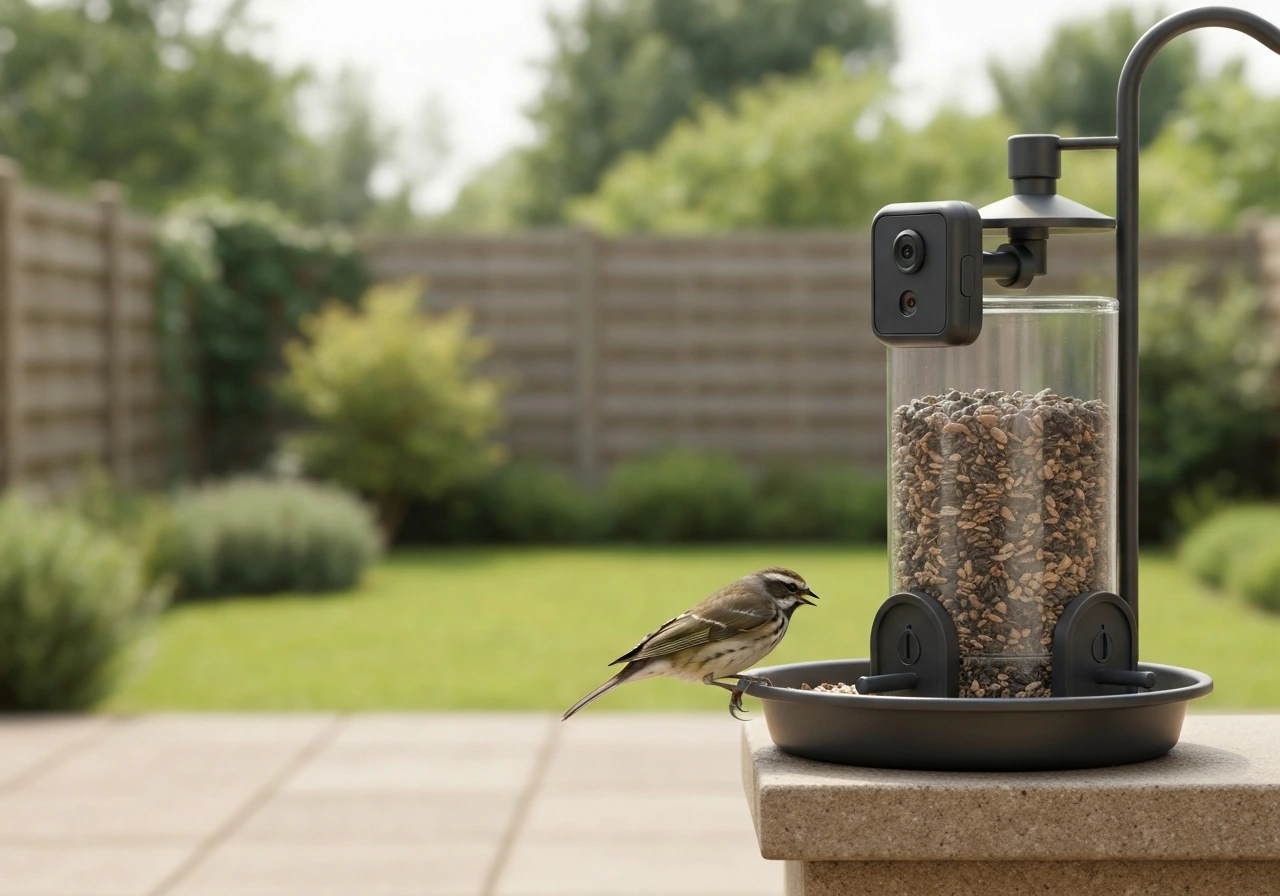
A conventional feeder holds seed. A smart feeder holds seed and also watches your yard for you. The core setup is a built-in or clip-on camera, onboard AI that identifies the species landing on the perch, and a companion app that pushes notifications to your phone. The best models snap photos or short video clips automatically the moment motion is detected at the perch, then label the bird species and add it to a running log. Some store that footage in the cloud; others write to a local SD or TF card.
Who actually benefits from this? Honestly, a wider range of people than you might expect. Beginners love the ID feature because they don't have to recognize birds by sight. Experienced birders use the history log to track migration timing and seasonal species changes. People who travel or work from home want the live-view camera so they can watch from their desk or check in remotely. If you just want to feed birds and don't care about any of that, a standard hopper or tube feeder will do the job for a fraction of the cost. But if identification, logging, or remote viewing matters to you, a smart feeder pays for itself quickly in enjoyment.
The features that actually matter when you're choosing
Camera resolution
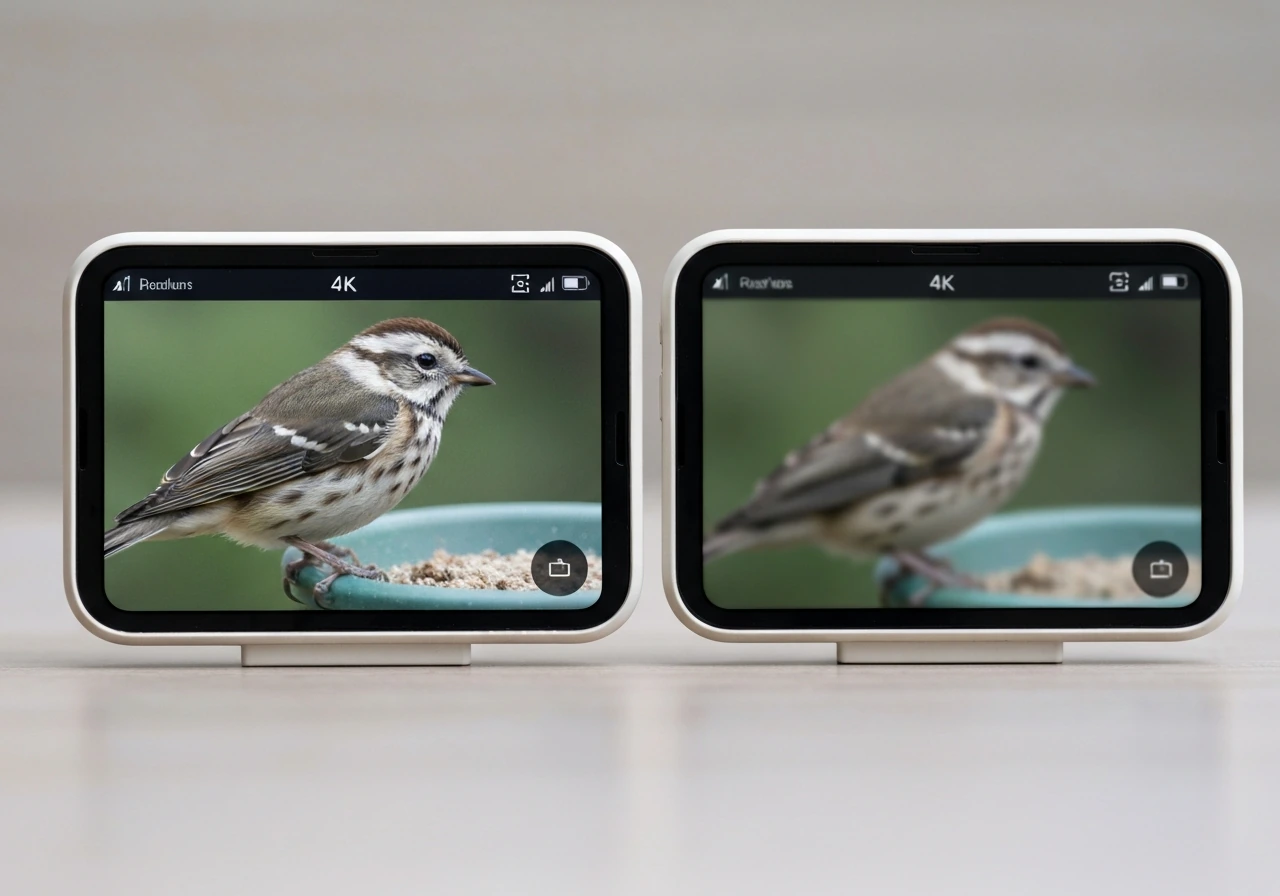
Resolution determines whether you can actually make out plumage detail in the captured image. The Kiwibit Beako shoots in 4K, which is genuinely impressive for a feeder camera. The Birdfy operates at 1280x720 video with 5MP photos, which is perfectly usable for ID purposes but won't win any print competitions. PerchMe lands in the middle with a 2K camera. For most people, 1080p or 2K is the sweet spot: sharp enough to identify birds and share photos without demanding huge cloud storage.
AI species identification
Both Birdfy and Netvue advertise AI recognition covering over 6,000 bird species, which is comprehensive enough to handle virtually anything landing in a North American backyard. The important nuance here is how the AI is delivered. Birdfy's lifetime free AI model includes built-in recognition at no extra charge. The subscription-tier version unlocks the "Bird Detection service" with more features. Bird Buddy's free app tier lets you connect the feeder and watch up to three feeds without paying anything. The key is reading the fine print before you buy: some brands lock species ID behind a paywall, which changes the real cost of the product significantly.
Subscription terms (this is where people get burned)
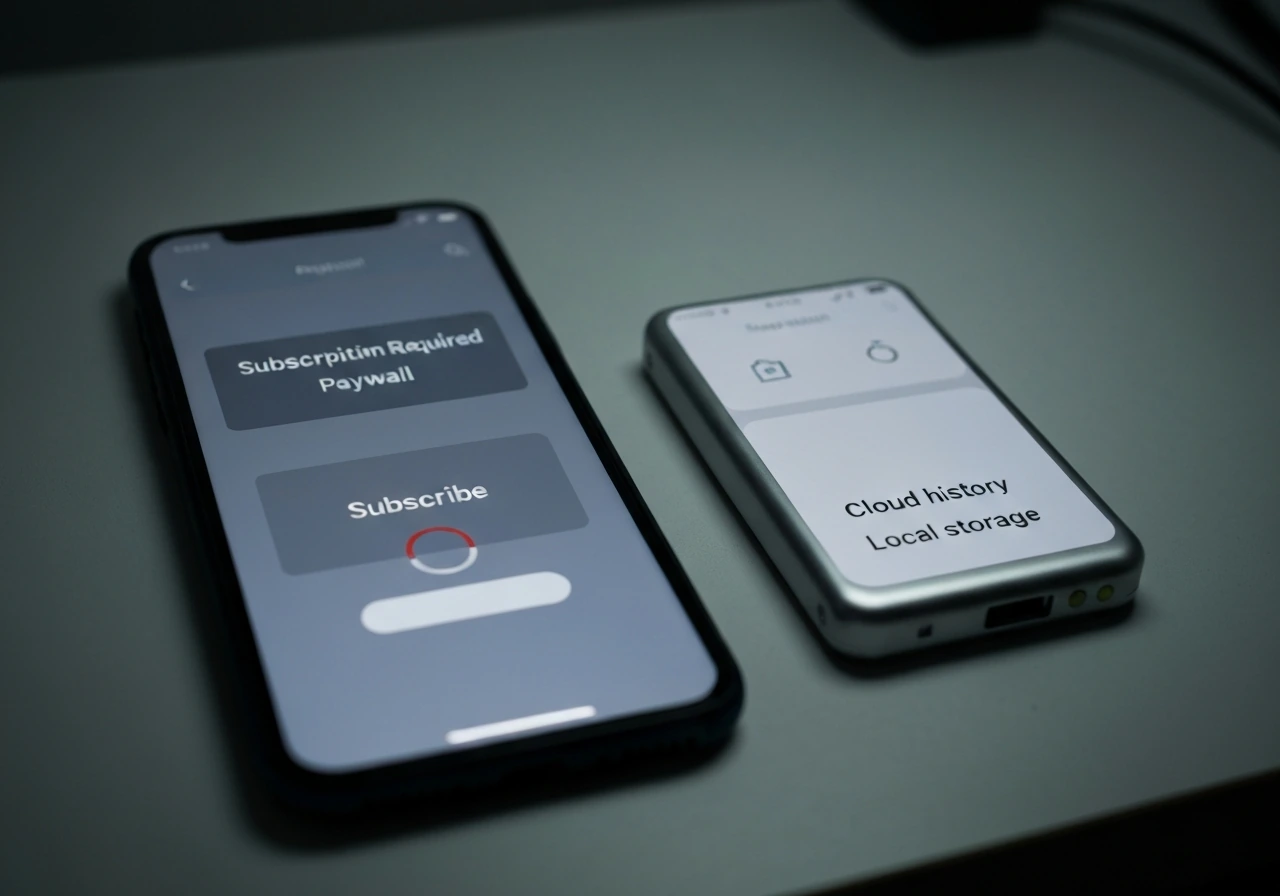
Subscription transparency is genuinely one of the most important buying criteria, and it's often the least clear. The Kiwibit Beako, for example, requires a Kiwibit Plus subscription (priced at £3.99/month or £9.99/month for multiple feeders) to unlock 60-day cloud storage, smart species notifications, and up to 3-minute recording clips. Without the subscription, you get a much more limited experience. The Camouflage EZ BirdFeed takes the opposite approach: its Bird Lover app is completely free with no monthly or annual subscription required. Bird Buddy and Birdfy both offer meaningful free tiers. Kiwibit's own buyer checklist puts it plainly: pick transparent plans and only the features you'll actually use, because unclear subscription terms are one of the top complaints from smart feeder owners.
Cloud storage and local storage
Birdfy and Netvue both offer 30-day free cloud storage for bird history. The Kiwibit Beako's paid tier extends that to 60 days. Many feeders also support a local TF or SD card slot, which matters if you want to own your footage without ongoing fees. Cloud storage is convenient for sharing and remote access; local storage is better for privacy and cost. Ideally, pick a feeder that offers both options.
Power source
Power is a practical headache that most reviews underplay. Smart feeders need consistent electricity to run the camera and Wi-Fi. Options include solar panels (PerchMe includes solar), wired power via USB-C or adapter, or rechargeable batteries. Solar is the most convenient for a pole or hanging position in a sunny yard, but it can struggle in winter or in shaded spots. Battery-only feeders need fairly frequent charging depending on how active your yard is. Wired is reliable but limits placement. Think about your specific mounting location before committing to a power solution.
App quality and alerts
The app is where smart feeders either earn their price or frustrate you daily. Look for push notifications with species labels (not just generic motion alerts), a clean photo/video history feed, and reliable Wi-Fi connectivity. Bird Buddy's app is widely regarded as one of the best in the category. Birdfy's app is solid and functional. Avoid feeders where reviewers consistently mention the app crashing, delayed notifications, or difficult pairing.
Best smart bird feeder picks right now
| Model | Camera | AI ID | Power | Free Tier | Best For |
|---|---|---|---|---|---|
| Birdfy (Netvue) | 1280x720 / 5MP photo | 6,000+ species, lifetime free model | Wired / battery | Yes, 30-day cloud storage | Best overall, easiest setup |
| Bird Buddy Pro | 1080p+ | Yes, no sub required for basics | Battery / solar | Yes, up to 3 feeds free | Best app experience |
| PerchMe | 2K | Yes (sub from $4.49/mo) | Solar + battery | Limited | Best value with solar |
| Kiwibit Beako | 4K | Yes (Plus sub required) | Battery | Minimal (sub needed) | Best image quality |
| DETIKO (ABS / Bamboo) | $149.99 / $169.99 | HD + real-time AI | Solar-assisted | Not specified | Eco-conscious buyers |
| Camouflage EZ BirdFeed | HD | Yes | Battery | Yes, fully free app | Subscription-averse buyers |
For most people shopping today, Birdfy is the recommendation to start with. The combination of lifetime free AI recognition covering 6,000+ species, 30-day cloud storage at no extra cost, and a reliable app makes it the lowest-friction option. If you want to go deeper on how the Birdfy camera actually performs in a real backyard setting, the TT Nature smart bird feeder review covers a closely comparable camera-feeder setup with similar AI features and is worth reading alongside this guide.
PerchMe is the best value pick if solar power is important to you. At a subscription starting from $4.49/month for AI and cloud features, the ongoing cost is modest, and the 2K camera delivers noticeably sharper images than entry-level competitors. The Kiwibit Beako is the image-quality leader at 4K, but the subscription cost adds up quickly if you want the extended cloud storage and species ID notifications that make a smart feeder worthwhile.
Window bird feeders: the best options and how to mount them
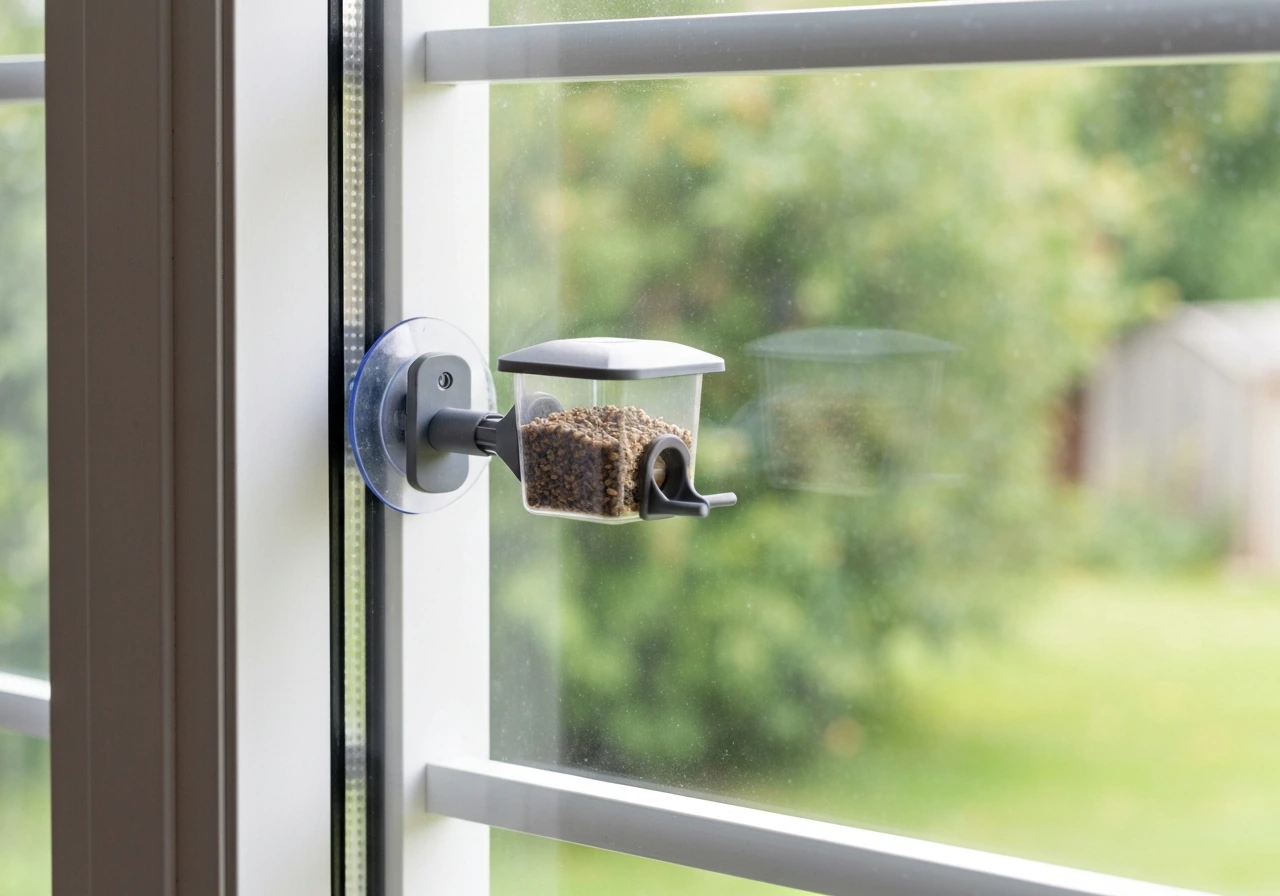
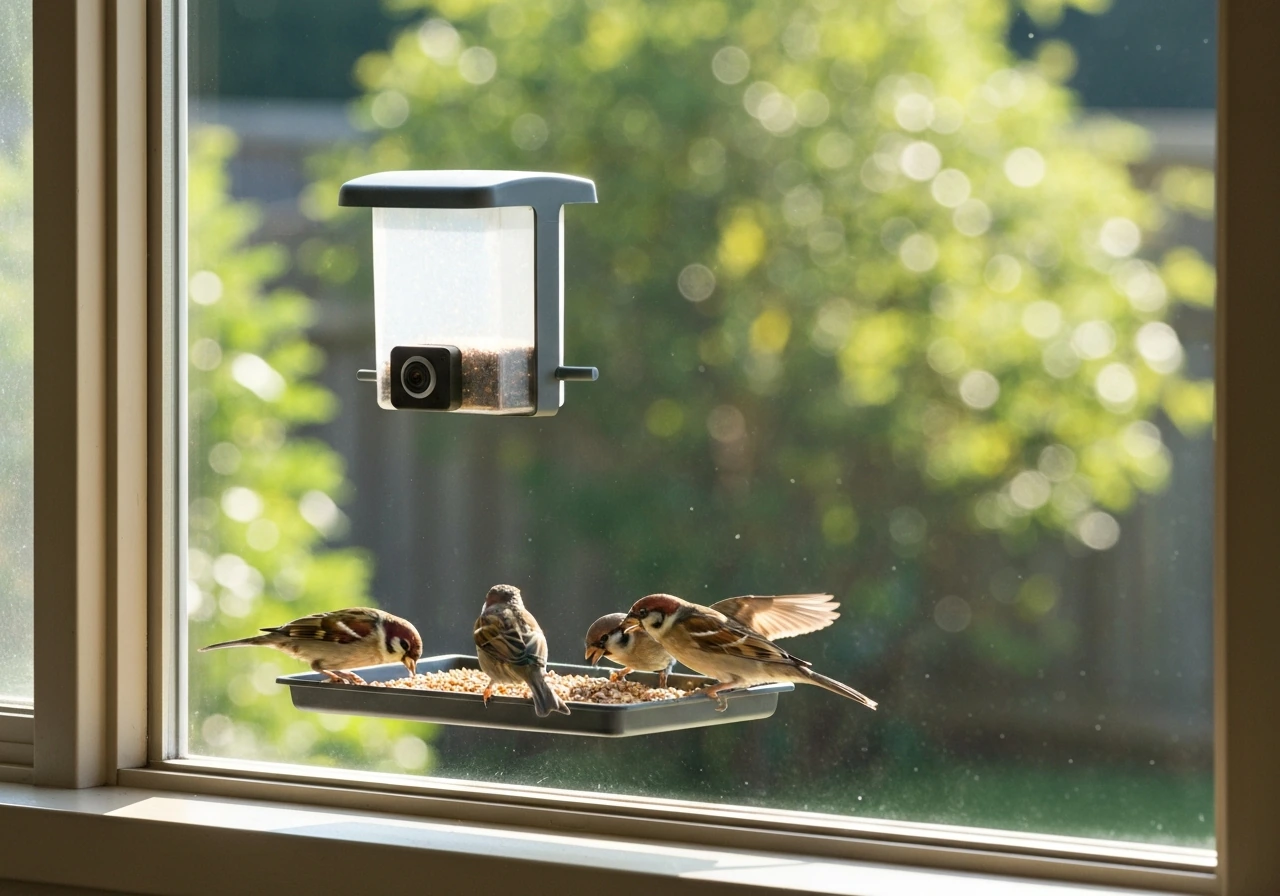
Window feeders are a different animal from pole-mounted or hanging smart feeders. The appeal is obvious: birds come to you, literally at arm's length through the glass. The challenge is that the mounting system has to hold both the feeder tray and the weight of the camera unit, often using suction cups on a smooth glass surface. Suction cup failure is the most common complaint with window feeder camera setups, especially in summer heat when cups can lose their seal.
Bird Buddy's compact design is one of the better fits for window mounting because the camera housing is relatively light and the app experience is polished enough to make close-up bird portraits genuinely satisfying. For the window specifically, look for a feeder with a tray deep enough to hold a small amount of seed without spilling, and a camera angle that shoots slightly downward so birds on the tray are centered in frame rather than cut off at the top. You'll also want to think about glare: south or east-facing windows create backlight problems in the morning that wash out footage.
If you've been considering a window-mounted smart feeder and want an honest breakdown of how the Lollyes model handles real-world placement and suction stability, the Lollyes smart bird feeder review digs into exactly those details. It's one of the more practical hands-on write-ups available on window-specific smart feeders.
For mounting best practices: clean the glass with rubbing alcohol before pressing the suction cups, press firmly for at least 30 seconds, and check the cups weekly in warm weather. If you live somewhere that gets below freezing, bring the feeder inside at night or switch to a bracket-style mount that screws into a window frame rather than relying on suction.
Brand and model deep dives: Feit, Happy Birdy, Hello Birdie, and similar names
A handful of brand names come up repeatedly in smart feeder searches, and it's worth being precise about what you're actually looking at. "Feit Bird Feeder" refers to products from Feit Electric, a brand better known for smart home lighting that has expanded into outdoor smart cameras and feeders. Feit feeders typically use the same Feit Electric app ecosystem as their other smart home devices, which is an advantage if you're already in that ecosystem and a limitation if you're not, since the birding-specific features tend to be thinner than dedicated feeder brands.
"Happy Birdy" and "Hello Birdie" are phrasing variants that appear in search results and marketing copy, and they often refer to different things depending on the retailer. Some are Amazon-listed white-label feeders that rebrand generic camera hardware under a friendly name. Before purchasing anything marketed this way, check: (1) what app the feeder uses and whether it has its own dedicated app or shares one with unrelated smart home devices, (2) whether AI species recognition is genuinely on-device or just motion detection with a bird-themed label, and (3) whether cloud storage is included or requires a separate account setup. If you can't find clear answers to those three questions on the product page, treat it as a red flag.
The Tweety Feed smart bird feeder is another brand that sits in this category of dedicated-but-lesser-known smart feeders. It's worth reading actual user reviews there to see how the AI identification holds up compared to established names like Birdfy and Bird Buddy. For shoppers looking at the iSYOUNG feeder specifically, which is marketed as an accessible entry point into smart feeding, the isYoung smart bird feeder review covers its camera performance and app reliability in detail.
DETIKO is a newer entrant worth tracking. The brand launched its Smart Bird Feeder Series with two models: the ABS Edition at $149.99 and the Bamboo Edition at $169.99. Both feature an HD wide-angle camera with real-time AI bird recognition and solar-assisted power. The Bamboo Edition's eco-friendly material is a genuine differentiator if sustainability matters to you, but at $169.99 it's competing directly with Birdfy and Bird Buddy Pro, which have longer track records and larger user communities.
When you're trying to verify you're looking at the right model, search the exact model number (not just the brand name) on the manufacturer's own support site. Smart feeder product lines update frequently, and a "v2" or "pro" variant may have significantly different camera specs, app support, or subscription requirements than the original. The Sylaza bird feeder reviews page is a useful reference point for checking how one brand handles these generational differences across model updates.
Matching your smart feeder to the birds you actually want to attract
A smart feeder won't attract birds that wouldn't otherwise visit your yard, so matching seed type and feeder design to your target species still matters as much as the tech inside. Here's how the main backyard species break down:
- Cardinals: Prefer safflower or sunflower seeds in a hopper or platform-style tray with enough perch space for a larger bird. Smart feeders with wide trays work well. Cardinals are also fairly tolerant of camera presence, so even a visible lens doesn't spook them.
- Finches (House and Goldfinch): Need a tube feeder with small ports, or a nyjer/thistle sock. Most smart feeders use a hopper or platform design that doesn't suit finches well. If finches are your priority, consider a separate tube feeder alongside your smart camera feeder.
- Woodpeckers: Strongly prefer suet cages. Some smart feeders now include a suet attachment or a secondary cage mount. Without a suet option, you won't see much woodpecker traffic regardless of how good the camera is.
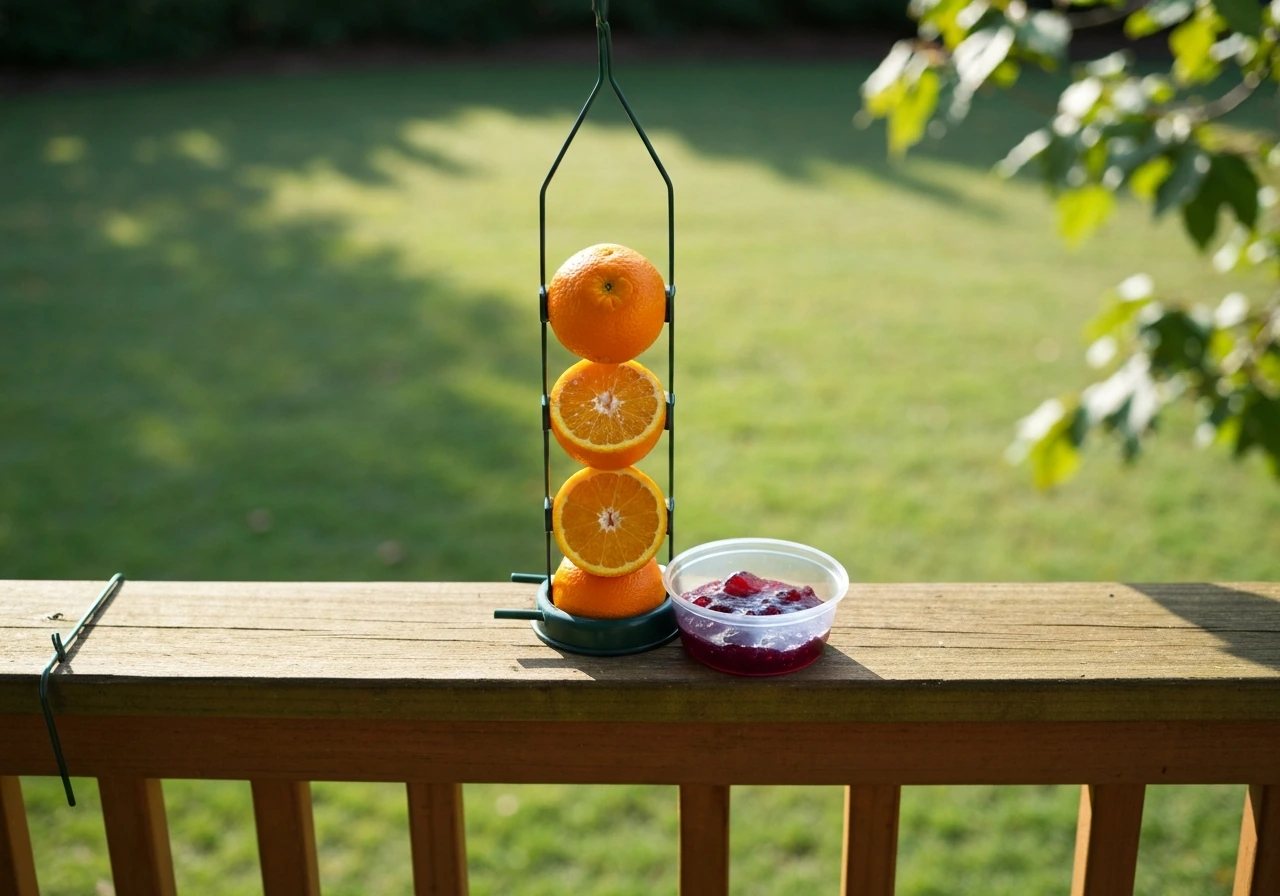
- Orioles: Need an orange half or a jelly cup feeder, ideally in orange coloring. Very few smart camera feeders are designed specifically for orioles, so you may need a dedicated oriole feeder nearby and point a smart camera at it if you want to log visits.
- Bluebirds: Prefer mealworms (live or dried) in an open tray. Some smart feeders with open platform designs work here, but bluebirds are shy around novel objects, so expect a longer acclimation period before they visit a new camera feeder.
- Doves (Mourning and Eurasian Collared): Ground or low platform feeders with millet or cracked corn. Most smart feeders are elevated, which works fine, but doves prefer the widest possible tray surface. Look for models with a platform extension.
- Hummingbirds: Need a liquid nectar feeder with red coloring and ports sized for their bill. Smart camera feeders for hummingbirds exist as a separate product category from seed feeders. Bird Buddy makes a hummingbird-specific smart feeder.
- Blue Jays: Large birds that need a wide, open platform or hopper. Blue jays will dominate a feeder tray if given the chance, which is actually a great opportunity for the camera: they're bold enough to linger and produce great footage.
The practical takeaway is that most smart feeders are optimized for seed-eating perching birds: sparrows, finches, cardinals, chickadees, and nuthatches. If woodpeckers, orioles, bluebirds, or hummingbirds are your priority, verify that the feeder design supports the right food type before you buy based on camera specs alone.
Setup, weather-proofing, pest control, and what to do when things go wrong
Getting the setup right from day one
Place your smart feeder within 30 feet of your Wi-Fi router's signal reach, since most use 2.4GHz Wi-Fi and long distances through walls significantly degrade connection reliability. If your yard is large, a Wi-Fi extender placed near an exterior outlet is a simple fix. Mount the feeder at roughly eye level (5 to 6 feet off the ground for a pole mount) so the camera angle catches birds head-on rather than from below. Keep the feeder at least 10 feet from dense shrubs or low branches that squirrels can use as a launch point.
Weather and winter feeding
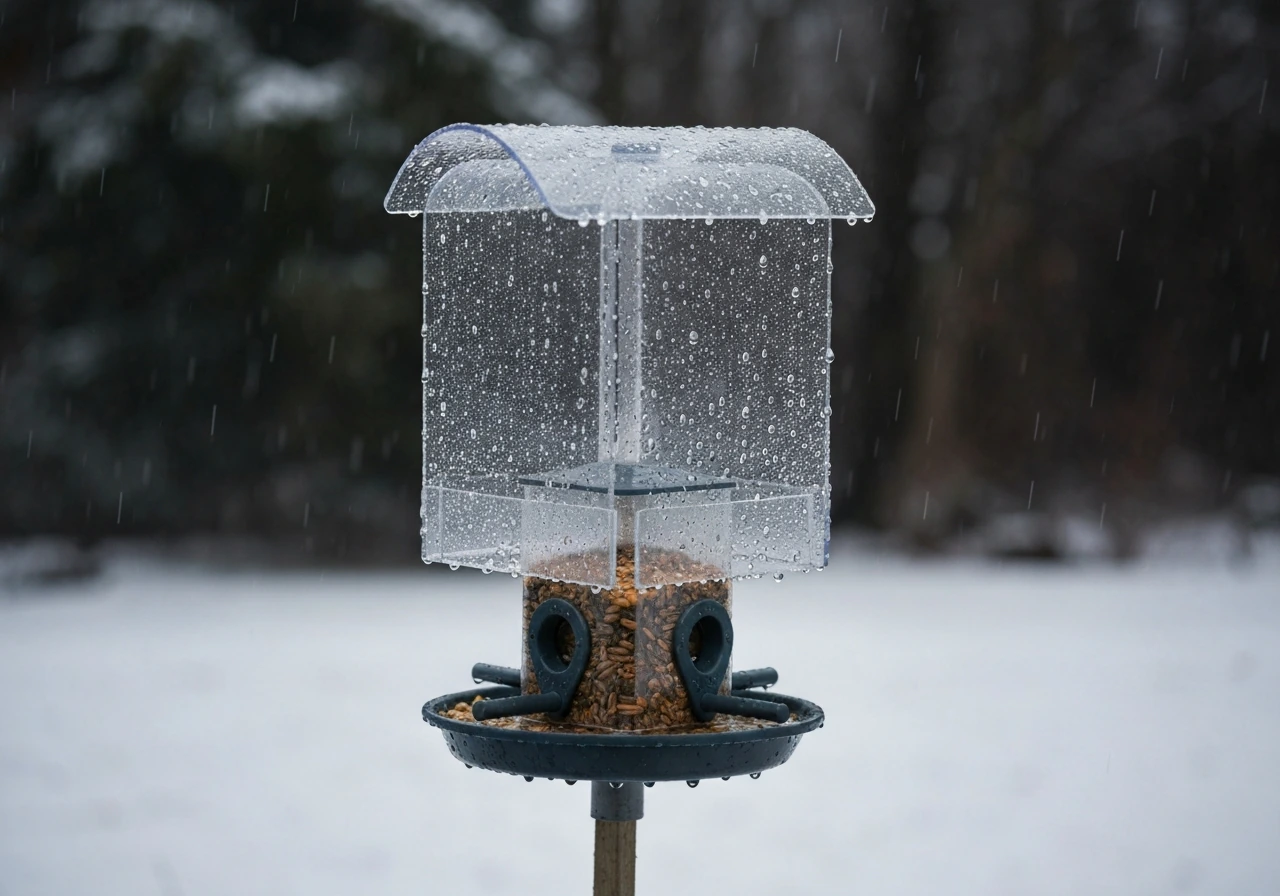
Not all smart feeders are rated for genuine winter conditions. Look for an IP65 or higher waterproof rating for year-round outdoor use. Seed can clump and block ports in wet or humid weather, so check your feeder every few days during rainy seasons and empty any soggy seed before it molds. In freezing temperatures, the main risk to the camera unit is condensation inside the lens housing. Quality feeders use sealed lenses to prevent this, but cheaper units can develop fog or moisture damage over a single winter. If you're feeding through winter (which is honestly one of the best times for backyard birding since resident species are more visible), prioritize a feeder with a documented cold-weather track record, not just a marketing claim of "all-weather." Solar-powered models can underperform significantly in winter in northern latitudes, so have a backup charging cable ready.
Squirrels, rats, and uninvited guests
Smart feeders are not inherently squirrel-proof, and the camera will happily document every squirrel raid in crisp detail. To actually stop them, you need a squirrel baffle on the pole (a cone or cylinder baffle at least 18 inches in diameter), a placement at least 10 feet from any jumping surface, and a feeder with a weight-sensitive perch that closes ports under heavier animals. Rats are more of a ground-level problem: they're attracted to seed that birds knock out of the feeder. Use a tray catch to reduce spillage and clean up fallen seed regularly. A motion-triggered alert from your smart feeder's app is actually useful here: if you're getting alerts at 2am, that's almost certainly a rat or raccoon, not a bird.
Quick troubleshooting guide
- Feeder keeps going offline: Check that your router broadcasts on 2.4GHz (not 5GHz only), and that the feeder is within a reliable signal range. Most smart feeders don't support 5GHz Wi-Fi.
- No bird notifications: Make sure push notifications are enabled in both the feeder app and your phone's system settings. Also check that the camera's field of view actually covers the perch area, not just empty space above it.
- Blurry or dark footage: Clean the camera lens with a soft cloth. If footage is dark, the feeder may be in too much shade for the sensor to expose correctly. Move it to a spot with more ambient light.
- Seed getting wet and clumping: Add a roof or baffle above the feeder tray if the model doesn't include one. Most smart feeders have minimal roofing to keep the camera's view unobstructed.
- AI identifying birds incorrectly: This happens more often with juvenile birds, partial views, or species outside the AI's strong regional data. Report misidentifications in the app; most brands use these reports to improve accuracy.
- Suction cup window mount failing: Clean the window with isopropyl alcohol and let it dry completely before reattaching. Press firmly for 30 to 60 seconds. In summer heat, check the cups daily.
How to make your final call
If you've read this far, here's the simplest decision framework. Buy Birdfy if you want a proven, low-maintenance smart feeder with free AI and 30-day cloud history and you don't want to think about subscriptions. Buy Bird Buddy Pro if you want the best app and don't mind a slightly higher upfront cost. Buy PerchMe if solar power is a priority and you're comfortable with a modest monthly fee for AI features. Buy Kiwibit Beako if image quality is your top priority and you're willing to pay for the Plus subscription. If you're on a tight budget and primarily want to try the category without committing much money, look at the Camouflage EZ BirdFeed: the app is completely free, no subscription required.
Before you finalize anything, verify the current model name and version on the manufacturer's site, check that the app is actively maintained (look at recent app store update dates), and confirm exactly what's free versus paywalled. Smart feeder tech moves fast, and a model that was the clear winner 18 months ago may have been surpassed. The good news is that the category as a whole has matured enough that even mid-range options today deliver genuinely useful AI identification, something that felt almost magical just a few years ago.
FAQ
Do smart bird feeders still identify birds if my Wi‑Fi is slow or goes down?
Check whether the AI ID happens on-device or in the cloud. On-device processing usually works better when your Wi‑Fi drops, while cloud-based recognition may delay labels until the feeder reconnects. Also test overnight, because most “missed ID” issues show up when signal and lighting are worst.
Why does my smart feeder send motion alerts but won’t label the birds correctly?
If you see frequent “motion” alerts but no correct species, it often means the camera is triggering on shadows or fast wing motion. Improve results by mounting at eye level (about 5 to 6 feet), aiming slightly downward at the perch, and placing the feeder away from direct headlights or window glare.
Can I move a smart bird feeder to a new home and keep the same account and history?
Most models require your phone app to be linked to a specific feeder ID and sometimes a region/account setting. Before buying, confirm whether the app supports iOS and Android equally, and whether you can transfer the feeder between accounts if you move houses.
How do I know a smart bird feeder will survive cold, foggy winters without fogging the camera lens?
Look for an IP rating and, separately, a lens-housing sealing approach. Even if the feeder is “weatherproof,” condensation can still form inside the camera module in cold snaps, especially on cheaper units. A documented cold-weather track record matters more than marketing claims like “all-weather.”
Are window-mounted smart bird feeders reliable, or do I need a different mounting option?
Yes, but you need the right mounting hardware. Suction-cup window mounts are easiest but can fail in heat or with certain glass textures. If you use a bracket or screw mount (window frame) you usually reduce the risk, and you still want glare management for morning sun.
What are the real ongoing costs, and what features typically get paywalled?
To avoid ongoing fees, prioritize models that include a free AI tier or lifetime/ongoing free recognition, and verify how species notifications are handled. If species ID, cloud video retention, or longer clips are paywalled, compare the subscription total for at least a year, not just the monthly starter price.
Is local storage on smart bird feeders truly usable, or is it limited compared to cloud recording?
Use local storage if you care about privacy and want footage even if accounts are closed or networks are down. Before buying, confirm whether local recording is continuous or only triggered, and check the supported card types and maximum capacity, since some feeders are picky about SD/TF specs.
Why do some feeders miss birds even when they look like they were in frame?
It usually means you have a mismatch between the camera triggering mode and the bird’s perch behavior. Many birds only land briefly, so you want feeders that support very fast capture on perch motion, and a perch area that covers the camera’s field of view at full resolution.
Do smart feeders help with squirrels, or do I still need a baffle and cleanup routine?
Squirrels are not deterred by the “smart” part, the feeder just records them. For better results, choose weight-sensitive perches (ports close under heavier animals), add a baffle on poles, and position the feeder at least 10 feet from jump points. If you get nighttime alerts, treat them as a rat or raccoon pattern and adjust placement and cleanup.
Is 4K worth it, or will 2K/1080p be enough for bird identification?
It depends on your goal. For general ID and hobby birding, 2K or 1080p is often sufficient, because the critical factor is species label accuracy. If you plan to share sharp photos, look for higher resolution, better low-light performance, and adequate clip length rather than only megapixels.
Next Article
Best Oriole Bird Feeders: Buying, Setup, and Tips
Choose the best orioles feeders and set up jelly or nectar for backyard success, with pest-proofing and troubleshooting.