The best smart bird feeder camera right now depends on what you actually need it to do. If you want solid AI bird identification, reliable 1080p or 2K video, and a feeder that works for most backyard species, the Birdfy Feeder 2 Pro is the strongest all-around pick. If you're on a budget or just getting started, the Birdfy Rookie gives you the core experience at a lower cost. And if video quality and slow-motion are your priority, the Bird Buddy Pro with its Nature Cam Pro (up to 120fps at 2K HDR) is genuinely impressive. But there's a lot more to factor in before you spend, so let me walk you through everything that actually matters.
Best Smart Bird Feeder Camera: 2026 Guide and Top Picks
Marcus Hendricks
23 Mar 2026
What makes a bird feeder camera 'smart'
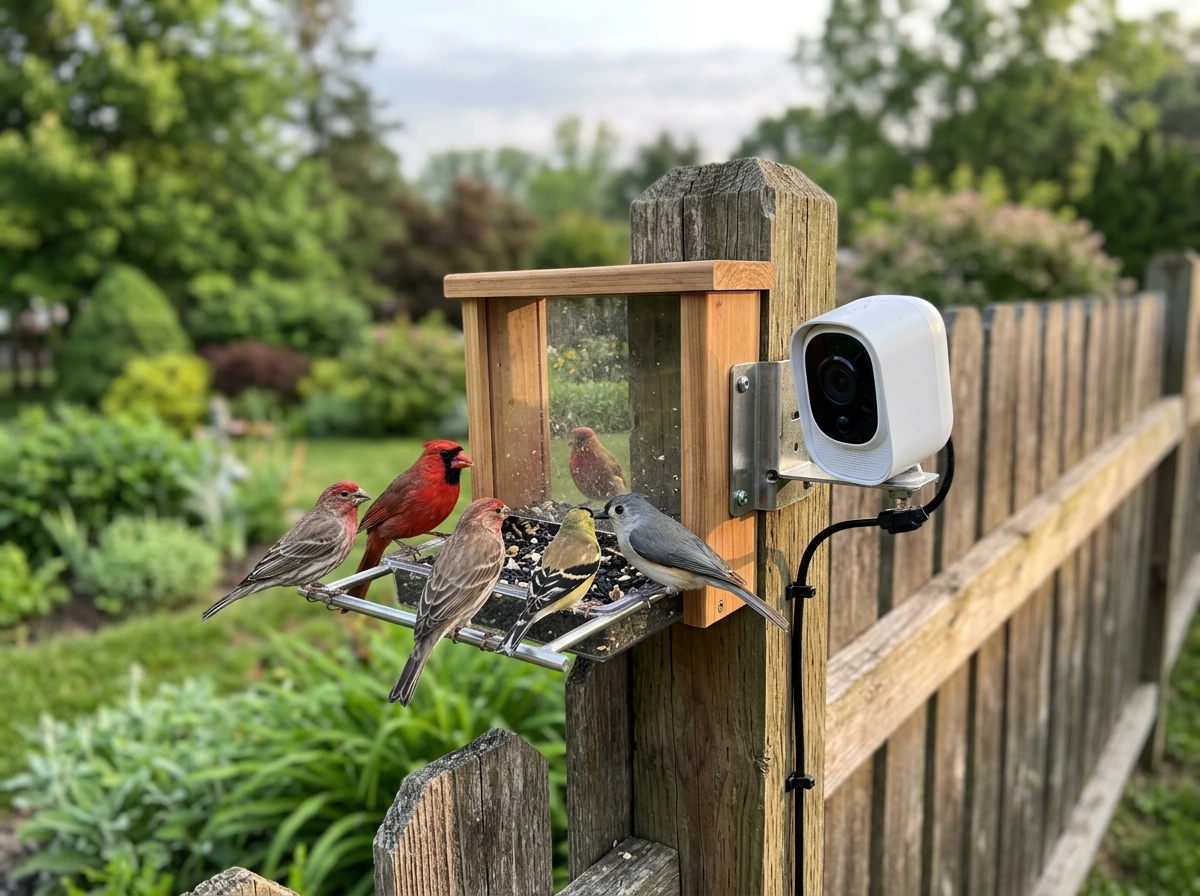
A regular outdoor security camera bolted near your feeder is not a smart bird feeder camera, even if it has motion detection. The 'smart' label earns its keep through a specific combination of features that make watching and identifying birds genuinely easier.
- AI species identification: The camera recognizes which bird is visiting and names it in the app, often drawing from databases of thousands of species. Birdfy, for example, uses AI recognition as a core selling point rather than a side feature.
- Event-based recording: Instead of recording continuously (which drains batteries and storage fast), these cameras trigger a clip when a bird lands. Birdfy calls this Event Video Recording, or EVR. It's how they get 6-month battery estimates under typical usage.
- Integrated feeder design: The camera is built into or mounted directly on the feeder, not retrofitted. This gives you a close, consistent angle on the perch rather than a wide shot from 10 feet away.
- App connectivity: You get push notifications, video review, and species logs through a smartphone app, all tied to your home Wi-Fi.
- Local or cloud storage: You can save clips to a microSD card, the cloud, or both. This matters a lot for privacy and cost, which I'll cover below.
What separates these from gimmicks is whether the AI identification actually works, whether the video is clear enough to enjoy (not just record), and whether the feeder itself is functional enough that birds actually use it. A camera that birds ignore is useless.
Top picks: best smart bird feeder cameras by use case
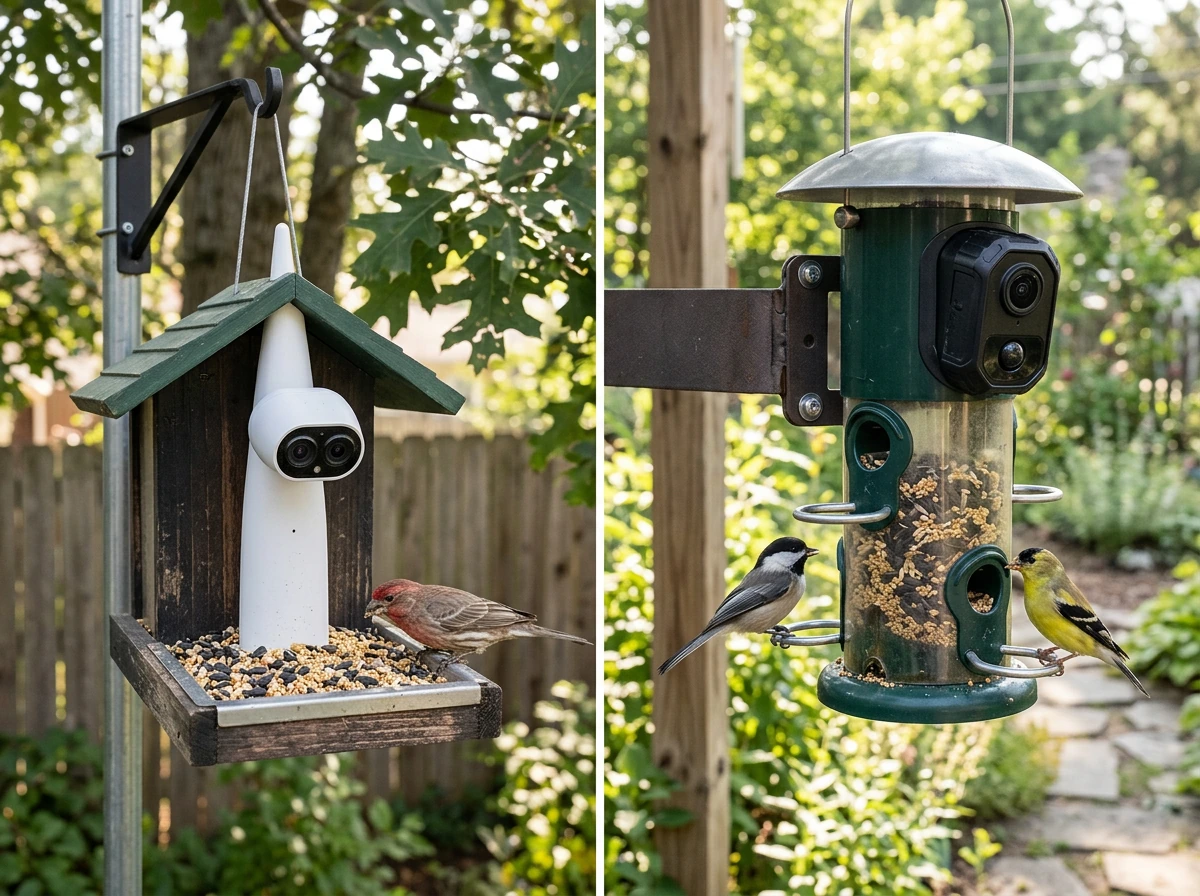
Best overall: Birdfy Feeder 2 Pro
The Birdfy Feeder 2 Pro is the model I'd recommend to most backyard birders today. It shoots 2K video with dual lenses, auto-tracks birds to keep them centered in the frame, and includes slow-motion capture. AI species identification, and the app experience is polished. It supports both cloud storage (free 20-second event clips retained for 30 days) and local microSD recording, which gives you flexibility that purely cloud-based systems don't. The trade-off is price: it's one of the more expensive options in this category.
Best for beginners: Birdfy Rookie
The Birdfy Rookie is built for people who want to try a smart feeder without a big commitment. It runs on a 5200mAh rechargeable lithium-ion battery and supports an optional solar panel add-on, which is smart future-proofing. is built for people who want to try a smart feeder without a big commitment. It runs on a 5200mAh rechargeable lithium-ion battery and supports an optional solar panel add-on, which is smart future-proofing. You get 1080p video and the same AI bird ID system as the higher-end Birdfy models. The app is the same too, so if you upgrade later, you're not learning a new ecosystem. It's a solid starting point, especially if you're not sure how much feeder traffic you'll get.
Best video quality: Bird Buddy Pro with Nature Cam Pro
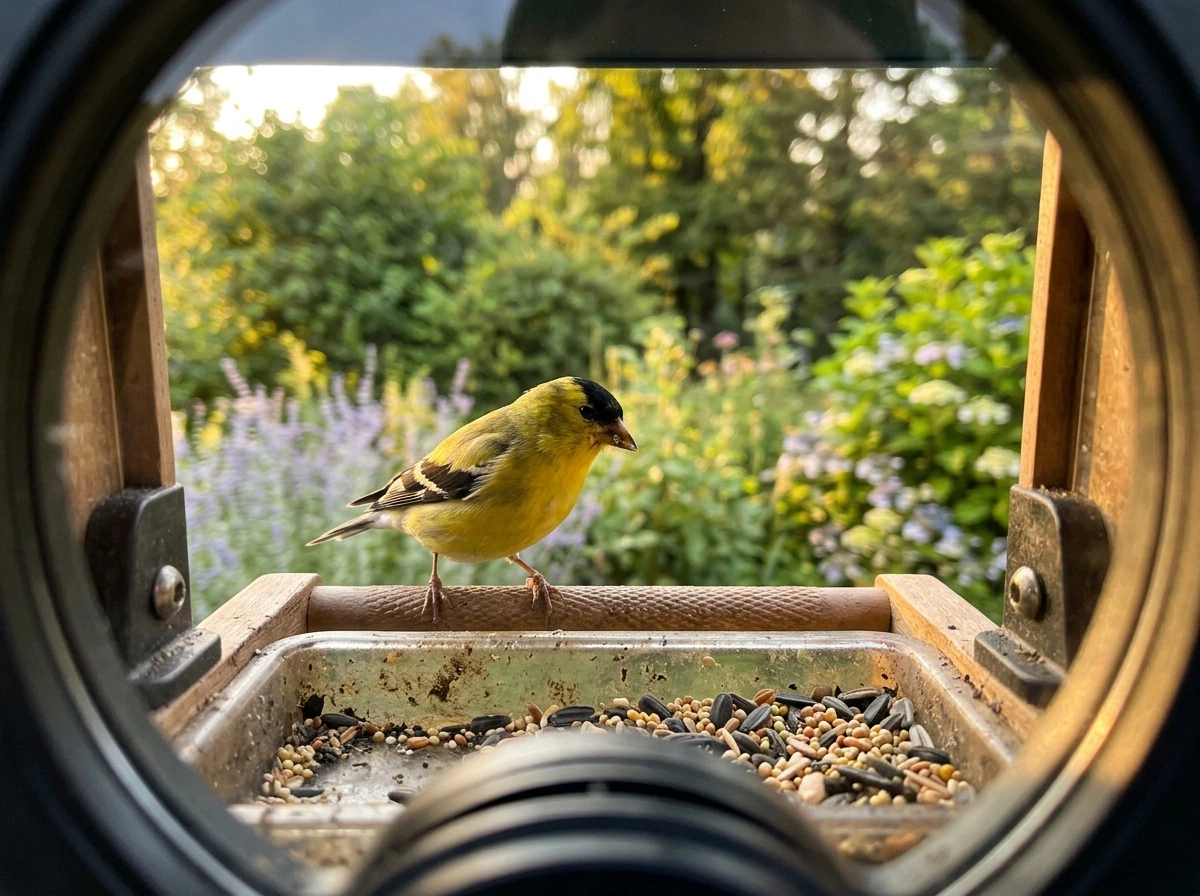
If you're a photographer or someone who genuinely cares about getting stunning footage, Bird Buddy's Pro tier with the Nature Cam Pro is the one to look at. It records 2K HDR video and supports frame rates up to 120fps for slow-motion shots of wing beats and landings. That's a genuinely impressive spec for a feeder-mounted camera. It connects via 2.4GHz Wi-Fi like the rest of the category. The downside noted in Birdfy's own comparison is that Bird Buddy leans more cloud-dependent, so check the current subscription terms before buying.
Best for reliability and detection accuracy: Kiwibit Beako
The Kiwibit Beako is newer but earned attention from real-world testing that put its AI identification accuracy at around 9 out of 10. Reviewers noted fast notification speed and smart alert controls (you can quiet squirrel alerts, which tend to fire constantly). It stores footage on microSD, which keeps things local and avoids cloud subscription questions. The known weakness is low-light performance at dawn and dusk, where shadow detail drops off. If most of your birds visit mid-morning to mid-afternoon, that's not a dealbreaker.
Best for specific bird species
Smaller birds like finches and chickadees work well with any of the above feeders, since their perch behavior is predictable and they're comfortable around enclosed spaces. Cardinals and blue jays, which are larger and sometimes skittish, do better with feeders that have wider perch platforms and aren't too enclosed. Woodpeckers and larger birds need suet-compatible or platform-style feeders, and the smart camera options for those are more limited. Right now, most smart feeder cameras are optimized for seed feeders with standard perch ports, so if woodpeckers or orioles are your main targets, you may need a separate suet or nectar feeder alongside your smart camera unit.
Camera quality and connectivity: what actually matters
Marketing resolution numbers are a starting point, not the whole story. Here's what to actually pay attention to.
Resolution and frame rate
1080p (Full HD) is perfectly acceptable for identifying birds and enjoying clips. You'll see plumage detail clearly at 1080p if the camera is positioned well. 2K gives you noticeably sharper images and works better if you want to crop or zoom in post. If slow-motion is important to you, look specifically for high frame rate specs. The Bird Buddy Nature Cam Pro's 120fps is the standout here. Standard smart feeders cap out around 30fps, which means fast wing movements can blur.
Night vision and low-light performance
Most birds don't visit at night, but dawn and dusk are peak feeding times and the light is genuinely tricky. Birdfy models give you a choice between infrared mode (classic green-tinted night vision, invisible to birds) and white-light mode (color but potentially startling to wildlife). Infrared is better for not disturbing birds; white light is better if you want color video. The Kiwibit Beako's reviewed weakness at dusk is worth noting if you have heavy dawn/dusk traffic. If early morning feeding is your main window, prioritize low-light specs.
Motion detection sensitivity
You want sensitivity high enough to catch a small finch landing, but not so high that wind-blown seed triggers constant false alerts. Most smart feeders let you adjust sensitivity in the app. In practice, squirrel visits are the biggest source of alert fatigue. The Kiwibit Beako lets you disable squirrel alerts specifically, which is a genuinely useful feature. On Birdfy models, you can tune motion zones and sensitivity through the app as well.
Wi-Fi connectivity
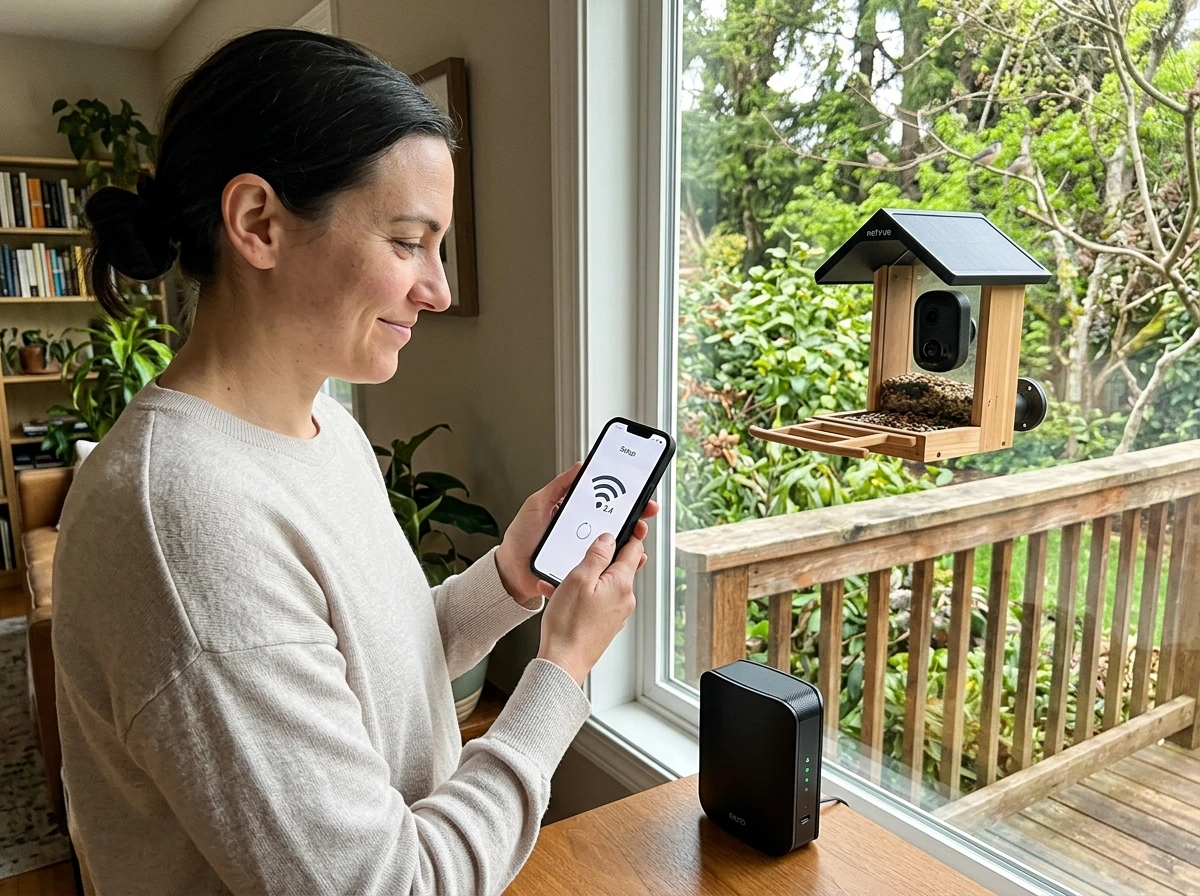
Every major smart bird feeder camera on the market right now, including Birdfy and Bird Buddy, runs on 2.4GHz Wi-Fi only. Not 5GHz. This is actually fine for outdoor use because 2.4GHz has better range and penetrates walls better than 5GHz, but it does mean you need a strong 2.4GHz signal at your feeder location. If your router is on the far side of the house, you may need a Wi-Fi extender. Birdfy's support documentation specifically recommends using a Wi-Fi analyzer app to check signal strength at your feeder spot before mounting. One additional note: the metal housing versions of Birdfy feeders can block their own signal in some orientations, so placement matters more than you'd expect.
Storage and app usability
Birdfy's free cloud tier gives you 20-second event clips stored for 30 days, which is genuinely useful without spending anything extra. For longer clips or extended retention, you move to a paid plan. The microSD option is available on most Birdfy models and is worth using alongside cloud if you want to be sure you never miss a rare visitor. Bird Buddy's ecosystem is more cloud-centric, so factor in subscription costs if you go that route. Both platforms have well-reviewed apps for iOS and Android.
Feeder performance: food delivery, durability, and bird access
The camera is only half the product. The feeder has to actually work or birds won't show up, and then it doesn't matter how good the camera is.
Seed compatibility and capacity
Most smart feeder cameras are designed around standard mixed seed or black oil sunflower seed, which attracts the widest variety of common backyard birds including cardinals, finches, chickadees, and nuthatches. Tube-style feeders built into smart camera units tend to hold 2 to 4 cups of seed, which is enough for a few days of heavy traffic. Check whether the feeder opening size works for your target birds. Tiny nyjer (thistle) ports attract goldfinches specifically but exclude larger species. If you're targeting multiple species, a wider port with a decent perch platform is more versatile.
Weather resistance and durability
This is where marketing claims need real skepticism. Outdoor electronics are exposed to rain, humidity, UV, and in many regions, sub-zero temperatures. Birdfy feeders are rated for outdoor use and are generally well-reviewed for rain resistance, but prolonged direct exposure to ice or standing water can cause issues over time. If you're in a harsh winter region, mounting under a small roof overhang or using a covered pole mount extends the life of the electronics significantly. The camera lens is particularly vulnerable to glare and condensation in morning light, which I'll address in the troubleshooting section below.
Ease of cleaning and refilling
This matters more than people expect. A feeder you dread cleaning gets cleaned less often, and wet moldy seed drives birds away fast. Look for feeders with a wide top opening or removable base for seed access, and a design where the camera unit doesn't obstruct the refilling process. Birdfy models are generally straightforward to refill without disconnecting the camera. Run a cleaning check before you buy: if the feeder requires disassembly to clean thoroughly, factor that into your maintenance commitment.
Power and installation: solar, battery life, mounting, and weatherproofing
Battery vs solar
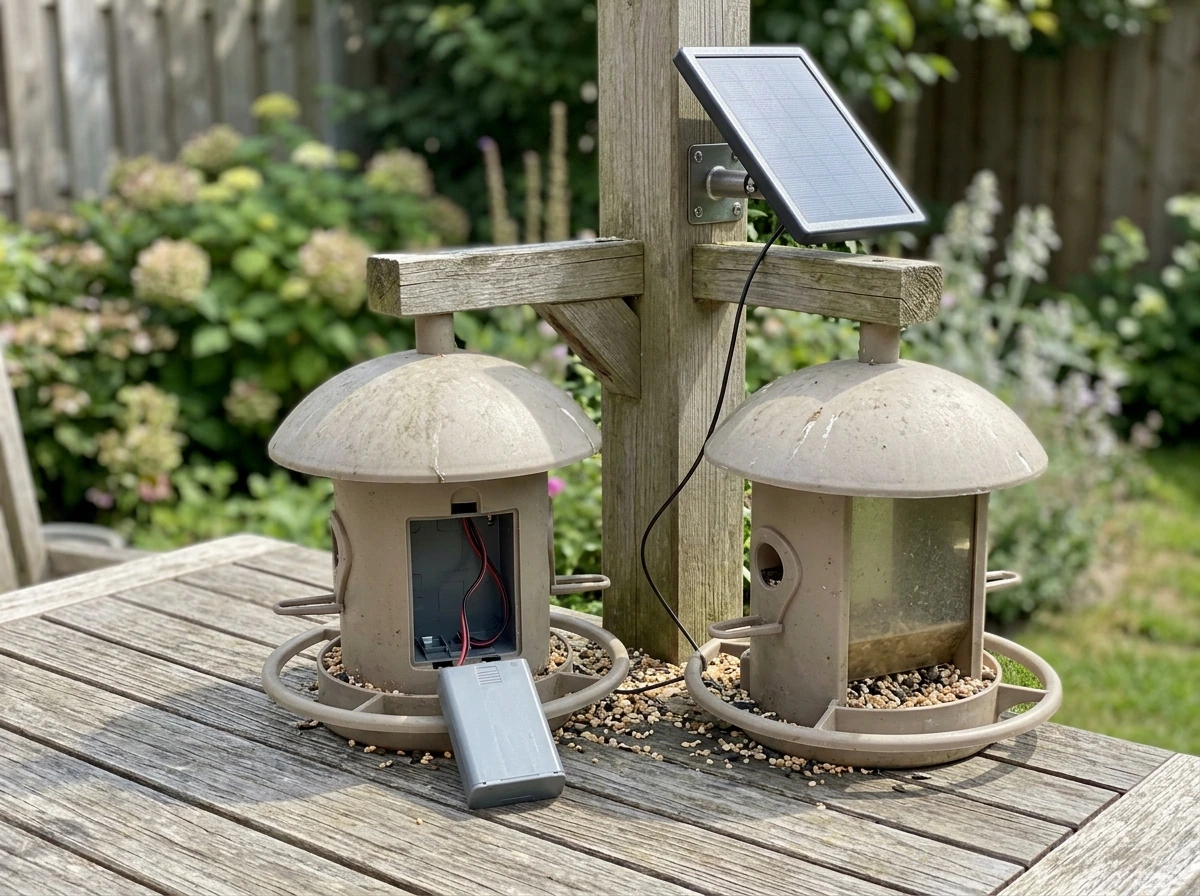
Under typical usage (recording 10 to 20 second event clips per day), Birdfy's documentation estimates battery life up to 6 months. In practice, heavy bird traffic, frequent squirrel triggers, or cold weather will reduce that. Lithium batteries lose capacity noticeably below freezing, so if you're feeding birds through a Minnesota or New England winter, expect to recharge more often than the spec suggests. Solar panels, available as add-ons on models like the Birdfy Rookie, can maintain charge through most seasons as long as you mount the panel in full sun. In deep winter with short days and cloudy weather, solar alone may not keep up. A hybrid approach of solar plus battery is the most reliable setup year-round.
Mounting options
Birdfy feeders support both wall mounting and pole mounting. Pole mounting is generally better for bird access because it gets the feeder away from surfaces that squirrels can launch from. Wall mounting works well for window-adjacent setups where you want birds close to indoor viewing spots. The camera bracket on Birdfy feeders is adjustable for angle, which matters: you want the lens pointed slightly downward at the perch, not straight ahead or upward. Netvue's installation guide specifically addresses this angle adjustment. Get it right before you fix the mount permanently, because repositioning a hardened bracket is annoying.
Winter feeding considerations
Smart feeders in cold climates need extra attention. Seed can clump and block ports in high humidity or after rain, especially with nyjer or fine mixed seed blends. High-oil seeds like black oil sunflower are the most reliable in winter because they don't clump as badly and they give birds the fat they need for warmth. Bring the feeder inside for deep cleans monthly during winter. If your camera goes offline in cold snaps, a battery running low in cold temps is usually the cause, and bringing it inside to warm up and charge resolves it quickly.
Security and privacy, plus troubleshooting common issues
Privacy and data security
Adding a Wi-Fi camera to your backyard means data is leaving your network. Netvue states it uses SSL and bank-level encryption for data transmission, which is a reasonable baseline, but it doesn't tell you everything. Your camera video, your location data, and your usage patterns are passing through a third-party server. A few practical steps reduce your exposure: use a strong, unique password for your app account, enable two-factor authentication if the app supports it, and keep firmware updated. If you're very privacy-conscious, a microSD-only setup (skipping cloud entirely on compatible models) keeps footage local. The Kiwibit Beako's microSD-first approach is appealing on this front.
Troubleshooting connectivity drops
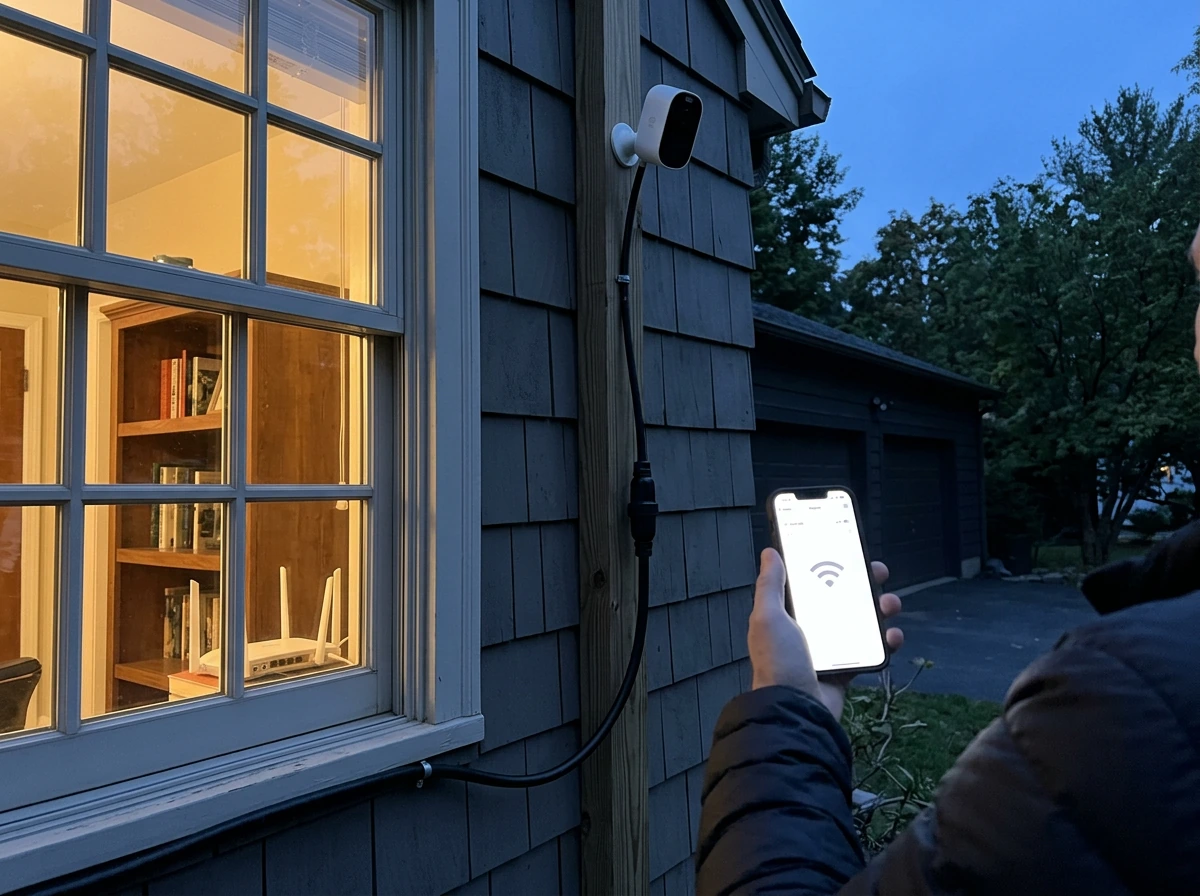
The most common complaint with smart feeder cameras is going offline. Nine times out of ten it's Wi-Fi signal, not a hardware failure. Before assuming the camera is broken, do these things in order: check the signal strength at the feeder location with a Wi-Fi analyzer app (Birdfy's own support recommends this), verify your router is broadcasting on 2.4GHz (not just 5GHz), and reboot both the router and the feeder. If the feeder has a metal housing, experiment with its orientation since metal can attenuate the internal antenna. If connectivity is still unreliable after all that, a Wi-Fi range extender placed between the router and the feeder location is the most reliable fix.
Fixing poor bird detection
If the camera is missing birds or triggering on everything except birds, start with sensitivity settings in the app. Lower sensitivity reduces false triggers from wind and leaves. Increase it if small birds (like goldfinches or chickadees) are landing without triggering events. Camera angle is also a factor: if the lens is pointed too high or too far, a bird can be on the perch and mostly out of frame, reducing the motion signal. Adjust the bracket angle so the perch area fills most of the frame.
Dealing with camera glare
Morning glare is a real issue with east-facing feeder mounts. The camera lens catches direct sun early in the day and blows out the image entirely. Face your feeder north or northeast if possible to get consistent, diffused light throughout the day. A small hood or visor above the lens can help if repositioning isn't practical. Avoid mounting on surfaces that reflect light directly toward the camera, like white fences or light-colored walls.
Handling pests and squirrels
Squirrels will set off smart camera alerts constantly, and they're hard on feeders physically. A pole mount with a baffle below the feeder is the most reliable mechanical deterrent. Squirrel-proof caged feeders are available but generally not in the smart camera category yet, so you're managing pests through placement rather than hardware. If you're getting alert fatigue from squirrel notifications, turn down squirrel-specific alerts in the app (where supported) or raise the sensitivity threshold slightly so small mammals don't trigger clips as often. Larger animals like raccoons are harder to deter and will damage the feeder itself if they can reach it, so height and baffle placement matter a lot.
How to choose the right model for your birds and backyard
Here's the honest decision framework I'd walk through with anyone standing in front of these options.
| Your situation | Best fit | Why |
|---|---|---|
| New to smart feeders, limited budget | Birdfy Rookie | Good AI ID, solid battery, solar-upgradeable, same app ecosystem as premium models |
| Want the best all-around camera and feeder | Birdfy Feeder 2 Pro | 2K dual-lens, auto-tracking, strong AI ID, flexible storage (cloud + SD) |
| Video quality and slow-motion are the priority | Bird Buddy Pro + Nature Cam Pro | 2K HDR, up to 120fps, best footage in the category |
| Value detection accuracy and local storage | Kiwibit Beako | ~90% ID accuracy in testing, microSD-first, fast notifications |
| Harsh winter climate | Any Birdfy with solar panel add-on | Battery + solar hybrid handles cold-weather drain better |
| Small birds: finches, chickadees, sparrows | Any of the above with standard seed ports | These species are comfortable with tube-style enclosed feeders |
| Large birds: cardinals, blue jays | Birdfy Feeder 2 Pro or Rookie with wide platform | Larger birds prefer open perch access; avoid tiny port designs |
| Privacy-first, no cloud subscription | Kiwibit Beako (SD only) or Birdfy with SD card, cloud off | Local storage only, no recurring fees |
Quick checklist before you buy
- Check your Wi-Fi signal at the planned feeder location. Confirm your router broadcasts 2.4GHz and the signal reaches the spot comfortably.
- Decide on your power approach: battery-only works if you'll recharge every few months; add solar if you want hands-off operation year-round.
- Pick your storage preference: free cloud (30-day clips) is enough for casual use; add a microSD card if you want local backup or longer retention without a subscription.
- Think about your target birds: tube-port feeders work for most small-to-medium species, but larger birds need more open perch space.
- Plan your mount: pole mounting with a squirrel baffle is the most effective setup for both bird access and pest control.
- Orient the feeder to avoid direct morning or afternoon sun hitting the lens: north or northeast-facing is ideal in most of North America.
- Download the app and create an account before the feeder arrives so you can move through setup quickly on day one.
Smart bird feeder cameras are genuinely useful tools when you pick one that matches how your backyard actually works. The best one isn't always the most expensive. It's the one with a good Wi-Fi connection, the right feeder design for your birds, and a power setup you'll actually maintain. Start there, and the AI identification and video quality become the enjoyable extras they're meant to be.
FAQ
Will the best smart bird feeder camera record continuously, or only when it detects motion?
Most models are event-based, so they usually do not capture every single moment continuously. To avoid missing short landings, set a higher sensitivity only if your wind and squirrel activity are low, and use motion zones to focus on the perch area rather than the whole feeder body.
What should I adjust if the AI bird identification keeps getting it wrong?
If you get good video but poor species ID, the biggest fix is framing. Reposition the camera so the bird’s head and upper body are in view during the landing phase, then reduce the motion zone area to avoid counting feeder shake or seed fall as “birds.”
Can I use a smart bird feeder camera as a normal backyard security camera?
No, it is not a reliable replacement for outdoor security cameras. Smart feeder cameras are optimized for small, perch-based movement in a narrow area, so they can miss fast, non-perch motion and may not perform well for faces or wide-area tracking.
How can I tell if low-light or glare will be a problem where I live?
Try the camera in the lighting conditions you care about before fully committing the mount. Dawn and dusk glare, plus condensation, can reduce detection even when daylight looks fine, so test after sunrise and again near sunset for at least a few days.
Why does my smart bird feeder camera fail to connect even though my Wi-Fi works elsewhere?
Many smart feeders only support 2.4GHz Wi-Fi, and some apps struggle with mixed networks (2.4GHz and 5GHz sharing one name). Use a 2.4GHz-specific SSID if needed, confirm the network password has no special-character mismatch, then reboot the router after changing Wi-Fi settings.
How do I cut down false alerts from wind, seed, and squirrels?
Often you can reduce alerts without changing overall camera sensitivity by disabling or lowering squirrel-specific alerts (on models that support it) and trimming the motion zone. If your feeder still triggers from seed drop, increase the “target area” to the perch only.
What microSD card size and setup works best for local recording?
If you use microSD, confirm whether clips auto-sync to the app and whether the camera overwrites old footage when the card fills up. Also, pick a high-reliability card (Class/Speed rating appropriate for the camera) to avoid corrupted clips.
How much maintenance should I expect each month?
Yes, but plan for operational downtime. Most systems need occasional lens cleaning, seed-port checks, and occasional app firmware updates, which can be hard if you mount under a roof you cannot easily access. Make sure you can reach the feeder without taking it down every time.
What drains the battery fastest, and how should I plan power for winter?
The most common battery-drain causes are high alert frequency (squirrels, wind), cold temperatures, and frequent app re-syncs. If you are in a freezing region, treat the rated battery life as optimistic and consider solar add-ons only if you have consistent full-sun hours.
Will a seed-focused best smart bird feeder camera work for woodpeckers and larger birds?
Start by matching feeder type to bird behavior. For woodpeckers and other larger birds, look for a platform or suet-compatible feeder that the camera ecosystem can accommodate, then confirm your “bird entry” height so the bird’s body is centered in frame on approach.
How can I make a smart bird feeder camera more privacy-friendly?
To reduce data exposure, use the lowest retention tier you can tolerate, disable any optional motion history features you do not need, and rely on microSD-only where the model supports it. Also set your phone’s app permissions so location access is limited to what’s required for setup.
What’s the best way to diagnose a camera that goes offline repeatedly?
If connectivity drops repeatedly, replace the weakest part of the chain first. Check 2.4GHz signal at the mount, then ensure the camera is not on the edge of coverage, finally consider a range extender placed specifically between the router and the feeder rather than “somewhere nearby.”
Next Article
Best Oriole Bird Feeders: Buying, Setup, and Tips
Choose the best orioles feeders and set up jelly or nectar for backyard success, with pest-proofing and troubleshooting.