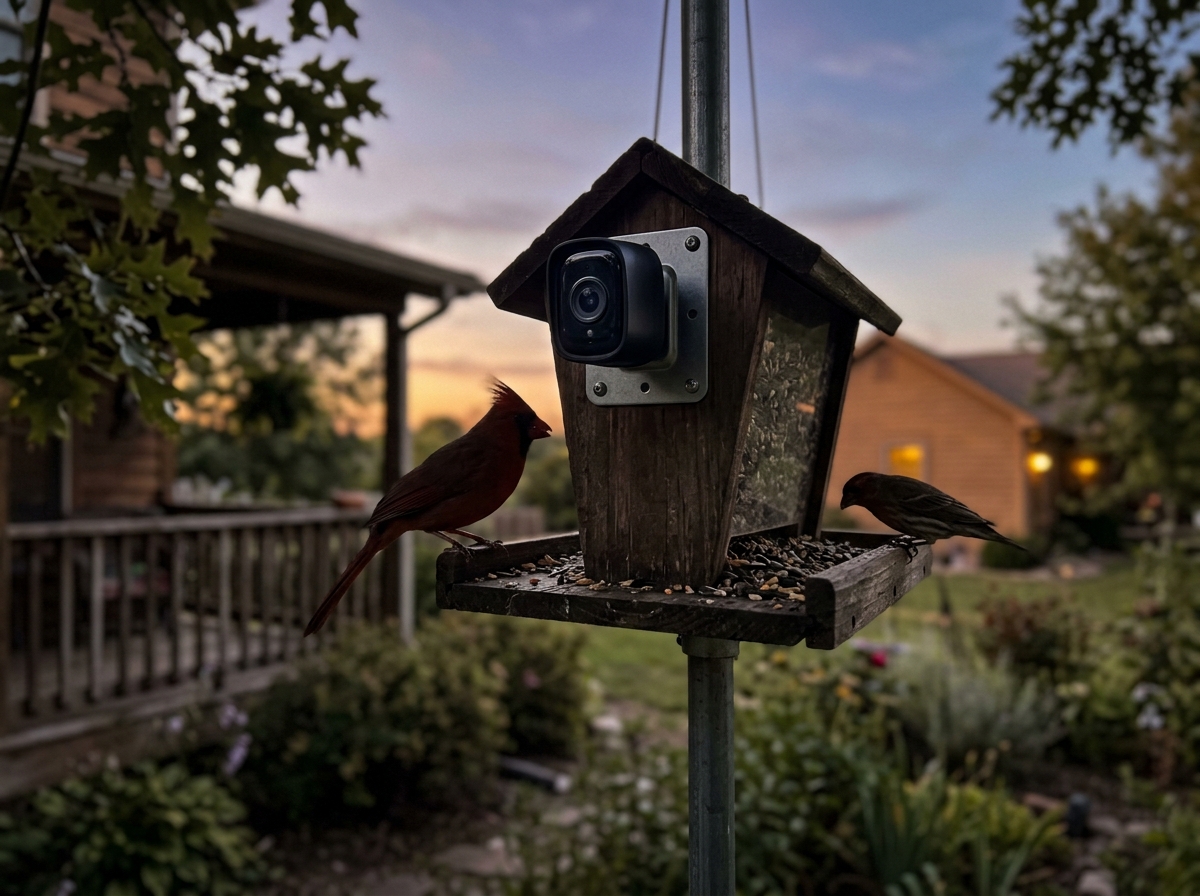
The short answer: the Netvue Birdfy AI+Solar is the best solar bird feeder with a camera you can buy in 2026 for most backyard setups. It hits the right combination of 1080p wide-angle video, a 5000mAh battery with genuine solar top-up, full-color night vision, and AI bird identification that actually works most of the time. That said, it is not perfect, and depending on your yard, your Wi-Fi, and which birds you are trying to attract, there are real reasons to consider the Feit Electric CAM/BIRD/WIFI or the FeatherSnap Scout instead. This guide walks through everything you need to know to make the right call for your specific situation.
Best Solar Bird Feeder With Camera: 2026 Buyer’s Guide
Marcus Hendricks
23 Mar 2026
What a solar camera bird feeder actually does
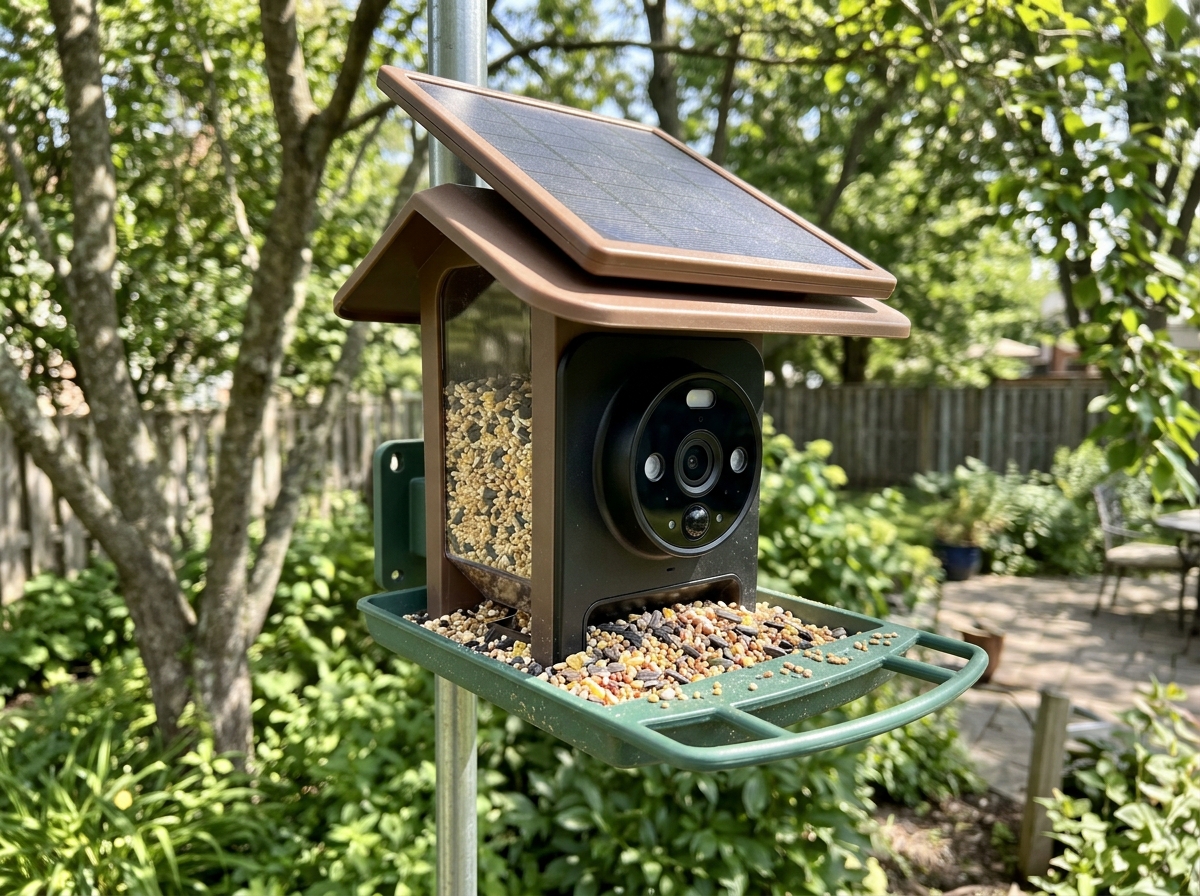
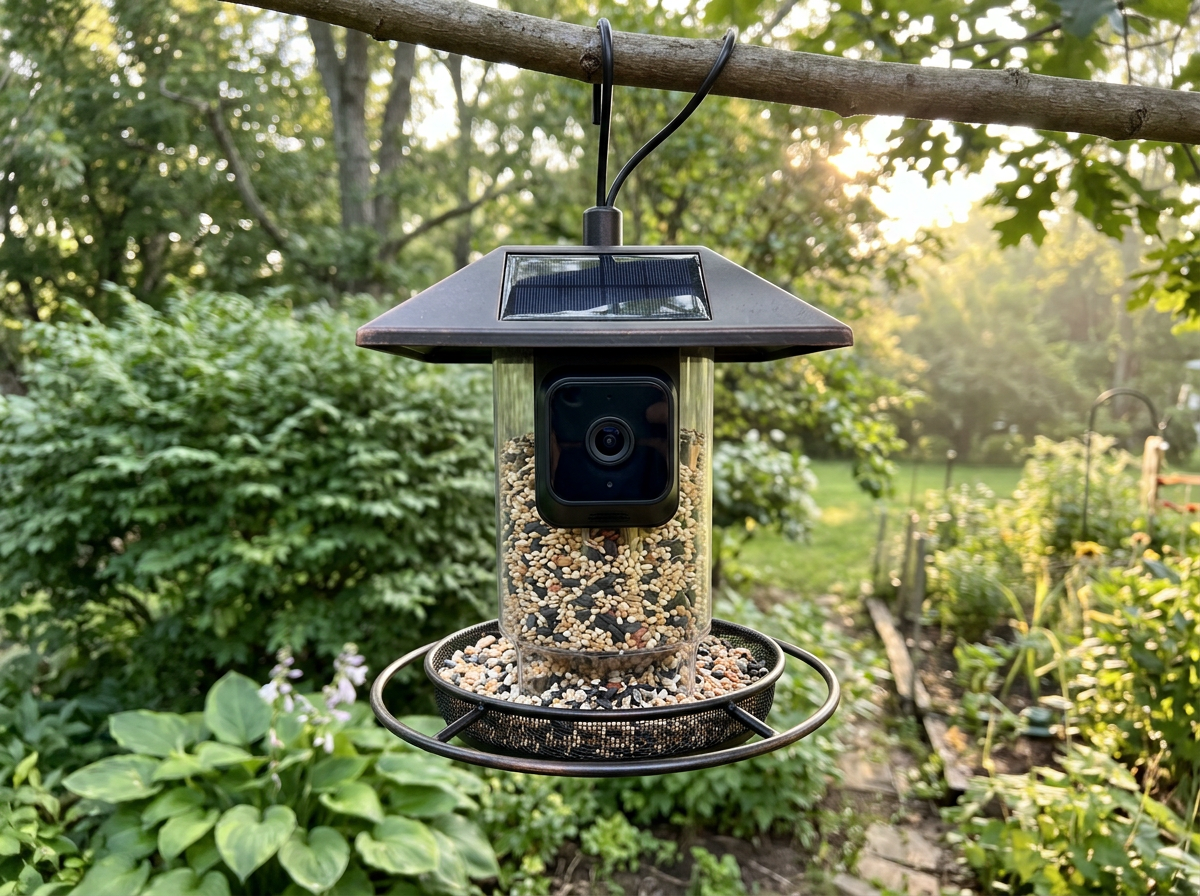
At its core, a solar camera bird feeder is three things built into one unit: a seed feeder (usually a hopper or platform-style tray), a Wi-Fi camera module, and a solar panel (almost always built into the roof section) that keeps a rechargeable internal battery topped up. When a bird lands, a PIR motion sensor triggers the camera to capture a short video clip or photo, which gets sent to a phone app. Some models also support live streaming so you can check in on your feeder in real time. The solar panel means you do not have to drag it inside to charge constantly, but it does not mean the battery lasts forever without sunlight.
The camera does not record continuously. Every model in this category uses motion-triggered capture because continuous recording would kill the battery in a day or two. That means what you actually get is a library of short event clips, not a full security-cam-style recording. Free tiers typically store those clips in the cloud for 30 days. Local microSD storage is an alternative on models that support it. AI bird identification, where the app tries to name the species from the clip, is an add-on layer that some models do better than others.
The specs that actually matter when you buy
There are a lot of numbers thrown around in this category. Here is which ones to pay attention to and which ones to ignore.
Solar panel and battery backup
The solar panel on these feeders is not large. It extends the battery life significantly in good sun conditions, but it rarely generates enough power on its own to run the camera indefinitely without any stored charge. The Birdfy AI+Solar carries a 5000mAh internal battery, and Netvue's own documentation says that with 10 to 20 short video events per day, that battery can last up to six months before needing a manual charge. Add solar and you may never need to charge it manually in a sunny spot. In winter, shaded yards, or cloudy climates, expect to plug it in periodically. The Feit Electric CAM/BIRD/WIFI publishes its detailed wattage and battery specs in a downloadable spec sheet, which is worth pulling up before you buy if exact numbers matter to your comparison.
Camera resolution and field of view
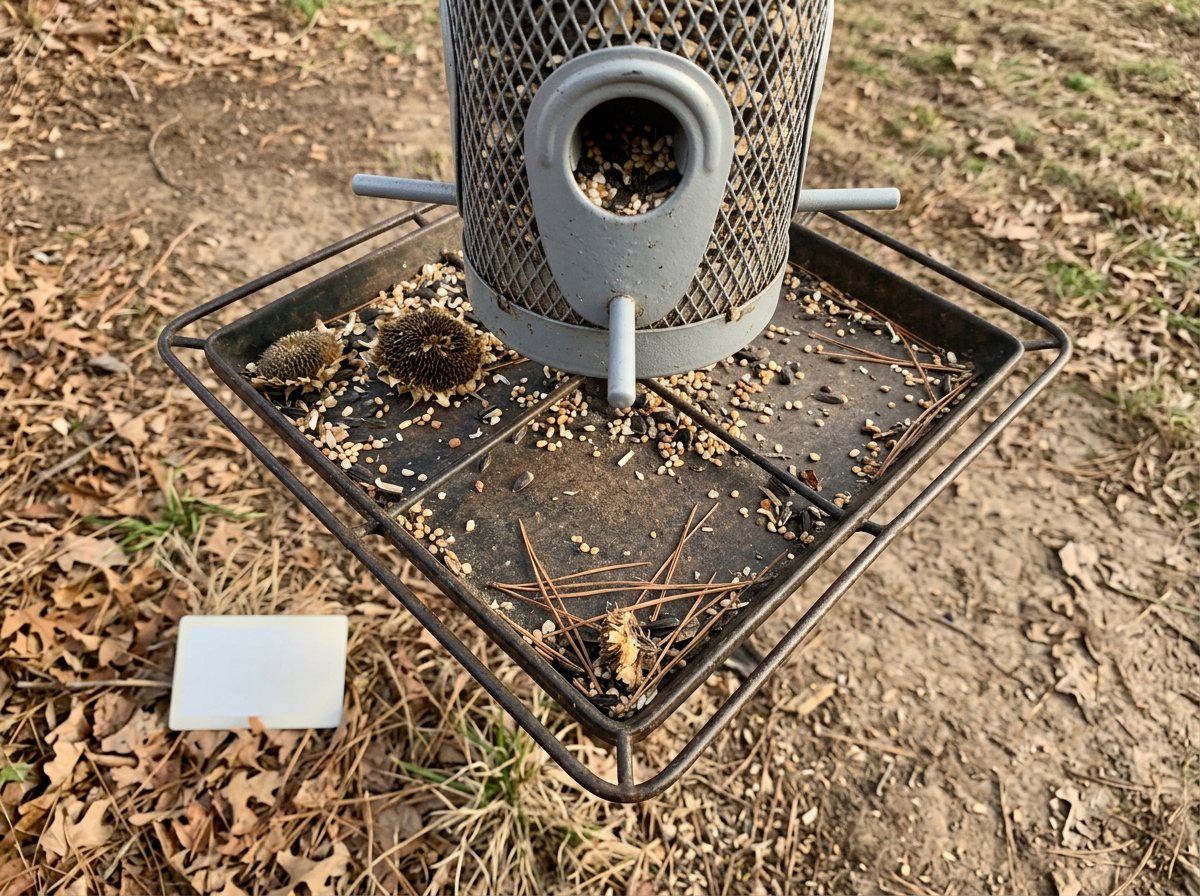
The Birdfy camera shoots 1080p at a 155-degree field of view, which is genuinely wide for a feeder camera and means you capture the whole landing area rather than just a narrow strip. The Feit Electric CAM/BIRD/WIFI also shoots 1080p HD. Neither goes to 2K or 4K, and honestly 1080p is fine for identifying most species at feeder distance. Field of view matters more than raw resolution here: a wide angle means fewer missed visits.
Night vision
The Birdfy AI+Solar is documented as offering full-color night vision, not the standard IR-only black-and-white you get from most security cameras. This actually makes a meaningful difference for identifying birds at dusk or for catching nocturnal visitors like owls. If night performance matters to you, this is a real differentiator over basic IR-only models.
Storage: cloud vs. microSD
On the Birdfy, free event clips are 20 seconds long and stored in the cloud for 30 days. That is plenty of buffer to catch and save clips you care about. If you want to avoid cloud dependency or save longer footage locally, the Birdfy supports Class 10 microSD cards up to 128GB. The Feit Electric model uses the free Feit Electric app for video and image access but you should check its current storage/subscription terms before buying, as these details change.
Wi-Fi and connectivity
Every model in this category runs on 2.4GHz Wi-Fi only, no 5GHz support. That is worth knowing if your router is set to broadcast both bands under the same name, which can sometimes cause connection failures during setup. The FeatherSnap Scout is spec'd at a practical range of about 150 feet from your router for reliable photo delivery. Birdfy is similar. If your feeder spot is far from your router or separated by thick walls, expect connectivity headaches.
Motion detection range
The FeatherSnap Scout documents a PIR motion detection distance of 10 feet (about 3 meters). This is typical for feeder cameras and is intentionally short-range: you want it to trigger on birds at the feeder, not every passing squirrel or person 20 feet away. That said, false triggers from insects, blowing leaves, or nearby movement are still common on all models, and adjustable sensitivity settings are genuinely useful when offered.
Ease of setup and the app experience
Setup difficulty varies more than the marketing suggests. The Birdfy has gone through app transitions (from the original Netvue app to the Birdfy app), and users who have had both apps sometimes run into login/feature sync issues. The fix is usually logging into the Birdfy app with the same email and password as the Netvue app. The Feit Electric model uses the dedicated Feit Electric app. FeatherSnap uses its own app. None of these are as seamless as setting up a Nest cam, so factor in a bit of patience during first-time setup.
Top picks compared side by side
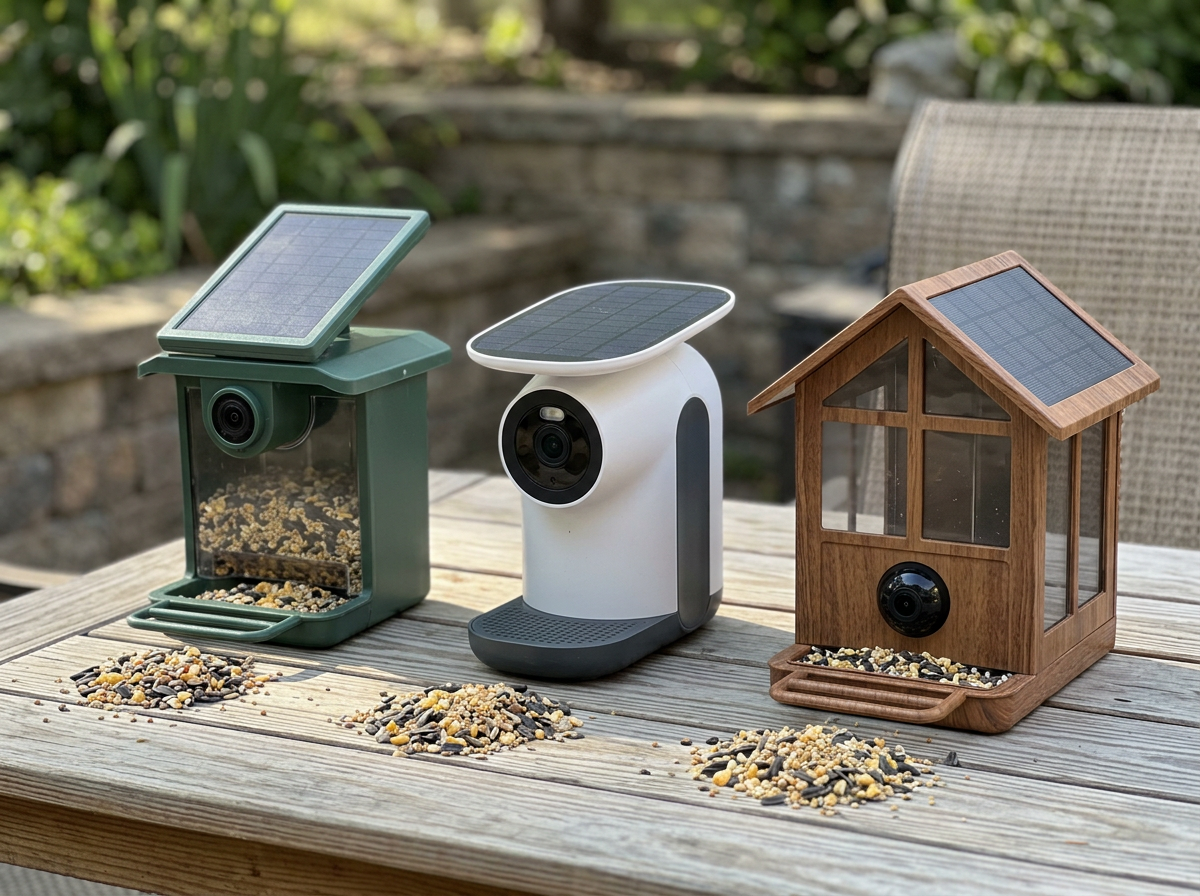
Here is how the three main options stack up across the specs that matter most for a solar bird feeder with a camera.
| Feature | Netvue Birdfy AI+Solar | Feit Electric CAM/BIRD/WIFI | FeatherSnap Scout |
|---|---|---|---|
| Camera resolution | 1080p | 1080p HD | Not publicly specified (check listing) |
| Field of view | 155 degrees | Not specified publicly | Not specified publicly |
| Night vision | Full-color | Standard (check spec sheet) | Not specified publicly |
| Battery capacity | 5000mAh | See spec sheet PDF | Not publicly specified |
| Solar charging | Yes (built-in solar roof) | Yes (built-in solar) | Yes (solar-powered) |
| Wi-Fi band | 2.4GHz | 2.4GHz | 2.4GHz |
| Motion detection range | Not specified | Not specified | 10 ft (3 m) PIR |
| Local storage | microSD up to 128GB (Class 10) | Check spec sheet | Not publicly specified |
| Cloud storage (free) | 30-day retention, 20-sec clips | Via Feit Electric app (check terms) | Via FeatherSnap app |
| AI bird ID | Yes (6,000+ species, trial/subscription) | No dedicated AI ID | Not specified |
| App | Birdfy app | Feit Electric app | FeatherSnap app |
| Best for | Most backyards, AI ID lovers | Budget buyers, Feit ecosystem users | Simple setup, close-range use |
My recommendation: the Birdfy AI+Solar is the strongest all-around pick for 2026. The 155-degree FOV, full-color night vision, 5000mAh battery, and 128GB SD card support put it ahead. The Feit Electric CAM/BIRD/WIFI is worth considering if you already use other Feit Electric smart home products or want a lower-priced entry point, but pull up its spec sheet PDF before assuming the solar and battery specs match the Birdfy. The FeatherSnap Scout is the simplest and most plug-and-play option if you just want photos of birds and do not care about AI identification or extensive video storage.
Smart features: AI ID, alerts, and how reliable they really are
The AI bird identification on the Birdfy is genuinely impressive when it works. Netvue claims identification of over 6,000 species, and in practice it correctly names common backyard birds (cardinals, house finches, chickadees, blue jays, downy woodpeckers) with good consistency. There is a 7-day free trial of the AI features on some product configurations, after which a subscription is required to keep AI ID active. If AI identification is a key reason you are buying, factor that subscription cost into your decision.
Where smart features get frustrating is reliability. User reports describe days where the AI identification stops showing results even though the device appears connected and is capturing motion events. Sometimes this is an app version mismatch (updating the app or resetting the connection usually fixes it). Sometimes it is a cloud-path issue where the device is online but the AI processing pipeline is not responding. The Feit Electric model does not include AI bird ID, which means fewer features but also fewer of these failure modes.
Push notifications (motion alerts) are useful but can get noisy. Insects flying past the sensor, leaves blowing nearby, or squirrels approaching the feeder all trigger clips. You will want to adjust the motion sensitivity settings in the app. Higher sensitivity means more clips and more battery drain, which becomes a real issue in winter when solar charging is limited. Netvue documents this directly: their battery life estimates assume 10 to 20 video events per day. If your feeder is busy or your sensitivity is high, that number goes up and battery endurance goes down.
Live streaming is available but less reliable than motion event capture. A commonly reported issue across the Birdfy community is that the live feed fails to load even when the device is clearly online and capturing events. This is a cloud handshake/streaming issue, not a power issue. It resolves itself most of the time, but it is not the rock-solid live view you get from a dedicated security camera. If 24/7 reliable live streaming is your main goal, a dedicated outdoor camera pointed at a separate feeder might serve you better. That is a topic covered in the related guides on the best bird feeder cam and best smart bird feeder camera options on this site. best bird feeder cam
Which birds you will attract and how to set up the feeder for them
A solar camera bird feeder works for the same birds that visit any platform or hopper-style feeder. The camera does not change what birds come: the seed type, feeder design, and placement do. Here is a quick guide to matching your setup to your target species.
| Target Birds | Best Seed | Feeder Placement Tips |
|---|---|---|
| Cardinals, blue jays, doves | Safflower, sunflower (in shell) | Low to mid height, open area, nearby shrubs for cover |
| Finches (house, goldfinch, purple) | Nyjer (thistle), fine sunflower chips | Mid to high, open sight lines, away from heavy traffic |
| Woodpeckers (downy, hairy, red-bellied) | Suet, peanuts, sunflower | Near tree trunks, mid height, can tolerate some shade |
| Orioles | Grape jelly, orange halves, nectar | Open area, mid height, away from other feeders |
| Bluebirds | Mealworms (live or dried) | Open yard, low to mid height, clear landing zone |
| Chickadees, nuthatches, titmice | Black oil sunflower, peanuts | Near trees/shrubs, any height, very adaptable |
The camera angle is the other variable people underestimate. Most solar camera feeders have a fixed lens pointed at the seed tray from above or at an angle. You want birds landing on the tray to be squarely in the 155-degree (or whatever your model's) field of view. Position the feeder so the camera faces away from direct sunlight to avoid glare washing out the image, especially in morning or late afternoon. If you are placing near a window, keep the feeder within about 3 feet of the glass to reduce reflection and line-of-sight issues, or mount it far enough away that reflections are not a problem.
For species like woodpeckers and nuthatches that prefer to cling rather than perch on a tray, a camera bird feeder on a pole mount near a suet cage may work better than relying on the hopper tray alone. The camera will still capture them if they visit the main tray, but do not expect a hopper-style solar feeder to be a dedicated woodpecker setup.
Seasonally, spring and fall migration bring the most variety and the most activity. Summer is reliably busy with resident birds raising young. Winter is the most challenging season for this category of feeder: fewer species visit, and solar charging is at its weakest just when you need it most. More on that in the troubleshooting section below.
Common problems and how to fix them
Battery draining too fast or feeder going offline
This is the most common complaint in winter. The solar panel on the roof is not getting enough direct sun to keep pace with the camera's power draw. First, check whether the solar panel surface has snow or ice on it and clear it off. Then look at where the feeder is positioned: even in a sunny yard, a rooftop panel that faces north or is shaded by a tree branch after noon will underperform dramatically. Repositioning to a spot with direct sun exposure for at least 4 to 6 hours during daylight hours usually resolves it. If your yard simply does not get enough sun in winter, plan to bring the feeder in every few weeks for a manual USB charge.
Live feed connection issues
If the feeder is capturing motion events but the live view fails to load, the device is powered and connected but the live streaming handshake is failing. Try closing and reopening the app first. If that does not work, check whether you are on the same 2.4GHz network as the feeder (5GHz devices on a combined network can cause confusion). Restarting your router and then restarting the feeder camera usually resolves it. If the problem persists, check for a firmware update in the app.
App or AI ID not working after an update
If you use the Birdfy and recently updated the app (or switched from the older Netvue app to the Birdfy app), log into the Birdfy app using the same email and password you used for the Netvue app. This sync step is what restores AI identification and notification features that seem to disappear after app transitions. If AI ID clips stop showing species even after logging in correctly, try uninstalling and reinstalling the app.
Too many false motion alerts
Insects, wind-blown branches, and squirrels will trigger the PIR sensor regularly. Reduce alert volume by lowering the motion sensitivity in the app settings, or by repositioning the feeder so there is less movement in the background behind the tray. If your model offers activity zone settings (where you define which part of the frame triggers alerts), use them to focus on just the landing area.
Pests: squirrels, rats, and larger birds
A camera feeder does not deter pests. It just documents them very thoroughly. For squirrels, mount the feeder on a pole with a baffle at least 5 feet off the ground and away from any jumping-off points. For rats, avoid leaving spilled seed on the ground and consider switching to no-waste seed mixes (like hulled sunflower or nyjer) that do not leave debris. Larger nuisance birds like starlings and grackles are trickier: a smaller port size limits them, but many solar camera feeders have open tray designs that are accessible to any bird.
Solar panel cable or charging connection problems
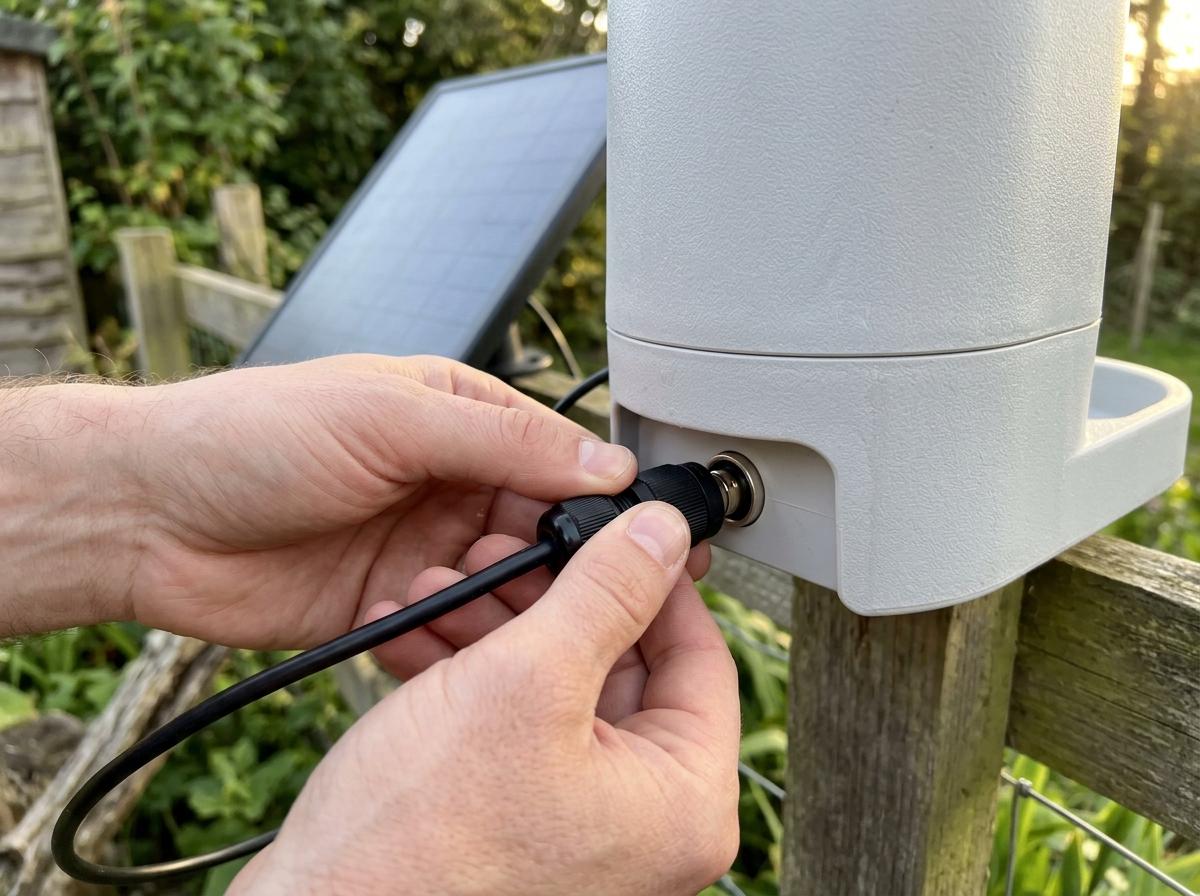
On models where the solar panel connects to the feeder body via a cable (rather than being fully integrated), check that the cable is fully seated. User reports on the Birdfy describe charging stopping abruptly because the solar panel plug had worked loose. This is easy to miss because the feeder still looks assembled. If charging seems to have stopped despite good sun, check the physical connection before assuming a battery failure.
DIY alternatives: when a separate solar charger and camera make more sense
Bundled solar camera feeders are convenient, but they are not always the best solution. If you already have a feeder you love or want more flexibility in camera placement, a DIY approach can work well and sometimes cost less.
The most practical DIY setup is a separate outdoor Wi-Fi camera mounted on a stake or pole a few feet from a standard bird feeder, paired with a small solar charging panel to keep the camera battery topped up. This gives you full control over camera angle independent of where the seed is, which is useful if you want to cover multiple feeders or get a better overhead angle. The tradeoff is more cable management, two separate devices to maintain, and a less weatherproof integration.
Another option is an add-on solar charger attached to an existing outdoor camera. Some users run a Reolink or Wyze outdoor camera pointed at a feeder and add a small 5W or 10W solar panel via a USB charging cable. This is messier to set up but gives you much better camera specs (including continuous recording options) than any bundled feeder camera currently offers.
When does DIY make more sense than buying a bundled unit? A few scenarios:
- You have an existing high-quality feeder that birds already visit regularly and you do not want to disrupt them
- You want continuous recording rather than motion-triggered clips only
- You need 2K or 4K resolution for detailed species identification at a distance
- Your yard has excellent Wi-Fi coverage and you want to leverage a camera system you already manage
- You want to cover multiple feeders with one camera rather than buying a separate unit per feeder
If none of those apply to you and you just want something that works out of the box with minimal setup, a bundled solar camera feeder like the Birdfy AI+Solar is the right call. The integration, weatherproofing, and purpose-built app experience are genuinely better than cobbling together a DIY rig for most backyard birders. For a deeper look at standalone camera options that pair well with any feeder, check out the related guides on the best camera bird feeders and best bird feeder cam setups on this site.
The bottom line: what to buy today
If you want the best buy bird feeder camera in 2026, start with the Netvue Birdfy AI+Solar. The 5000mAh battery, 155-degree 1080p camera, full-color night vision, 128GB SD card support, and AI bird ID across 6,000+ species give it a lead over everything else in this category right now. Go in knowing the live stream can be flaky, the AI ID requires a subscription after the trial, and winter solar performance depends heavily on your placement.
If budget is tight or you are already in the Feit Electric smart home ecosystem, the Feit Electric CAM/BIRD/WIFI (CAM/BIRD/WIFI) is worth a look. Pull up the spec sheet PDF on their site and compare the solar panel wattage and battery capacity directly against the Birdfy before you decide. It is a 1080p option with a free app and no AI ID subscription to worry about.
If you want the simplest possible setup with minimal app complexity, the FeatherSnap Scout is straightforward and reliable at its 10-foot detection range, though it lacks the AI features and storage flexibility of the Birdfy. Whatever you choose, place the solar panel in direct sun for at least four to six hours a day, mount it on a pole with a squirrel baffle, point the camera away from direct sun glare, and make sure you are connecting to your 2.4GHz Wi-Fi band during setup. Do those four things and you will get a genuinely great view of whoever is visiting your feeder.
FAQ
Is the “solar top-up” enough to power the camera in winter without plugging it in?
Sometimes, but not reliably. The bigger winter risk is that you will get enough sun to top up slowly, yet the camera still needs peak power during motion events. If your location gets fewer than about 4 to 6 hours of direct sun on the panel (or the panel is angled poorly), plan on an occasional manual USB charge every couple of weeks.
Do these feeders record all day, like a security camera?
No, they use motion-triggered capture, so you get a sequence of event clips rather than continuous footage. If you want continuous coverage for timestamps and behavior patterns, you will usually need a separate outdoor camera with its own power method, even if you still use the feeder for bird feeding.
Will the camera work if I only have 5GHz Wi-Fi or smart router settings that shuffle bands?
Most solar feeder cameras in this category require 2.4GHz only. If your router uses a combined SSID and band-steering, the setup app can still fail or the feeder can reconnect to the wrong band. For smoother pairing, temporarily create a dedicated 2.4GHz network name or verify the feeder is on 2.4GHz after setup.
Does night vision depend on bird color or lighting conditions?
Full-color night vision helps you identify birds at dusk and under dim light because you are not limited to black and white. However, very dark nights still reduce sharpness, especially for small birds. For best results, place the feeder where there is some ambient light from nearby windows, porches, or streetlights.
How many clips per day should I expect, and how do I avoid killing the battery?
The battery estimates in this category are usually based on a moderate clip count, often around 10 to 20 events per day. If you get lots of insect or wind-triggered alerts, your clip count goes up and solar charging may not keep pace, especially in winter. Lower sensitivity and use activity zones to restrict what counts as an event.
What should I use for storage, cloud or microSD, if I want to keep footage longer?
If you want longer retention without relying on subscription or cloud limits, choose the model that supports microSD and confirm the max capacity and supported card type. Even then, event clip length and app playback behavior can vary by model. Format the card in the app (if supported) instead of formatting it in a computer to reduce connection issues.
Why do AI bird identification clips sometimes stop showing species even though the camera still records?
On AI-enabled models, it is usually a connectivity or app-session issue rather than a dead camera. Common fixes are signing into the correct app account (same email and password as the previous app), updating the app, and rebooting the feeder. If that fails, reinstalling the app can refresh the AI processing pipeline.
Is “AI species identification” accurate for all bird sizes and feeder types?
It is best for common, landing-based visits where the bird’s body fills enough of the frame for classification. Small, fast, or off-center visits, and birds that only appear at the tray edge may be harder. If you target woodpeckers, nuthatches, or birds that cling rather than perch, a hopper-only setup can reduce identification quality because the bird may not fully enter the camera’s field.
Can I reduce false alerts from squirrels, insects, and leaves?
Yes, the two most effective levers are motion sensitivity and activity zones, if the model offers them. Also adjust placement so the sensor’s view excludes busy background movement (plants, tall grass, blowing branches). If false alerts persist, slightly changing camera angle can matter more than changing sensitivity alone.
Does a feeder camera prevent squirrels or rats?
No, it mainly documents them. To reduce squirrels, mount the feeder higher (commonly at least 5 feet) and add a baffle to block climbing. For rats, eliminate food waste by managing spilled seed and consider cleaner, less debris-producing seed types. Expect to combine deterrents with your feeder camera setup.
Next Article
Best Bird Feeder Cam Guide: Top Picks and Setup Tips
Choose the best bird feeder cam for your yard: top models, features to compare, and setup tips for clear footage