The best bird feeder camera without a subscription is one that records locally to a microSD card or USB drive, gives you full footage access through a free app, and doesn't wall off its core features behind a monthly plan. That setup exists today, and a few brands do it well. But "no subscription" is one of the most abused phrases in this category, so before you spend money, you need to know exactly what that claim covers and what it quietly leaves out.
Best Bird Feeder Camera Without Subscription: Buy Guide
Marcus Hendricks
15 Apr 2026
What 'no subscription' actually means for bird feeder cameras
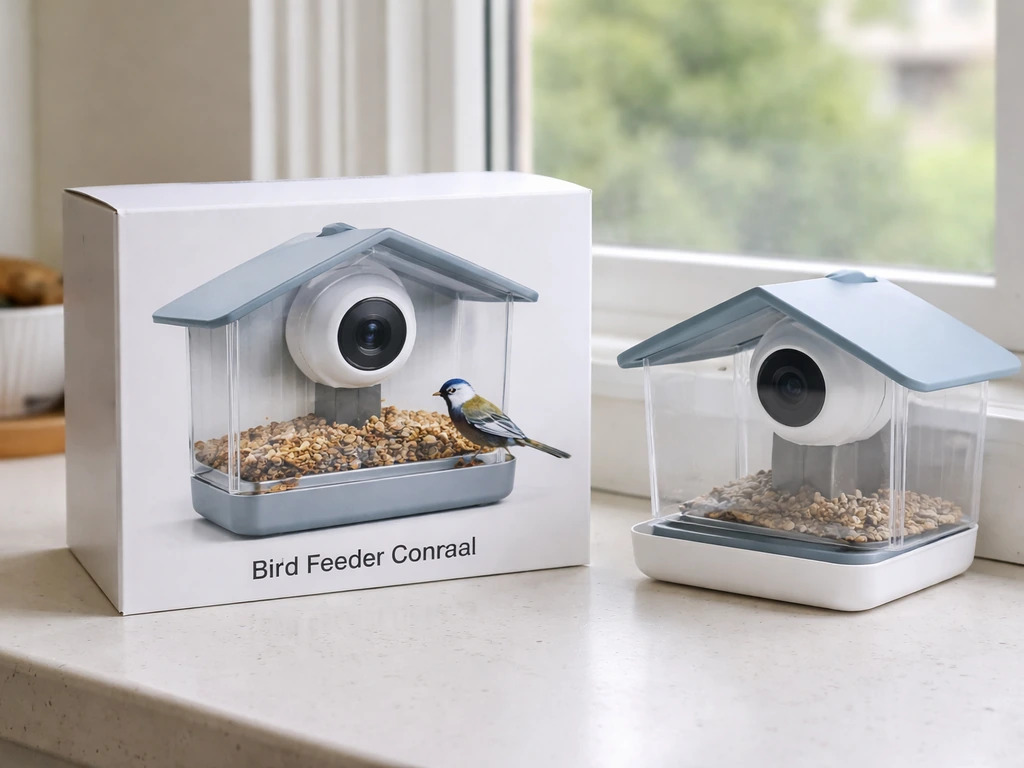
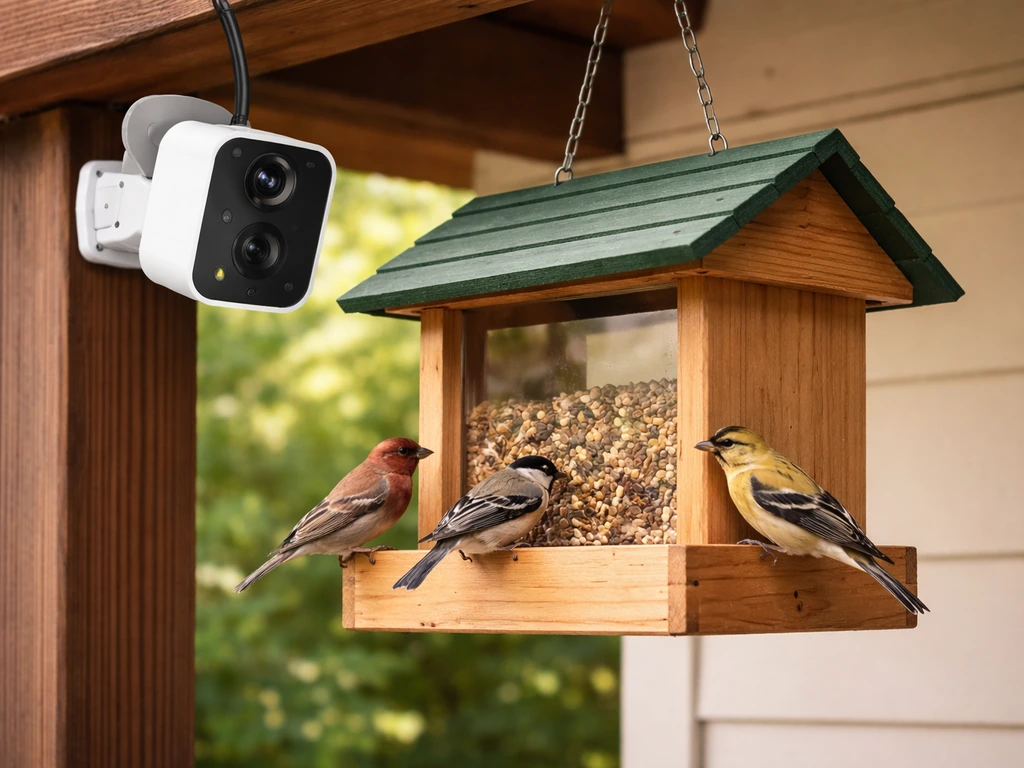
When a camera brand says "no subscription required," it almost always means you can buy the device once and get some level of video access without paying monthly. What it rarely means is that every feature works for free forever. The real question is which features sit behind the paywall and which ones you actually need to enjoy your feeder footage.
Take the Netvue Birdfy as a concrete example. Without any subscription, it stores event clips in the cloud for 30 days and also supports a Class 10 microSD card up to 128GB for local storage. Netvue support for Birdfy states that free cloud events are 20 seconds long and retained for 30 days unless you have a Moment Video Recording subscription. That's a genuinely usable free setup. But AI Bird Recognition, extended Moment Video Recording, and Collection Storage are subscription features. If you just want to watch birds and save clips, you don't need those extras. If you want automatic species identification every time a bird lands, you'll need to pay for it.
Blink works differently. Local storage on Blink cameras requires a Sync Module 2 with a compatible USB drive. Without a subscription, you get 7,200 seconds of available cloud storage per Sync Module after any trial period ends. Local storage clips only show up in the Blink app when your system is not attached to an active subscription plan, which is a quirky but workable arrangement. The important caveat: legacy Blink devices like the XT, XT2, and Indoor 1st Gen do not support local storage at all, so if you're buying used or clearance hardware, check the model carefully.
VicoHome is an example of what to avoid if you want true local-only recording. VicoHome cameras cannot be configured to record exclusively to an SD card, and cloud recording cannot be fully disabled. That's a dealbreaker if you want to keep your footage off someone else's server entirely.
The honest framework: "no subscription" on the best systems means local microSD or NAS recording for full video, a free app tier that shows live view and recent events, and optional paid upgrades for AI features, longer cloud history, or extended clip durations. You should be able to skip every paid tier and still watch, save, and review your bird footage. If you can't do that without a credit card on file, it's not truly subscription-free.
The features that actually matter for bird footage
Resolution and lens angle
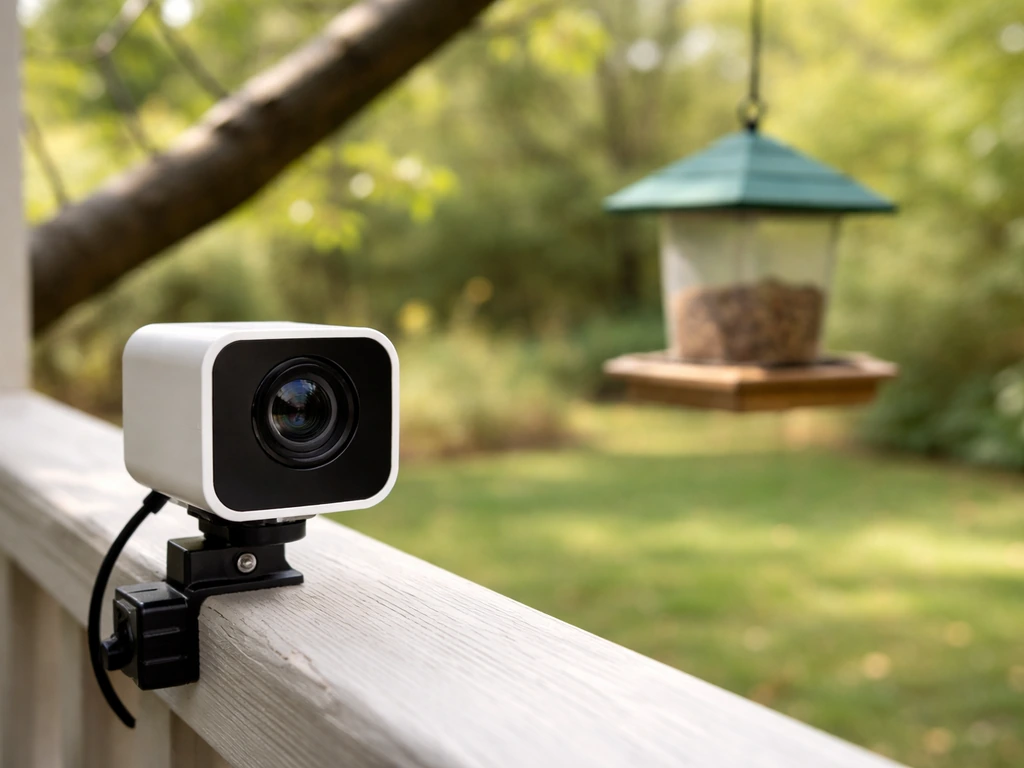
For feeder cameras, 1080p is the practical minimum. The Birdfy Cam advertises 1080p resolution with a wide-angle view, and that combination is what you want: enough detail to identify a bird's markings and enough field of view to catch action across the whole feeder, not just one perch. Wide-angle lenses (roughly 110 to 150 degrees) are almost always better than zoom lenses for feeders because birds are close and you want context, not a tight crop of one spot.
Frame rate matters more than most people expect. Standard bird feeder cameras record at 15 to 30 fps, which is fine for slow perch birds like cardinals or doves. For hummingbirds, it's genuinely inadequate. Birdfy notes that high frame rate mode is available on selected devices and can reach 60 to 120 fps, which is what you need to capture a hummingbird's wing motion without a blurry smear. If hummingbirds are a priority, confirm high frame rate support before buying.
Motion detection sensitivity
This is where most cheap feeder cameras fail in practice. Too sensitive, and you get hundreds of clips triggered by leaves, shadows, and insects crawling on the lens. Not sensitive enough, and you miss quick visits. Look for cameras with adjustable PIR zones and configurable sensitivity levels. Birdfy's default behavior is a roughly 20-second clip with a 2-minute cooldown between recordings. That cooldown means a bird can visit, leave, and come back without triggering a second clip if it returns within two minutes, which is worth knowing when you're evaluating how complete your event log will be.
Night vision and audio
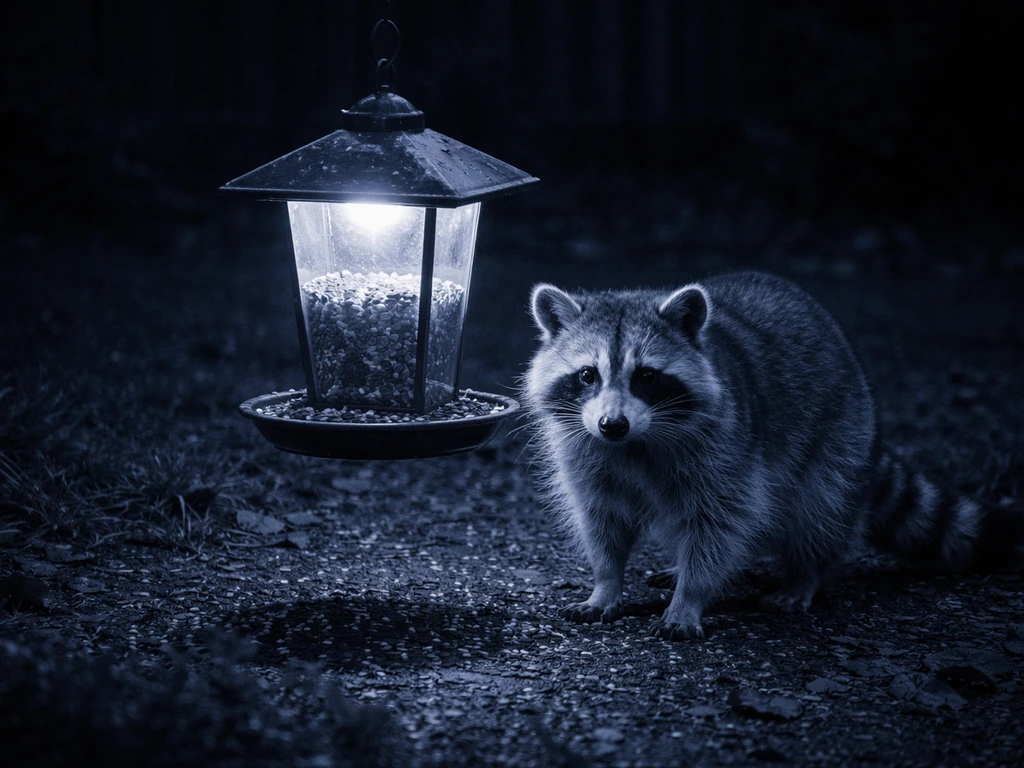
IR night vision is standard and useful for spotting nocturnal visitors like raccoons raiding your feeder. Color night vision (which uses a white light or starlight sensor) gives you much better footage quality but may disturb skittish birds. If you have owls or flying squirrels you want to document, color night vision is worth seeking out. On audio: two-way audio is common but not very useful at a feeder. What is useful is a microphone that captures birdsong well, since audio can help with identification almost as much as video.
Power options and what installation actually looks like
Power is the single biggest practical constraint for feeder cameras, and it shapes every other decision. You have three real options: wired power (the most reliable, but requires running a cable to your feeder), rechargeable battery (flexible placement, but you're pulling the camera every few weeks to recharge), and solar (attractive in theory, but heavily dependent on your backyard's sun exposure).
Solar sounds ideal for a feeder in the yard, but most small solar panels on camera accessories are not large enough to fully sustain continuous recording in winter or in shaded yards. They work best as a trickle charger extending battery life rather than a true standalone power source. In good sun, a solar-assisted battery camera can run indefinitely. In a shaded Pacific Northwest yard in January, you'll still be pulling the battery every three to four weeks.
Wired cameras near a window feeder or a mounted feeder close to the house are actually the easiest long-term setup. A short outdoor extension cord or a dedicated weatherproof outlet keeps the camera always-on, and you never deal with dead batteries during a high-traffic winter morning. For pole-mounted feeders further from the house, battery or solar is usually the only realistic choice.
On connectivity: nearly all consumer feeder cameras use 2.4GHz Wi-Fi. If your feeder is more than 50 feet from your router, you'll want a Wi-Fi extender or a mesh node positioned to cover the yard. Cellular cameras exist (popular with trail cam users) and require a data plan, which is a recurring cost. For most backyard setups, Wi-Fi is fine and avoids that extra expense entirely.
| Power Type | Best For | Reliability | Ongoing Cost | Installation Effort |
|---|---|---|---|---|
| Wired (AC adapter) | Window feeders, porch feeders | Highest | None | Low to moderate |
| Rechargeable battery | Any location | Good with regular charging | None | Very low |
| Solar + battery | Open sunny yards | Good in summer, variable in winter | None | Low |
| Cellular | Remote locations, no Wi-Fi | High | Monthly data plan | Low |
Best feeder-camera setups by feeder type and bird target
Not every camera works equally well with every feeder type. Here's how to match the setup to your birds and feeder style. If you're still deciding which type of feeder to pair with a camera, the guidance on the best bird feeders with camera and app support covers those pairings in more detail.
Window feeders with integrated cameras
Window feeders are the easiest setup for camera use because you have power access, no weather exposure on the camera body, and an intimate close-up angle. The Birdfy Feeder Cam was designed specifically for this use case: an all-in-one feeder and camera unit that mounts to glass with suction cups. It's ideal for cardinals, chickadees, nuthatches, and other small to medium perch birds. The close range means 1080p looks genuinely sharp. The downside is that the suction mount can fail in extreme cold, and the feeder needs regular cleaning, which means handling the camera unit often.
Hopper and tube feeders with a mounted camera
For hopper feeders on poles, the most effective approach is a separate camera mounted on the same pole or a nearby stake, aimed at the feeding area from about 18 to 24 inches away. A wide-angle 1080p camera at that distance will frame the entire hopper and catch multiple birds simultaneously. This setup works well for blue jays, cardinals, finches, and mourning doves. Tube feeders attract smaller birds like goldfinches and chickadees that move quickly, so higher frame rate and tight motion sensitivity zones are more important here.
Suet feeders for woodpeckers
Suet feeders are usually mounted to a tree or post, which makes placement more flexible but drainage and condensation more of a problem. Woodpeckers (downies, hairys, red-bellieds) are large enough that 1080p at 30fps captures them clearly. Position the camera so the feeder is in the center-upper third of the frame, and you'll catch the characteristic clinging posture that makes woodpecker footage so satisfying. Suet feeders in winter mean the camera is operating in cold, often wet conditions, so IP65 or IP66 weatherproofing is non-negotiable here.
Hummingbird feeders
Hummingbird cameras are genuinely hard to get right. The birds move at speeds that make standard 30fps footage a blur. You need high frame rate mode (60fps minimum, 120fps if available), good backlight compensation for bright outdoor scenes, and a lens positioned roughly 8 to 12 inches from the feeding ports. Because hummingbirds approach the feeder from multiple directions, consider a camera with a wider field of view rather than a tight zoom. Seasonal note: hummingbird feeders need fresh nectar every 2 to 3 days in hot weather, so you'll be handling the feeder (and adjusting the camera) frequently during summer.
Privacy, security, and data storage without a subscription
This is the part of "no subscription" that most buying guides skip, and it's important. Storing footage locally doesn't automatically mean your camera isn't communicating with a company's servers. It means your video files live on your device. The camera itself still needs internet access to connect to the app, push notifications, and receive firmware updates, and that connection involves some level of data exchange with the manufacturer.
eufy is a good example of how local storage can be done with strong privacy practices. When you opt for local storage, data is encrypted on-device using AES-128 (bank-grade encryption), and only full video is stored locally, not uploaded to the cloud. Thumbnails may still be uploaded, but full video stays on your hardware. Access requires correct login credentials through the eufy app, and the system supports MFA for account security. That's a meaningful security architecture for a local-first setup.
However, it's worth knowing that security researchers and reviewers, including coverage from Ars Technica and the Mozilla Foundation, have raised concerns that eufy's "local storage" cameras could still be remotely streamed via eufy's server infrastructure, and that even local-only modes continued some background communication (sometimes called "phoning home"). eufy addressed some of these issues with firmware updates, but the broader lesson is that no consumer IoT camera is completely isolated from the manufacturer's infrastructure, even when marketed as local-first.
Practically speaking, here's what to look for when evaluating privacy on a no-subscription feeder camera: Does it store full video locally without mandatory cloud upload? Can you access recordings through the app without a paid plan? Does the company publish a clear privacy policy covering what metadata is collected? Is there a firmware update history showing they respond to security issues? And importantly, does the camera still function (record and play back locally) if the company's cloud servers are offline? That last point is the true test of a local-first system.
For those who want to go deeper on how different feeder cameras have been evaluated for both features and trustworthiness, the best bird feeder camera picks reviewed in the Wirecutter style approach covers the same brands with a similar skeptical lens.
Pest-proofing and weather durability for camera-equipped feeders
A camera on your feeder attracts the same pests as the feeder itself: squirrels, raccoons, and in some regions, bears. Squirrels are the most common problem, and a camera cable or mounting arm is essentially a new path to the feeder for a determined squirrel. Run any cables through conduit or use truly wireless (battery or solar) cameras to eliminate that vector. Pole-mounted setups with a proper baffle below the feeder are the most reliable pest deterrent, and the camera can be part of the same pole system without creating a new entry point.
Weather durability is specified by IP rating. For any outdoor feeder camera in a real climate, IP65 is the minimum acceptable rating. IP65 means dust-tight and protected against water jets from any direction. IP66 and IP67 offer more protection (sustained water jets and brief immersion, respectively). If you're in a region with heavy rain, coastal humidity, or freezing temperatures, target IP66 or better. Condensation inside the lens is a separate issue from IP rating, and it's one of the most common complaints with budget cameras: warm air trapped inside the housing condenses on the lens interior when temperatures drop, blurring footage until it clears. Cameras with proper sealed optics and desiccant or venting design handle this much better.
Spiders and insects are a universal annoyance with outdoor cameras. A spider web across the lens at night will trigger hundreds of false motion alerts and obscure footage. Regularly checking and cleaning the lens area is part of owning any outdoor camera. Some birders put a thin layer of petroleum jelly around (not on) the lens housing to discourage web attachment, which actually works reasonably well. Insect repellent sprays near electronics are generally a bad idea.
Winter operation deserves a specific note: cold temperatures drain lithium batteries faster, sometimes cutting runtime by 30 to 50 percent in sustained freezing conditions. If you're running a battery camera through winter, budget for more frequent charging, or consider a wired or solar-assisted setup for your cold-weather feeding station. Suet feeders in winter are typically the highest-traffic feeders, so having a reliable power source for that camera location specifically is worth the extra effort.
Setup, troubleshooting, and knowing you bought the right thing
Initial setup steps that matter
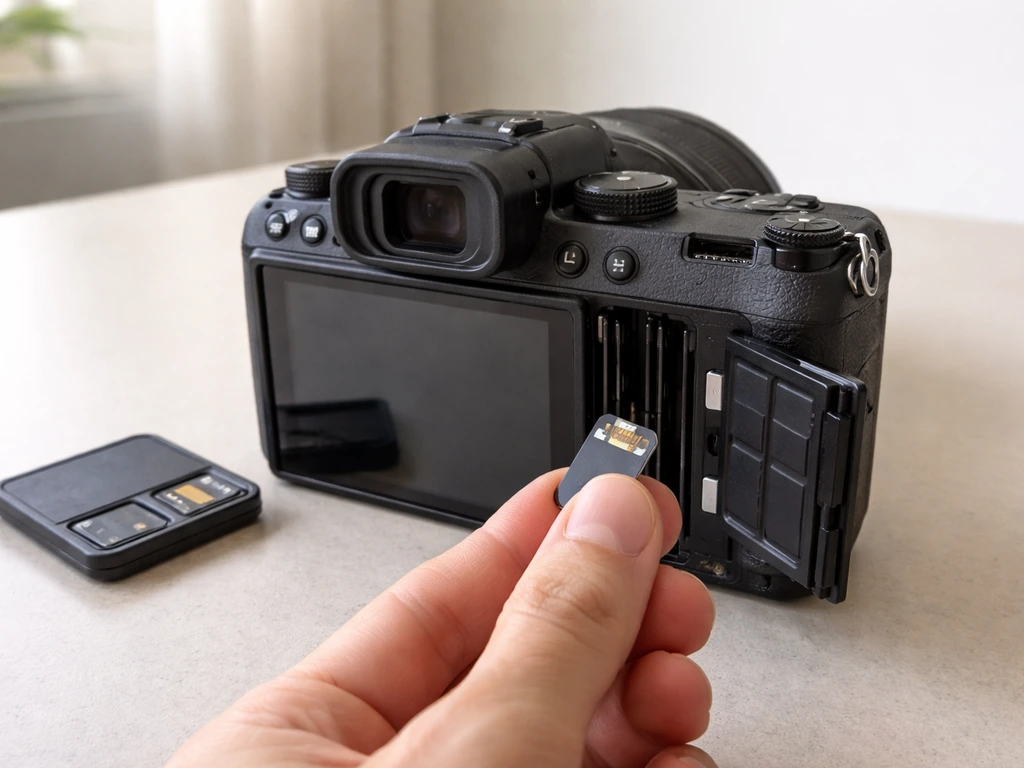
- Format a fresh Class 10 microSD card (up to 128GB for most cameras) in the camera before first use, not on a computer. This ensures the filesystem is compatible with how the camera writes footage.
- Mount the camera at roughly feeder height or slightly above, angled down 10 to 20 degrees. This gives you a natural bird's-eye view and reduces sky glare in the background.
- Set motion detection zones to cover only the feeder area, not the surrounding yard. A tight zone drastically reduces false alerts from wind, passing cars, and neighborhood activity.
- Set motion sensitivity to medium first, then adjust based on your first 24 hours of clips. If you're getting triggered by insects, lower it one step. If you're missing short visits, raise it.
- Test night vision the first night by reviewing a few clips. If you see IR glare (a white washed-out circle), the lens is too close to a reflective surface like the feeder housing.
- Verify local storage is working by checking the app's storage settings and confirming clips are appearing on the SD card, not just the cloud.
Common problems and how to fix them
- Hundreds of false alerts: Almost always caused by motion zones that are too wide, sensitivity set too high, or insects/spiders on the lens. Tighten the zone, lower sensitivity, and clean the lens housing.
- Blurry night footage: Check for spider webs or condensation on the lens. If condensation is inside the lens, the camera needs to be dried out (remove it from the housing if possible and leave it in a warm dry area for 24 hours).
- SD card not recognized: Reformat the card in the camera, not on a computer. Use a Class 10 card from a known brand. Cards over 128GB may not be supported on all models.
- Camera offline after rain: Usually a seal failure or water in a USB/cable port. Check all connection points and ensure covers are fully seated. If it persists, it may indicate a camera below the IP rating it claims.
- Missed visits during high-traffic periods: The cooldown between motion triggers (typically 2 minutes on Birdfy) means busy feeders will have gaps in the event log. Continuous recording to SD card captures everything if you need full coverage.
- App not showing local clips: On Blink systems, local storage clips only appear in the app when the system is not attached to a subscription. Verify your Sync Module 2 is set up with a compatible USB drive and no active plan.
How to verify you're getting true no-subscription value before buying
Before purchasing any feeder camera marketed as subscription-free, run through this checklist. First, look up the brand's storage FAQ page, not just the product listing. Confirm that microSD or local recording is available on the specific model you're buying, not just on higher-end versions. Second, check whether core features like live view, event clips, and app access require a paid plan, even a "free trial" that auto-renews. Third, search the brand name plus "subscription required" to find real user complaints about bait-and-switch features. Fourth, look for a privacy policy that clearly states what data is collected and whether the camera can function offline for local playback.
If you want a shortlist approach: the Netvue Birdfy Feeder Cam is the most purpose-built no-subscription option for backyard feeders, with genuine local storage, a capable free app tier, and solid 1080p video. eufy cameras offer the strongest local-storage privacy architecture among general-purpose outdoor cameras that work well aimed at feeders. Blink with a Sync Module 2 is a cost-effective option if you already have Amazon/Alexa infrastructure, but requires careful model matching. Avoid any camera that can't disable cloud recording or requires an active plan to access SD card clips. For a broader comparison of what's currently on the market, the best bird feeders evaluated with editorial rigor covers some of the same hardware in a wider context.
One final practical note: wherever you end up shopping, check whether there are local retailers stocking feeder cameras so you can inspect build quality in person before committing. The options for finding a bird feeder camera near you can help narrow that down if online ordering isn't your preference. The best setup is the one that's actually running in your yard, pointed at your feeder, saving clips you can watch on a Sunday morning without paying a monthly fee to do it.
FAQ
What does “no subscription” usually include for a bird feeder camera?
In most cases it means you can access live view and record or view event clips without a monthly payment, typically via microSD or another local storage method. It does not always mean zero internet use, firmware updates, or free access to AI features like species recognition, longer retention, or “smart” sorting.
Can I fully disable cloud recording on a no-subscription camera?
Not always. Some brands allow local storage but still keep a cloud pipeline for thumbnails, brief motion events, or background connectivity. Before buying, confirm there is an explicit setting to disable cloud uploads for both video and events, and test whether local playback still works if your internet is turned off.
If the camera records to a microSD card, will the footage keep working if the app company changes something later?
Local-only recording depends on how the camera handles playback and file encryption. Prefer cameras that store standard video formats and provide local playback through the same app login, but keep a backup plan: periodically copy important clips from the microSD card to your computer before the card is removed or the camera firmware changes.
How big of a microSD card do I need for feeder footage?
A common mistake is buying the minimum card without considering event clip length and frequency. Estimate based on resolution and frame rate (higher fps and longer clips consume space quickly), and note that “event clips” may be stored in short segments that still add up during high activity seasons like winter. A 64GB to 128GB card is often safer for busy feeders if you expect to review multiple days.
Do I need good Wi‑Fi for a camera that records locally?
You often need Wi‑Fi at least for initial setup, viewing in the app, and getting push alerts, even if video storage is local. If your goal is to keep recording reliably, prioritize cameras that can continue recording when Wi‑Fi drops, then verify that gaps do not corrupt files on the microSD card.
Will a no-subscription camera still send motion alerts without a paid plan?
Sometimes, but not always. Alert behavior can vary by model, some use free-tier notifications while others reserve “smart” alerts or extended notification history for subscription tiers. Check whether notifications are based on the same onboard motion detection you use for recording, and whether notifications continue after a trial ends.
Are high frame rate modes guaranteed for all birds, or only in special conditions?
Many cameras offer high fps only in “enhanced” modes that may shorten clip duration, reduce resolution, or require a specific mounting distance. For hummingbirds, confirm the max fps in your intended resolution, and watch for tradeoffs that can reduce field of view or make framing harder at the typical 8 to 12 inch feeder distance.
What causes false alerts on feeder cameras, and how can I tune them?
The biggest drivers are sensitivity too high, motion triggers from webs or insects on the lens, and poor zone placement that includes background movement like plants or shifting shadows. Look for adjustable PIR zones and sensitivity levels, then set cooldown time so a brief leave-and-return does not create duplicate clips.
How does the camera’s clip length and cooldown affect my “bird visit” records?
Short clip durations can miss quick visits, while long cooldowns can hide repeat landings within a couple minutes. If you care about visit counts, use the camera’s configurable clip length and cooldown, then compare a few days of recordings and adjust based on your feeder traffic pattern.
Is eufy’s “local storage” truly offline local-only, or does it still communicate?
Even with local video storage, many IoT cameras maintain some connection for authentication, app access, and firmware updates. The practical checklist is whether full video remains on-device without mandatory cloud upload, whether app access for playback does not require an active paid tier, and whether recording and local playback continue if the manufacturer servers are unavailable.
What’s the simplest way to make the camera placement “squirrel-proof”?
Avoid creating a new cable path squirrels can chew or climb. Use conduit for any exposed wiring, mount the camera higher than the feeder access point when possible, and consider pole-mounted setups with a baffle below the feeder so the camera is not in the squirrels’ approach route.
What IP rating should I require for a feeder camera, and what about condensation?
For outdoor feeder cameras in real weather, IP65 is a practical minimum, IP66 or better is preferable in heavy rain or freezing areas. IP rating does not guarantee against condensation, lens fogging can still happen with budget housings, so look for sealed optics and designs that reduce temperature-driven internal moisture buildup.
If solar is “no subscription,” will it still be no hassle in winter?
Usually no, unless you have strong sun and minimal shading. Solar panels on small camera accessories often act like trickle chargers, and cold weather can reduce battery runtime significantly. If your yard is shaded or you face winter freezes, plan on more frequent battery swaps or consider wired power for peak reliability.
Do I need two-way audio for birds at a feeder?
Two-way audio is often more useful for talking to people near your house than for bird identification. A more practical feature is a microphone that captures consistent ambient bird sounds (even if you cannot “amplify” birds), and then use audio only as a supplemental clue, not as your primary identification method.
Can I use a no-subscription feeder camera if my router is far from the yard?
It can work, but only if Wi‑Fi coverage is strong where the camera mounts. If the distance is beyond your reliable range, add a mesh node or Wi‑Fi extender positioned for outdoor signal strength, then test by checking for stable live view and uninterrupted recording before relying on it for important events.
Next Article
Best Bird Feeder for Baltimore Orioles: Buyer Guide
Choose the best bird feeder for Baltimore orioles: styles, features, placement tips, and fixes for heat, pests, and acce