A smart bird feeder is worth buying if you want more than just a seed holder outside your window. The best ones combine a built-in camera, AI species identification, and app connectivity so you can watch, record, and identify every bird that visits, even when you're not home. If you're in the UK and wondering which one to actually buy today, the short answer is: the Birdfy Nest Duo for most people, and the FeatherSnap Scout if you want something solar-powered with a UK-friendly retail presence. But the right choice depends on your birds, your garden setup, and how much you want to spend on a subscription. This guide walks through all of it.
Best Smart Bird Feeder UK Guide: Choose and Set Up Today
Marcus Hendricks
9 Apr 2026
What a smart bird feeder actually is and how it works
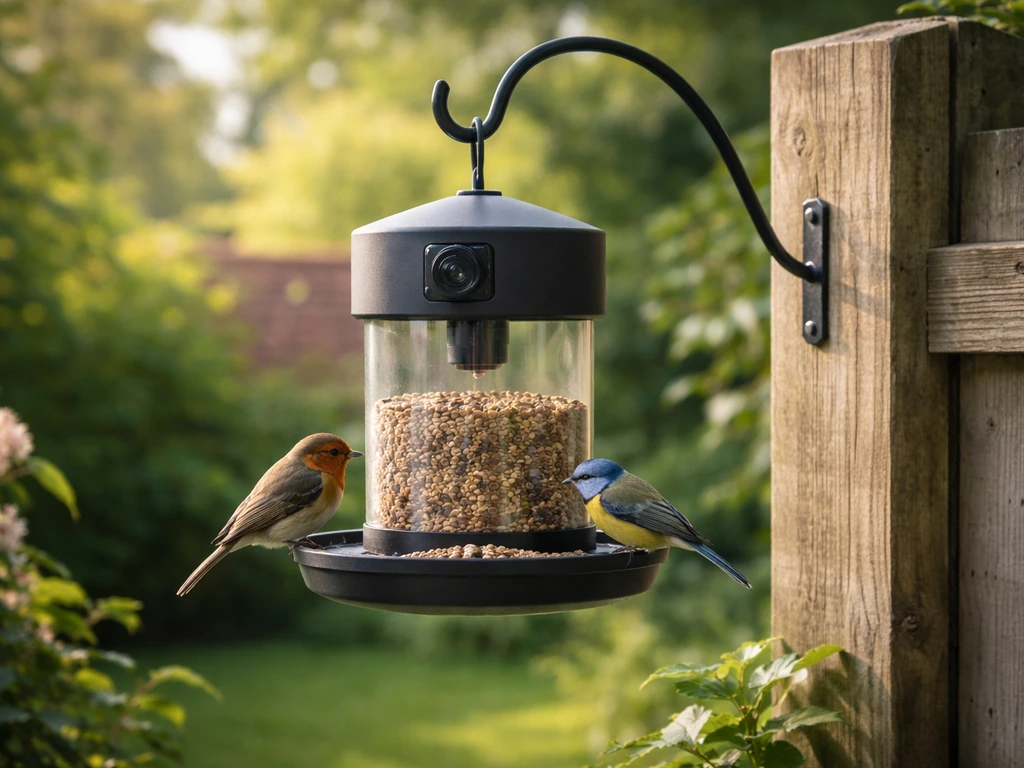
A smart bird feeder is a standard seed or suet feeder combined with a camera and wireless connectivity. When a bird lands, a sensor (usually a Passive Infrared, or PIR, motion sensor) triggers the camera to record a video clip or snap a photo. That footage is sent to an app on your phone, and AI running in the cloud analyzes the image to identify the species. You get a notification, open the app, and see exactly which bird visited and when. Some models, like the Netvue Birdfy line, use cloud-based AI bird recognition to identify birds by species automatically, so you don't have to do anything beyond setting the feeder up.
The Wyze Bird Feeder takes a slightly different approach: it uses a sloped food tray that slowly dispenses feed rather than relying purely on camera-triggered species identification. That design means the feeding mechanism works independently of what the camera is doing, which can be handy but also means you're getting two somewhat separate systems rather than one tightly integrated experience. Most smart feeders, though, operate on the same basic loop: motion detection, camera trigger, cloud upload, AI ID, app notification.
Storage is worth understanding upfront. Birdfy, for example, includes unlimited cloud storage with a 30-day retention period, plus a 7-day free trial for its AI subscription tier. Free cloud events are typically 20 seconds long. If you want longer clips or extended retention, you'll need an SD card or a paid plan. This matters when you're troubleshooting later and wondering why a video seems to have disappeared.
Smart features that actually matter day to day
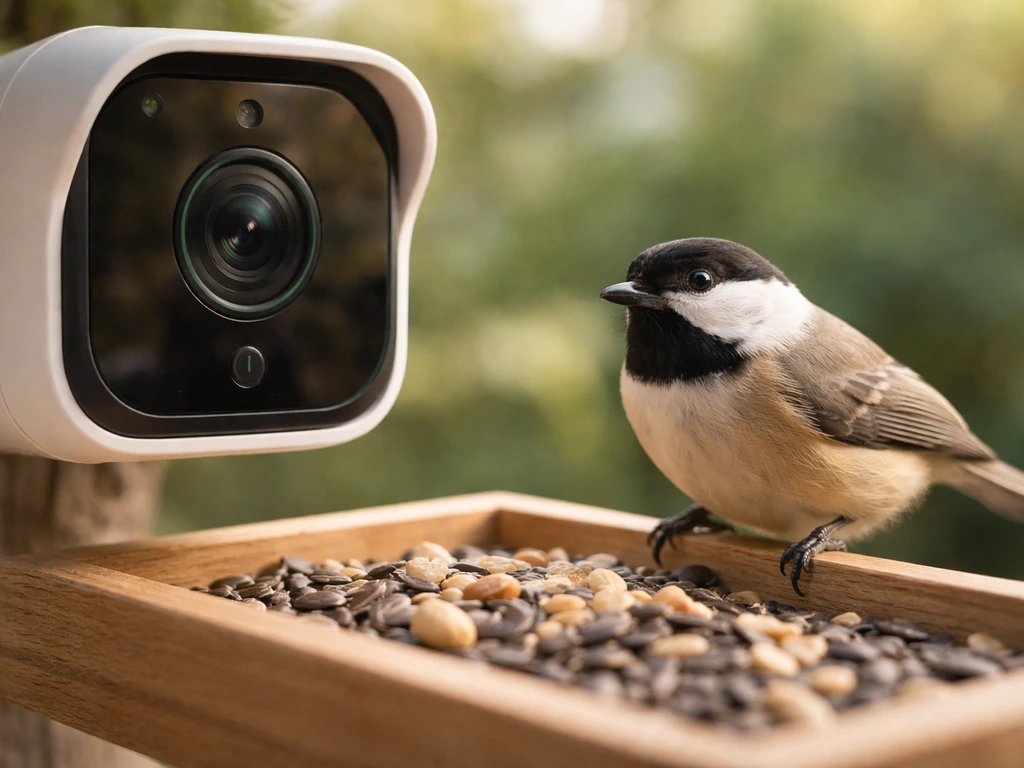
Camera quality and AI identification
The camera is the centerpiece, but not all cameras are equal. Netvue's Birdfy uses cloud-based AI that runs automatically, so species identification happens without you lifting a finger. That's genuinely useful. The FeatherSnap Scout also offers AI bird identification and app-based live access, but TechRadar's review noted that the Scout's AI can misidentify birds and that the camera experience itself is "somewhat modest" even though the overall design and feeder performance are strong. Bird Buddy has gotten a lot of attention, but WIRED flagged a real reliability issue: the sensor doesn't always capture every bird visit, even with filters turned off and "show all" selected. In one test, only one postcard was captured while multiple birds were visibly present at the feeder. That kind of miss is frustrating when you're paying for the premium experience.
App connectivity and Wi-Fi requirements
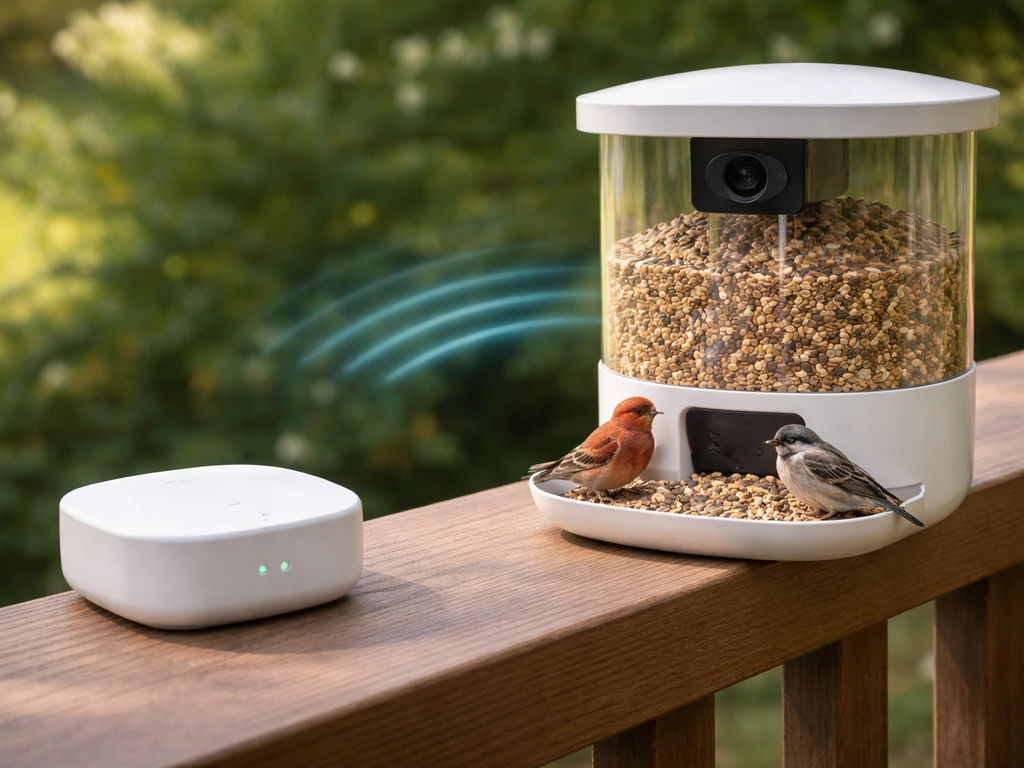
All current smart feeders require a 2.4 GHz Wi-Fi connection (most use 802.11 b/g/n). Bird Buddy in particular needs a strong, stable Wi-Fi signal for its regular avian updates to work properly. If your garden is more than 10 to 15 metres from your router, you may already be in trouble. A Wi-Fi extender is a simple fix, and Birdfy's own troubleshooting guidance explicitly recommends using one if signal strength is inadequate at the feeder location. Plan for this before you mount anything.
Power options: solar vs. battery vs. wired
Power is where smart feeders diverge most noticeably. The FeatherSnap Scout has a solar-powered roof and a motion-activated smart camera, making it genuinely low-maintenance once installed. The Birdfy Nest Duo runs on a rechargeable 9,000 mAh battery, which is substantial, though you'll still need to recharge it periodically. Solar sounds ideal for the UK but comes with a caveat: FeatherSnap notes that battery and camera performance can suffer in temperatures colder than -29°C, and solar charging efficiency drops on short, overcast winter days. FeatherSnap’s winterize guidance says the Scout’s operating temperature range is -29°C to 54°C, and leaving it outside that range can increase risks such as battery or camera problems and reduced solar charging efficiency colder than -29°C. In a UK December, you may find yourself recharging more often than expected, even with a solar roof.
Notifications and subscription costs
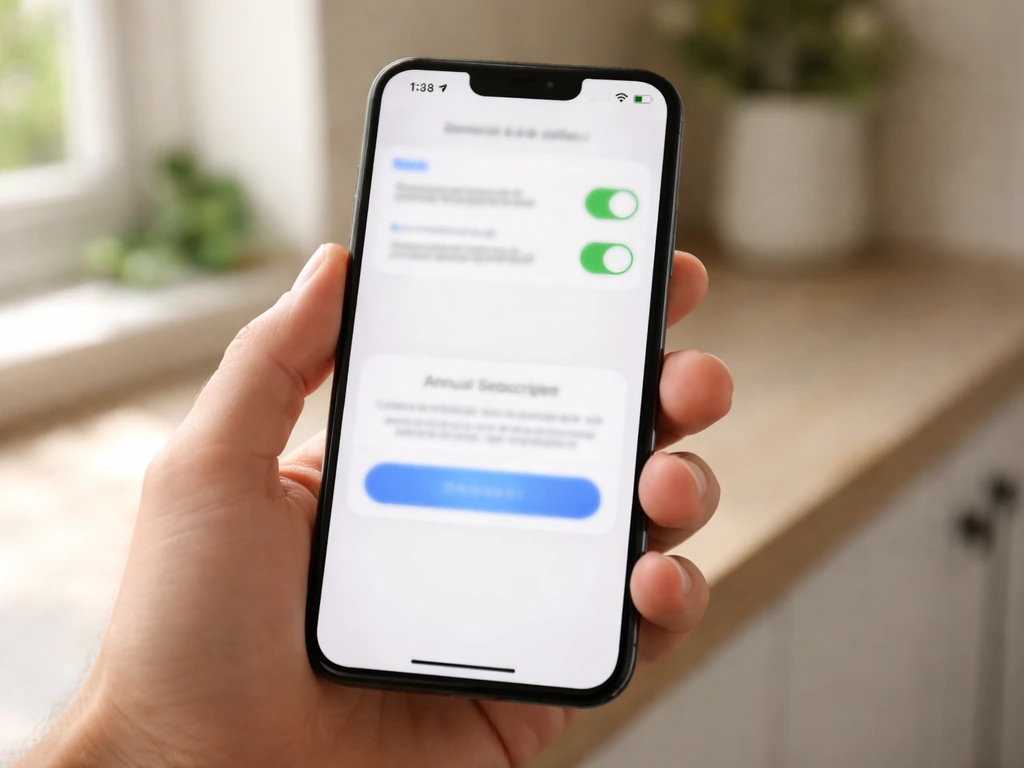
Push notifications for bird visits are useful, but the depth of that experience often sits behind a paywall. FeatherSnap Scout's enhanced features cost £49.99 per year or £5.99 per month on the UK store. Birdfy offers a 7-day AI trial free, after which full AI identification requires a subscription. If ongoing costs bother you, it's worth checking out what's available as a best smart bird feeder without subscription before committing, since a few models offer meaningful free tiers.
Choosing by the birds you actually want to attract
Not every smart feeder suits every bird. Camera-equipped smart feeders work best when birds perch long enough to be captured clearly. Robins, house sparrows, great tits, and blue tits are perfect subjects because they land, pause, and feed. Larger birds like woodpeckers and jays also perch well. Finches tend to be skittish and fast-moving, which can result in more blurry captures, though the PIR trigger on most feeders is fast enough to catch most visits. For hummingbirds (relevant if you're reading this from North America), a standard seed feeder smart camera isn't ideal since hummingbird feeders use liquid nectar rather than seed trays. In the UK, the equivalent fast-moving challenge comes from long-tailed tits, which arrive in flocks and move quickly.
For cardinals, doves, and blue jays (primarily North American readers), platform-style smart feeders give the clearest camera angles because these birds are large and tend to stay put. Suet-specific setups work well for woodpeckers since they cling rather than perch, giving the camera time to focus and the AI time to identify. If you're targeting a wide range of species, a hopper-style smart feeder with a broad seed mix gives you the most variety in a single setup.
Smart bird feeders are increasingly popular precisely because they work well for casual observers who want to identify whatever shows up rather than targeting specific species. If that's you, any of the main options will deliver real value, as long as the camera quality meets expectations.
The best smart bird feeders for UK backyards
UK buyers have a narrower retail landscape than US buyers, so availability matters as much as specs. Here's where things stand in April 2026.
| Feeder | Key Feature | Weatherproofing | Power | UK Availability | Subscription |
|---|---|---|---|---|---|
| Birdfy Nest Duo | 9,000 mAh battery, AI species ID | IP66, -10°C to 45°C | Rechargeable battery | Currys (online) | Paid tier after 7-day trial |
| FeatherSnap Scout | Solar roof, AI ID, live app access | Tested in UK winter | Solar + battery | FeatherSnap UK site, Leekes, WildlifeCam.co.uk | £49.99/yr or £5.99/mo |
| Birdfy Rookie | Entry-level Birdfy, IP66 camera | IP66 rated | Rechargeable battery | Available online | Paid tier after trial |
| Bird Buddy Pro | Postcard-style captures, strong app | Not disclosed | Battery | Online import | Subscription required |
The Birdfy Nest Duo is the most fully-featured option with an IP66 waterproof rating and an operating temperature range of -10°C to 45°C, which covers virtually every UK winter scenario. It's available through Currys, which means easy returns and mainstream support if something goes wrong. The FeatherSnap Scout is the best solar option and has the broadest UK retail footprint: you can buy it directly from FeatherSnap's UK site, through Leekes (with store collection), or from the specialist WildlifeCam.co.uk. For anyone who wants hands-on buying advice from real users before committing, browsing the best smart bird feeder reddit threads will give you a realistic sense of what owners actually experience day to day.
Bird Buddy Pro is harder to source in the UK and comes with the reliability caveat noted above. It's not the one I'd recommend as a first purchase for a UK garden.
Feeder type and placement: where smart fits in
Smart feeders are almost always hopper or tray-style designs, because those accommodate the camera angle and seed capacity needed. Understanding how they compare to other feeder types helps you decide whether to replace your existing setup or add a smart feeder alongside it.
- Hopper feeders: The most common smart feeder form. Holds a large seed reservoir, easy to photograph birds from the front. Best all-rounder for mixed species.
- Tube feeders: Not typically smart-enabled, but great for finches (nyjer seed) or sunflower hearts. Pair one alongside your smart feeder for smaller birds that prefer clinging ports.
- Platform/tray feeders: Ideal for ground-feeding species like doves and dunnocks. Some smart trays exist but are less common. Good field of view for camera capture.
- Suet feeders: Excellent for woodpeckers, nuthatches, and starlings. Not typically smart-enabled; use these as a supplement to your main smart feeder.
- Window feeders: A few compact smart feeders mount to windows with suction cups. Great for close-up footage but limited seed capacity and exposure to weather.
- Pole-mounted setups: The most stable placement for a smart feeder, especially important for squirrel deterrence. Birdfy sells a dedicated feeder pole system designed specifically to make climbing difficult for squirrels.
Placement height and angle matter enormously for camera quality. Mount your smart feeder at roughly 1.2 to 1.5 metres off the ground on a pole, with the camera facing away from direct sunlight to avoid lens flare and overexposure in clips. Avoid placing it under dense tree canopy, where dripping water and debris can clog the tray and reduce camera clarity. A clear sightline from the feeder toward the house also helps with Wi-Fi signal strength.
Weather durability, power in winter, and keeping pests out
Weatherproofing in practice
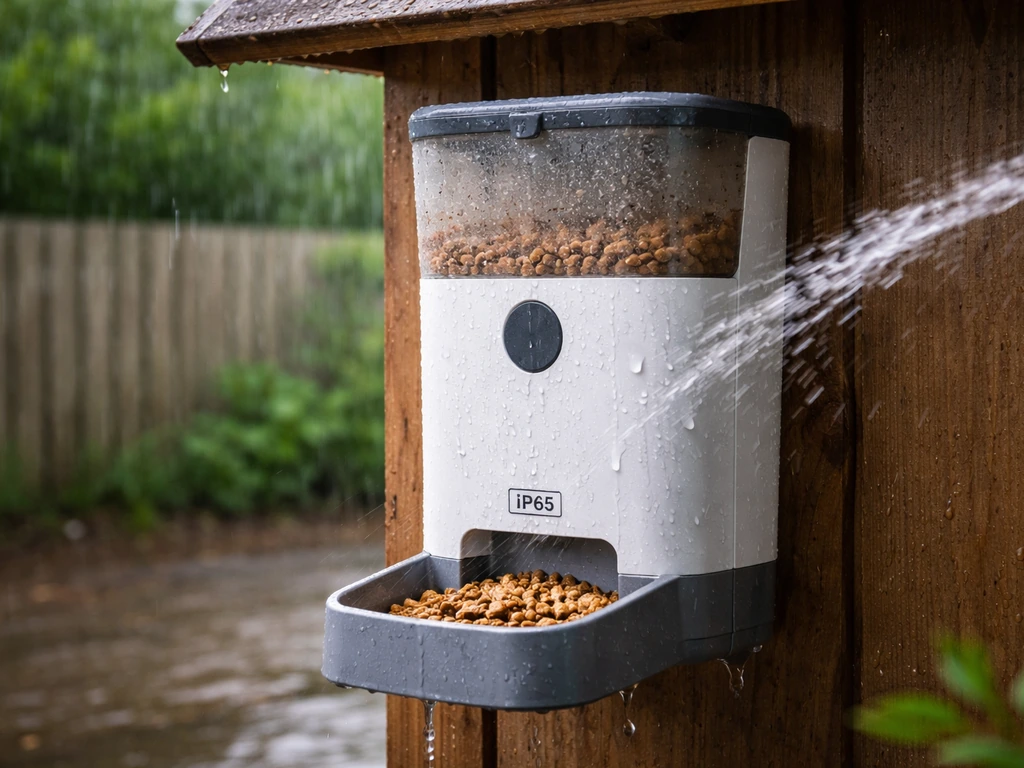
IP ratings tell you how water-resistant a device is. IP65 means protected against low-pressure water jets from any direction; IP66 means protected against high-pressure water jets. For a UK garden, IP66 is the spec you want, and both the Birdfy Rookie and Nest Duo carry that rating. It means a heavy downpour or hosepipe blast won't kill the electronics. That said, IP ratings don't account for long-term seal degradation. Netvue's own cleaning guide specifically instructs users to ensure the silicone covers on charging ports are sealed after every clean to prevent water intrusion into the camera electronics. That's a maintenance step that actually matters, not just marketing copy.
Solar charging in UK winters
The FeatherSnap Scout was tested in a UK winter by TechRadar, and the review context is honest about what solar means in December: short days, low sun angle, and frequent overcast skies reduce charging significantly. The feeder keeps working, but you're likely topping up the battery more often than in summer. The Birdfy Nest Duo's 9,000 mAh battery is large enough that you can expect several weeks between charges under normal use, which may actually be more predictable for UK winter conditions than a solar setup.
Squirrels and other pests
Squirrels are the number-one enemy of any bird feeder, smart or otherwise. A pole-mounted smart feeder with a baffle is your best defence. Birdfy's dedicated feeder pole system is designed as a squirrel-resistant mounting option, and pairing it with a smooth metal baffle below the feeder makes climbing nearly impossible. Rats are a separate issue: they're attracted to seed spill on the ground rather than the feeder itself. Catching and preventing spill is critical. A no-mess seed mix (hulled sunflower hearts, for example) dramatically reduces ground scatter. If you're looking for broader advice on what fellow birders have found actually works, the best bird feeder reddit discussions are full of honest, experience-based pest control tips.
Setting up, feeding right, and fixing common problems
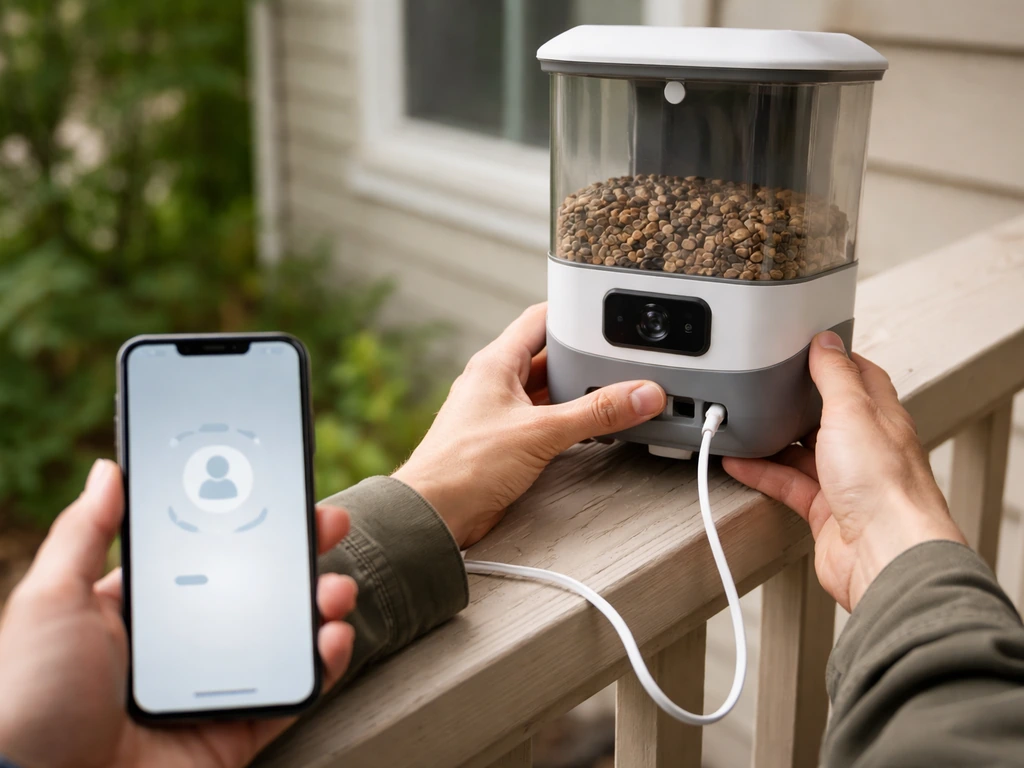
First-time setup
- Download the app before you open the box. Both Birdfy and FeatherSnap walk you through pairing via the app, and having it ready saves time.
- Connect to your 2.4 GHz Wi-Fi network, not your 5 GHz band. Most smart feeders don't support 5 GHz. If your router broadcasts both on the same name, you may need to temporarily separate them in your router settings.
- Mount the feeder on a pole or hook at 1.2 to 1.5 metres, away from direct sun and with a clear Wi-Fi sightline back toward the house.
- Fill with an appropriate seed: sunflower hearts work for the widest range of UK garden birds and produce minimal mess.
- Set up notifications in the app and test that you're receiving motion alerts before you consider the setup complete.
- Seal all charging port silicone covers if your model has them (Birdfy models do). Do this at first setup, not just after cleaning.
What to feed and when
For UK garden birds, sunflower hearts are the single best all-rounder: no husks, no waste, and attractive to great tits, blue tits, sparrows, robins, greenfinches, and more. In winter, add suet pellets or a suet cake feeder nearby to give birds the high-fat food they need in cold weather. During spring and summer, reduce peanuts (whole peanuts can choke fledglings) and switch to softer foods. Keep the smart feeder stocked consistently: birds learn feeding stations quickly, and an empty feeder for a week can reset your local bird activity entirely.
Fixing the most common problems
If your live feed isn't working after setup, this is a known failure mode reported by real owners. It's almost always a Wi-Fi or app permissions issue, not a hardware fault. Check signal strength at the feeder location first, add an extender if needed, and make sure the app has camera and notification permissions on your phone. If videos seem to be missing, check your plan tier: free cloud events are short (around 20 seconds) and retention is 30 days. If you expected longer clips, you'll need an SD card or an upgraded plan. Netvue also offers a Collection Storage plan that extends motion video length, which becomes relevant when owners think notifications or videos are missing due to plan limitations rather than actual technical failures.
For AI misidentification, which happens on every platform, the best approach is to use the manual correction or feedback feature in the app. Over time this improves your personal experience. If the camera seems to be missing birds entirely, check that the PIR sensor isn't obstructed by foliage and that the feeder isn't so close to a wall or fence that birds approach from a blind angle. Clean the camera lens and tray monthly: Birdfy's disassembly guide recommends drying all components thoroughly before reassembly and sealing the charging ports, which also prevents the kind of gradual corrosion that causes camera glitches over time.
How to pick the right one for your situation
Here's the simplest decision path based on everything above:
- Buy the Birdfy Nest Duo if you want the most weather-resilient, feature-complete option available through mainstream UK retail (Currys). The IP66 rating and large battery make it reliable year-round.
- Buy the FeatherSnap Scout if solar power matters to you and you want a UK-native buying experience with local retailer support. Accept that you'll charge it more in winter.
- Consider the Birdfy Rookie if budget is a constraint but you still want IP66 protection and cloud-based AI ID on the Birdfy platform.
- Avoid Bird Buddy Pro as a first UK purchase given the sensor reliability concerns and limited local retail support.
- Add a tube feeder for finches and a suet feeder for woodpeckers alongside your smart feeder, rather than trying to do everything with one device.
- If subscription costs are a dealbreaker, research no-subscription options carefully before buying any smart feeder.
Smart feeders genuinely change how you experience your garden. Seeing a species ID notification pop up for a bird you've never spotted before is the kind of small moment that makes the investment feel worthwhile. The key is matching the right hardware to your garden conditions, especially in the UK where weather, Wi-Fi range, and squirrel pressure are the three variables most likely to determine whether your feeder stays working through winter or ends up back in the box.
FAQ
Why does my smart feeder record movement, but often fails to identify birds (or shows blank images)?
Most smart feeders work best when you place them where birds have a clear approach line and a short perching pause. If you mount too close to a wall, hedge, or corner, birds can trigger the motion sensor from an angle the camera cannot clearly capture, which increases blank IDs. Aim for a straight “view” toward where birds land, and avoid feeding areas where they only fly past or hang off the side.
How can I tell if “missing videos” are caused by my plan settings instead of a faulty feeder?
Short cloud clips and “missing” moments are usually plan limits rather than camera failure. Before troubleshooting hardware, check whether your subscription includes longer motion videos and the retention window you expect. If you need extended footage for late-night visits or multiple birds at once, consider adding an SD card option (if supported) or upgrading to a tier that increases clip length.
What should I expect from a solar-powered smart feeder during a UK winter, and how do I avoid disappointment?
In the UK, overcast days and cold battery conditions are the main reasons solar feeders underperform. Solar units can still function on dark days, but you may see more frequent recharges and occasional missed triggers if the battery drops. If you buy solar, place it where it gets the longest possible winter exposure (not just summer), and expect reduced charging in December.
Can smart feeders reliably identify fast birds like finches, or will I get lots of misidentifications?
Yes, but you should set expectations carefully. A bird that moves fast (or only pecks briefly) may produce blurred frames or partial views, which can increase misidentifications. If you want reliable IDs, target species that perch and pause, or switch to a suet or platform setup that encourages longer stops. Skittish visitors may still come, but the “AI confidence” will be lower than with slower perching birds.
My feeder seems to work, but the app notifications are inconsistent. What’s the most common cause in practice?
If Wi-Fi is marginal, the feeder may still trigger videos, but the upload to the app can fail or be delayed, making it look like birds were missed. Test by checking Wi-Fi signal strength at the feeder location (not just at the router) and, if needed, install an extender or move the router. Also confirm the app remains allowed to access notifications and the camera on your phone.
How often should I clean a smart bird feeder, and what cleaning steps matter most for better identification?
Cleanliness affects detection quality over time. Dust, pollen, and condensation can reduce image clarity and cause blur or glare, which leads to higher AI error rates. Use a monthly routine: wipe the camera lens and clear the tray, then ensure any charging-port silicone covers are fully sealed after cleaning to prevent gradual water intrusion.
What’s the best way to deal with squirrels and rats around a smart feeder?
Use a baffle to tackle squirrels, and reduce ground spill to tackle rats. Squirrels usually climb the pole and try to reach feed, so a smooth metal baffle below the feeder and pole-mounted setup is the practical barrier. For rats, the key is minimizing scattered seed by using less waste seed mixes and cleaning any spill promptly, since they are drawn to food on the ground.
Why would my PIR-triggered camera miss birds even when it’s not cloudy or windy?
PIR triggers can miss birds if the sensor is obstructed or the feeder is too sheltered by foliage. If leaves, branches, or webs sit in front of the sensor path, the PIR may not see the bird correctly, or it may detect motion but the camera angle will be poor. Trim nearby foliage, avoid dense canopy placement, and ensure the feeder is oriented so birds approach within the camera’s effective field of view.
How do I choose the best smart bird feeder if I care about UK support and ongoing costs, not just specs?
It depends on your goals. If you want hands-on UK support and easier returns, prioritize models sold through major UK retailers with established customer service. If you want lower ongoing costs and fewer subscription surprises, look for feeders that provide meaningful free tiers or offer options that reduce reliance on cloud AI. Your best “value” choice is often about balancing reliability, local availability, and whether you want to pay monthly for ID accuracy and storage.
What are the top setup mistakes that cause poor video quality or unreliable uploads?
A simple first setup checklist helps avoid common mistakes. Mount at about 1.2 to 1.5 metres, face the camera away from direct sunlight to reduce flare, keep a clear line of sight toward your home (for Wi-Fi), and confirm your phone app permissions before expecting live uploads. Also avoid placing it where dripping trees contaminate the lens and tray during rain.
Next Article
Best Bird Feeder for Baltimore Orioles: Buyer Guide
Choose the best bird feeder for Baltimore orioles: styles, features, placement tips, and fixes for heat, pests, and acce