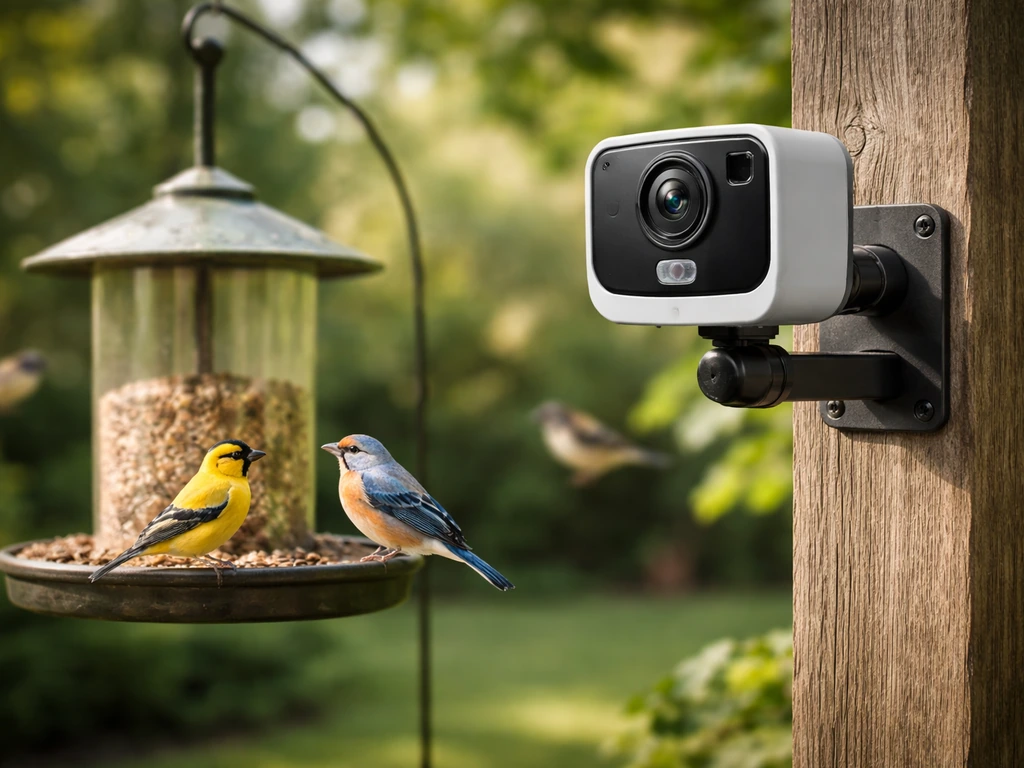
The best backyard bird camera right now is the Bird Buddy 2 (also called Birdbuddy 2) if you want an all-in-one feeder-plus-camera with AI species ID and the cleanest close-up photos out of the box. If you already have a feeder you love and just want to add a camera, the Reolink Argus 3 Pro gives you 5MP resolution, local microSD storage, optional solar charging, and real weatherproofing for around $60–$80. And if budget is the overriding concern, the Wyze Cam v3 at roughly $35 punches well above its price, especially in daylight. The right choice depends on whether you want a plug-and-play system or an adaptable setup built around gear you already own.
Best Backyard Bird Camera: Top Picks, Feeder-Compatible Tips
Marcus Hendricks
13 Jul 2026
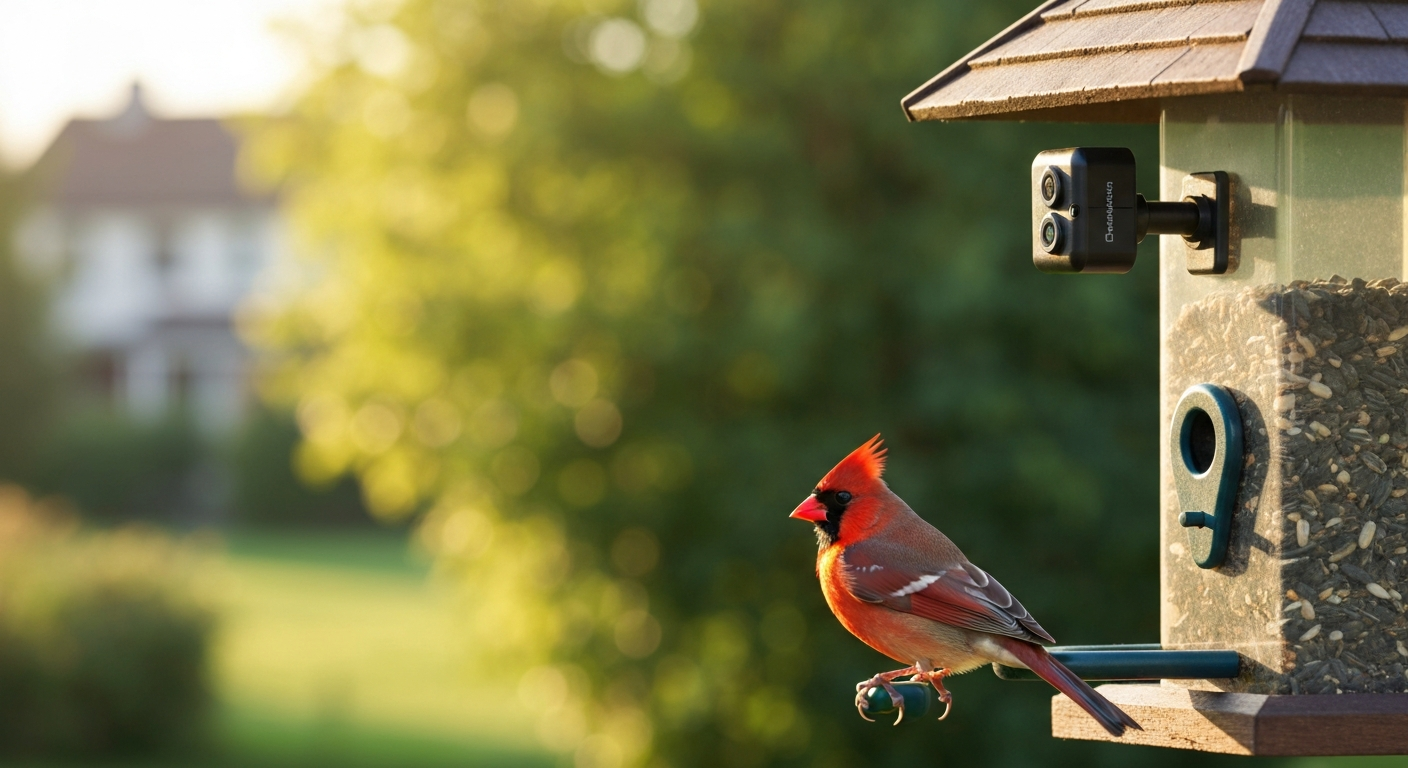
Why bother putting a camera on your bird feeder?
The short version: feeders attract birds, but you're rarely outside when the interesting things happen. A camera changes that. You catch a rose-breasted grosbeak showing up for one day during spring migration, a pair of cardinals feeding side by side, or a Cooper's hawk scattering everything at 7 a.m. You'd have missed all of it. Beyond pure enjoyment, cameras serve a few specific practical purposes that keep coming up in backyard birding conversations.
- Livestreaming: watch your feeder in real time from inside your house or remotely from work, especially useful during winter when you'd rather not stand outside.
- Species monitoring and ID: AI-assisted feeders like Bird Buddy automatically log species visits, which is genuinely useful for tracking what's coming through by season.
- Behavioral recording: document feeding hierarchies, territorial disputes, fledgling behavior, or rare visitors with timestamped video.
- Photography: purpose-built feeder cameras are optimized for close-focus macro-style shots that standard security cameras can't match without lens adapters.
- Feeder protection and deterrence: motion-triggered footage tells you exactly what's raiding the feeder at night (raccoons, squirrels, possums) so you can respond with the right solution rather than guessing.
One thing worth flagging before you buy: in some neighborhoods and jurisdictions, cameras pointed toward property lines or neighboring homes can create legal or social friction, even when mounted on your own feeder. Think about the camera's field of view relative to your neighbors before you install anything. A 160-degree FOV security camera pointed at a feeder near the fence line will capture more than just birds.
Top picks by use case
Different setups serve different goals. Here's where I'd point someone based on what they actually want to do.
Best overall: Bird Buddy 2 (Birdbuddy 2)
For most people, the Bird Buddy 2 is the cleanest entry point into feeder camera systems. It's a complete package: the feeder, the detachable camera module, AI species identification, and a well-designed app. The 2 has meaningful upgrades over the original Pro, including dual-band Wi-Fi (2.4 and 5 GHz), a wider 135-degree field of view versus 122 degrees on the Pro, faster wake-up, and noticeably better low-light performance. The camera module shoots up to 5MP photos and 2K video, uses a 1/2.7-inch sensor optimized for the short focal distance of a feeder perch, and the Solar Roof add-on (or Solar model) can extend battery life from the manufacturer-quoted 2–14 days to months in good sun exposure. IP67 rating means it handles rain without drama.
Best solar option: Bird Buddy PRO Solar or Reolink Argus 3 Pro with solar panel
If your feeder is in a sunny spot and you don't want to think about charging, the Bird Buddy PRO Solar bundles the Solar Roof with the feeder at purchase. For a camera-only solar solution you can pair with any feeder, the Reolink Argus 3 Pro with Reolink's 3W solar panel is the stronger pick: bigger battery (5,200–6,000 mAh), local microSD storage up to 512 GB, and no required subscription. Solar performance on both depends heavily on how much direct sun your feeder gets. Shaded yards under a canopy tend to disappoint. If you want a deeper comparison of solar-capable options and recommendations, see our guide to the best solar bird feeder.
Best dedicated video camera feeder: Bird Buddy 2 / BudCam BF002
For smooth, close-up video specifically, the Bird Buddy 2's 2K video at short focal distances is hard to beat among purpose-built feeders. The BudCam BF002 and similar OEM camera-equipped feeders offer 1080p video, around 5,000 mAh battery, a 130-degree FOV, IP65 weather resistance, and microSD storage at a lower price point. They're a solid alternative if you don't need the AI ID features and just want reliable video without a subscription. For a broader comparison of purpose-built feeders and cameras focused on video quality, see our guide to the best video camera bird feeder.
Best budget pick: Wyze Cam v3
At roughly $35, the Wyze Cam v3 is genuinely hard to argue with for someone who wants a low-friction entry point. It shoots 1080p at a 121-degree FOV, has a 'Starlight' CMOS sensor that performs well in low light with decent color night vision, is rated IP65 for weather resistance, supports up to 256 GB microSD locally, and operates down to -20°C. The catch for feeder use is its fixed focus and minimum focus distance: at very close feeder perch distances (under ~30 cm), images can go soft unless you add an inexpensive close-up diopter lens. For window feeders or slightly more distant pole setups, that's less of an issue.
Best for flexibility and unattended outdoor use: Reolink Argus 3 Pro
If I were setting up a camera on an existing hopper or platform feeder and wanted it to run for weeks without attention, the Reolink Argus 3 Pro would be my pick. The 5MP (2880x1620) resolution at 15 fps is excellent, PIR motion detection is adjustable from 2 to 10 meters, local microSD storage goes up to 512 GB, and the optional solar panel keeps the 5,200+ mAh battery topped off through most of the year in a reasonably sunny location. The 105-degree horizontal FOV is slightly narrower than some alternatives but more than adequate for a focused feeder shot. Two-year manufacturer warranty, H.265 compression, and no mandatory subscription round out the value.
Product-by-product breakdown
Bird Buddy 2
I've spent significant time with Bird Buddy across multiple versions, and the 2 is the most polished iteration yet. The close-up photos it produces from the feeder perch are legitimately beautiful: sharp, well-exposed, and identifiable down to subspecies markings in good light. Independent field reviews, including TechRadar's Bird Buddy Smart Bird Feeder Pro review, praise Bird Buddy's out‑of‑box close‑up photos and AI ID convenience, applaud the Solar Roof for reducing manual charging, and note the feeder hardware can feel plasticky and subscription features vary in usefulness Bird Buddy Smart Bird Feeder Pro review — TechRadar. The AI ID is accurate for common species and continues improving with app updates. The instant live stream with reduced latency is a real improvement for checking in on the feeder during the day. Battery life is honest at 5–14 days without solar depending on visit frequency and streaming use. Heavy live-streaming burns through the 3,800 mAh battery fast; with the Solar Roof in a south-facing location, I ran weeks without plugging anything in.
- Pros: Best-in-class close-up photo quality, polished app and AI species ID, IP67 waterproofing, dual-band Wi-Fi, solar roof option, detachable camera module for cleaning.
- Cons: Premium price (feeder plus camera module totals $150–$250+ depending on model and solar), some plastic hardware components feel fragile, feeder seed capacity is modest, subscription gates some advanced features, poor solar performance in shaded yards.
- Best for: Birders who want automatic species logging, shareable photos, and a clean all-in-one experience without DIY work.
Reolink Argus 3 Pro
This is my go-to recommendation for people who want to add a camera to a feeder they already own. Mounting it requires a 1/4-20 tripod thread adapter or an arm mount, but nothing exotic. At 5MP it captures enough detail to identify secondary markings on finches and warblers. The PIR sensor with adjustable range means you can tune it to the feeder footprint and reduce false triggers from wind-blown branches. Color night vision via the built-in spotlight works well in complete darkness for raccoon and squirrel surveillance. H.265 compression means 512 GB of microSD storage lasts a long time even at 5MP. The Reolink app is functional without being flashy, and there's no mandatory subscription.
- Pros: High resolution (5MP), large local storage (512 GB microSD), adjustable PIR, solar panel compatible, no mandatory subscription, 2-year warranty.
- Cons: 105-degree FOV is narrower than purpose-built feeders (requires closer mounting for full feeder coverage), spotlight for night vision can briefly startle birds, app is utilitarian rather than birder-friendly.
- Best for: Existing feeder owners who want high-resolution recording with solar capability and no cloud dependency.
Wyze Cam v3
For $35, the Wyze Cam v3 is remarkable. The Starlight sensor genuinely outperforms what you'd expect at this price in low-light conditions, and color night vision without an IR glow means nocturnal visitors don't immediately bolt. The IP65 rating and -20°C minimum operating temperature mean it survives harsh winters. Where it falls short for feeder use is the minimum focus distance: objects closer than roughly 30–40 cm can appear slightly soft. For a window suction-cup feeder pressed right against the glass, that's a problem. For a pole feeder viewed from 60+ cm away, it works fine. Wyze's app ecosystem is mature, with local microSD recording, optional cloud (Cam Plus), and solid automation rules.
- Pros: Very low price (~$35), strong low-light performance, IP65, wide operating temperature range, good app ecosystem, local microSD up to 256 GB.
- Cons: Fixed focus with soft minimum distance (not ideal for very close feeder perches), requires external power via USB (cable management needed), 2.4 GHz only, no solar option.
- Best for: Budget-conscious birders mounting on a pole feeder or window with some standoff distance, or anyone who wants outdoor monitoring without a big investment.
Arlo Pro 4
The Arlo Pro 4 shoots up to 2K (2560x1440) with a 160-degree diagonal FOV and color night vision via a spotlight. It's a well-made camera, but its feeder use case is less compelling than the others for a specific reason: full local storage requires an Arlo SmartHub or Base Station, and the cloud subscription (Arlo Secure) is needed for most of what makes the camera useful. For a feeder context where you want simple, autonomous operation, that subscription dependency is a real friction point. The 160-degree FOV is wide enough to capture multiple feeders simultaneously, which is one genuine advantage. One-year warranty is shorter than Reolink's two-year coverage.
- Pros: 2K resolution, very wide 160-degree FOV, strong brand ecosystem, color night vision.
- Cons: Local storage requires additional SmartHub hardware, cloud subscription needed for full functionality, shorter warranty, higher price than Reolink at equivalent resolution.
- Best for: Households already invested in the Arlo ecosystem, or those wanting to cover a large yard area with one camera.
BudCam BF002 and OEM camera feeders
The BudCam BF002 and similar China-OEM camera-equipped feeders represent a middle path between Bird Buddy's premium and a pure DIY security cam approach. Typical specs are 1080p video, 2MP stills, 130-degree FOV, a 5,000 mAh battery, IP65 weatherproofing, microSD storage, and optional solar panel input. They lack AI identification, the app experience is variable, and build quality is inconsistent across brands. But at their price point ($50–$90) they provide a complete camera-feeder unit with decent video. If you find one with a good app and reliable app support, they're worth considering as an alternative to Bird Buddy for video-focused buyers.
- Pros: All-in-one unit, 1080p video, reasonable price, solar options available.
- Cons: Variable app quality, no AI species ID, build quality inconsistent across OEM brands, lower resolution than Reolink or Bird Buddy 2.
- Best for: Buyers who want a camera feeder without Bird Buddy's price and don't need AI ID.
At-a-glance comparison
| Camera | Resolution | Power | Storage | Connectivity | Weather Rating | Approx. Price |
|---|---|---|---|---|---|---|
| Bird Buddy 2 | 5MP / 2K video | 3,800 mAh battery + Solar Roof option | Cloud (app) / no local microSD slot | Wi-Fi 2.4/5 GHz dual-band | IP67 | $150–$250+ |
| Reolink Argus 3 Pro | 5MP (2880×1620) | 5,200–6,000 mAh battery + 3W solar panel option | microSD up to 512 GB + optional cloud | Wi-Fi 2.4/5 GHz | IP66 | $60–$80 |
| Wyze Cam v3 | 1080p (1920×1080) | USB wired (no battery) | microSD up to 256 GB + optional cloud | Wi-Fi 2.4 GHz | IP65 | ~$35 |
| Arlo Pro 4 | 2K (2560×1440) | Battery + optional solar | USB local via SmartHub or cloud subscription | Wi-Fi 2.4/5 GHz | IP67 | $130–$180 |
| BudCam BF002 / OEM | 1080p / 2MP | ~5,000 mAh battery + solar option | microSD (size varies) | Wi-Fi 2.4 GHz | IP65 | $50–$90 |
A few notes on reading this table: Bird Buddy stores images and video through its app and cloud infrastructure rather than a local microSD slot in the camera module itself, which is a real consideration if you want to own your footage locally without any cloud dependency. Reolink's microSD capacity (up to 512 GB) is the standout for pure local archiving. The Wyze Cam v3's wired power is a limitation outdoors (cable routing required) but also means it never runs out of battery during a long winter day of heavy feeder activity.
Before you buy: the purchaser checklist
Running through these questions before you order will save you a return trip.
- Power source: Do you have a nearby outdoor outlet for a wired camera, or do you need battery or solar? If solar, how many hours of direct sunlight does the feeder location actually receive per day in winter?
- Mounting: What does your feeder mount to? A pole, a window, a deck rail, a shepherd's hook? Check whether the camera you're considering has a compatible mount or needs an adapter. Most security cams use a 1/4-20 thread. Purpose-built feeders use proprietary mounts.
- Wi-Fi: Is your router's 2.4 GHz signal strong enough at the feeder location? Many outdoor cameras at 30+ feet from the house struggle with Wi-Fi. Dual-band cameras (Bird Buddy 2, Reolink Argus 3 Pro) give you the option of 5 GHz if signal is strong enough at that distance.
- Focal distance: How close will the camera be to the birds? Purpose-built feeder cameras are optimized for 15–40 cm. Security cameras often focus best at 0.5 m and beyond. Check minimum focus distance before buying a standalone cam.
- Target birds: Hummingbirds at a window feeder need a very different setup than woodpeckers on a suet cage six feet up a tree. Think about the species you're targeting and the feeder position that goes with them.
- Storage preference: Are you comfortable with cloud storage, or do you need local microSD for privacy or reliability reasons? Budget for a subscription if the camera requires one for full functionality.
- Legal and neighbor considerations: Check the camera's FOV and where it points. A 160-degree lens on a fence-line feeder can capture a neighbor's yard. A quick conversation beats a complaint later.
- Seasonal conditions: If you're in a cold climate, verify the operating temperature range. The Wyze Cam v3 operates to -20°C; some budget OEM feeders have much narrower temperature tolerances. Check whether a solar roof will still charge effectively in low winter sun angles.
Key features to dig into before deciding
Resolution and image quality
Resolution alone doesn't tell the whole story. A 5MP camera optimized for a 20 cm focal distance (like Bird Buddy's camera module) will produce sharper feeder portraits than a 4K security camera focused at 3 meters. Sensor size matters: both Bird Buddy and the Reolink Argus 3 Pro use 1/2.7-inch sensors, which collect meaningful light for their class. For species ID from feather detail, anything at 5MP and above with a close-optimized focal length is comfortable. For casual monitoring and motion recording, 1080p is plenty.
Night vision
Most feeder cameras offer either infrared (IR) night vision (black-and-white image, invisible IR LEDs) or color night vision via a white spotlight LED. IR is less disruptive to birds but produces monochrome footage. Spotlight color night vision shows raccoons and squirrels in color, which is useful for identification, but the burst of white light can startle visiting birds and nocturnal regulars may learn to avoid the feeder. The Wyze Cam v3's Starlight sensor produces usable color images in very low ambient light without a spotlight, which is the best outcome for bird monitoring. For pest surveillance (raccoons at 2 a.m.), the spotlight approach on Reolink or Arlo cameras works well.
Motion detection and triggers
PIR (passive infrared) motion sensors detect heat signatures and are standard on battery cameras like the Reolink Argus 3 Pro. They're adjustable in range (2–10 m on the Argus 3 Pro) and do a good job of ignoring swaying branches that would trigger a pixel-change detection camera. The downside in a feeder context is that small birds at very short distances can sometimes be below the PIR's minimum reliable detection range. Purpose-built feeders like Bird Buddy use a combination of motion and a bird-perch weight sensor, which is much more precise and avoids false alerts from insects or leaf shadows. If false alerts are annoying you on a security cam setup, narrowing the PIR detection zone and adjusting sensitivity is usually the fix.
Storage options
Local microSD is the cleanest option for privacy and reliability: no subscription, no internet required to save footage, and you control the archive. Reolink supports up to 512 GB locally, Wyze up to 256 GB. Bird Buddy stores through its app ecosystem and cloud, which is seamless but means you're dependent on their service. Arlo's local storage requires an additional SmartHub base station. For long-term species monitoring across seasons, a large local microSD paired with an occasional manual review is more practical than trying to manage cloud clips.
Power and solar
Battery cameras are the most flexible for feeder placement since they don't require a cable run, but battery life is the ongoing management challenge. Heavy live-streaming, cold temperatures, and frequent motion triggers all drain batteries faster than manufacturer estimates suggest. The Reolink Argus 3 Pro's 5,200–6,000 mAh battery lasts longer between charges than Bird Buddy's 3,800 mAh module, but both benefit significantly from solar panels. Reolink's 3W panel, in a south-facing location with 4+ hours of direct sun, essentially eliminates battery management for most of the year. In winter at northern latitudes or in shaded yards, don't count on solar alone.
Connectivity and mobile apps
Dual-band Wi-Fi (2.4 and 5 GHz) on the Bird Buddy 2 and Reolink Argus 3 Pro gives you options if one band is congested or if the feeder is close enough to the router for 5 GHz. The Wyze Cam v3 is 2.4 GHz only, which is fine for most home networks but can feel crowded in dense neighborhoods. Bird Buddy's app is the most polished for birders: species logs, visit history, photo sharing, and AI ID are all integrated. Reolink's app is more utilitarian (live view, playback, alerts) but reliable. Wyze's app has a mature automation and rules system that power users appreciate. All three support push notifications for motion events.
Weatherproofing
IP ratings matter for any outdoor camera. IP65 means dust-tight and protected against water jets from any direction. IP66 adds higher-pressure water resistance. IP67 means it can survive immersion up to 1 meter for 30 minutes. For a backyard feeder, IP65 is the minimum I'd consider, and IP66 or IP67 is better for regions with heavy rain or snowmelt. One thing to watch with any camera: the charging port cover. On battery cameras, an unsealed charging port is a common failure point. Reolink's documentation specifically advises covering the charging port when the solar panel is not connected, which is worth following.
Mounting and feeder compatibility
This is where a lot of DIY setups go sideways. Purpose-built feeder cameras (Bird Buddy, BudCam) use proprietary mounts. Security cameras typically offer a 1/4-20 tripod thread, a strap mount, or a screw-mount base. A 1/4-20 ball-head adapter bolted to a pole or feeder arm gives you the most flexibility for angle adjustment. Check your feeder's pole or mounting hardware before assuming a standard camera mount will work. For window feeders, a camera with a suction cup mount or a short gooseneck arm mounted to the window frame is cleanest.
Matching camera to feeder type and target bird
Not every camera suits every feeder setup. Here's how I'd approach the pairing based on feeder type and the species most likely visiting.
| Target Bird(s) | Feeder Type | Best Camera Match | Key Reason |
|---|---|---|---|
| Hummingbirds | Window or tube nectar feeder | Bird Buddy 2 (or Wyze Cam v3 with close-up adapter) | Close-focus optimization captures wing detail; window mount keeps cam steady |
| Finches (goldfinch, house finch) | Tube feeder or nyjer sock | Reolink Argus 3 Pro or Bird Buddy 2 | 5MP resolves head and wing markings for species ID; pole-mounted cam angles down easily |
| Cardinals | Hopper or platform feeder | Reolink Argus 3 Pro or Bird Buddy 2 | Cardinals prefer larger, open feeders; wide FOV captures full bird in frame |
| Woodpeckers | Suet cage or suet feeder on pole/tree | Reolink Argus 3 Pro | PIR triggers well on larger birds; pole or tree mount angle works with security cam mounts |
| Orioles | Oriole feeder (jelly/orange) | Bird Buddy 2 or BudCam BF002 | Bright plumage rewards high-res close-up photography; all-in-one feeder cam simplest |
| Bluebirds | Platform or bluebird box feeder | Reolink Argus 3 Pro or Wyze Cam v3 | Bluebirds are cautious; camera at distance with telephoto-equivalent crop preferred |
| Blue Jays | Platform or hopper feeder | Wyze Cam v3 or Reolink Argus 3 Pro | Large birds easy to capture at 1080p; jays frequent open platform feeders, easy cam angle |
| Doves | Platform or ground tray feeder | Wyze Cam v3 (angled down) | Doves feed low and slow; a budget cam angled downward from a pole works perfectly |
A few notes from the field: hummingbirds move fast enough that video quality matters more than stills for capturing wing motion. At 120 fps burst modes or 2K video, Bird Buddy captures wing detail that 1080p at standard frame rates blurs. For bluebirds, the camera placement at a slight distance (1–2 meters) tends to feel less threatening to them than a camera mounted right on the feeder, and the Reolink Argus 3 Pro's adjustable PIR range handles that distance well. Cardinals and woodpeckers are less skittish about cameras and tolerate close-mounted setups better.
Placement and installation for each feeder type
Hopper feeders
Hopper feeders are usually pole-mounted at 5–6 feet. The best camera angle is from the same pole (mounted 6–12 inches above the feeder on a side arm) or from a separate pole 2–3 feet away, angled slightly downward toward the feeding ports. A 105–121-degree FOV camera at 30–60 cm from the perch captures the full feeding area. Avoid mounting the camera directly facing the sun's morning or afternoon position, which blows out the exposure. North-facing or east-facing camera orientations work best for consistent light.
Tube feeders
Tube feeders are narrow and vertical. A camera mounted at the same height as the feeding ports, offset 20–40 cm to one side and angled in, captures birds at the ports clearly. If the tube has ports on multiple sides, a wider FOV camera (Bird Buddy at 135 degrees) handles this better than a narrower security cam. For tube feeders on a hook or shepherd's crook, a clamp-style mount on the crook arm is the cleanest installation.
Platform and tray feeders
Platform feeders sit open and flat, often on a pole or post. Mount the camera at the same height or slightly above, angled down at 15–30 degrees. This gives a clear view of birds landing and feeding without the camera being in the birds' primary line of sight. For doves and ground-feeding species, a camera on a low post or fence rail angled at the platform works well. Keep the focal distance at 40–80 cm for the sharpest results with most security cams.
Window feeders
Window feeders are the most fun camera setup because the bird is literally centimeters from the glass. A purpose-built feeder camera like Bird Buddy is ideal here because it's optimized for this close-focus scenario. For a DIY approach with a Wyze Cam v3, mount it inside the house against the glass shooting outward (shooting through glass reduces quality slightly but works in good light) or use a small arm mount to position the camera just outside the feeder at a 30–45-degree angle. One advantage of inside-the-glass mounting: the camera stays dry and you can use a non-weatherproof camera.
Pole-mounted feeders
For multi-arm shepherd's crook systems or dedicated feeder poles, the most versatile approach is a camera arm bracket that clamps to the pole itself. Position the camera at the same height as the primary feeder and angled inward. For security cameras on poles, Reolink's installation guide recommends 2–3 meters (7–10 feet) of height for optimal PIR detection, but for feeder use where you want close-focus photography, you actually want the camera much lower and closer to the feeder. The PIR detection may be less reliable at very short range, so use pixel-motion detection as a backup trigger if your camera supports it.
Seasonal and pest considerations
Camera footage pays dividends year-round but in different ways. In winter, I use it most for monitoring whether feeders are staying clear of ice and snow, and for catching nocturnal visitors (raccoons and opossums are prolific overnight feeders). In spring, migration means checking footage daily for surprise species. In summer, fledgling behavior is some of the most interesting footage you'll collect, and hummingbird traffic peaks. In fall, watch for warblers using feeders unexpectedly during cold snaps.
For pest monitoring specifically, the color night vision on the Reolink Argus 3 Pro and Arlo Pro 4 is more useful than IR for identifying the animal type. Squirrels triggering the camera during the day is the most common complaint I hear, and it comes down to PIR sensitivity settings. Narrowing the detection zone toward just the feeder footprint and raising the sensitivity threshold reduces squirrel false alerts significantly. If a feeder camera is mostly catching squirrels, that's also useful data: it tells you your current feeder setup needs a baffle or a squirrel-proof cage.
Maintenance and common fixes
A few recurring issues come up often enough that they're worth addressing directly. Bird Buddy's most common reported failure point is the plastic clips and feeder body, which squirrels will chew and damage if given access. Customer Reviews: Bird Buddy Smart Bird Feeder (Best Buy) shows users reporting plastic clip and feeder-body damage from squirrels, battery drain with heavy streaming, poor solar performance in shaded locations, and frequent false motion alerts caused by insects and sun flecks. The camera module itself is robust, but protecting the feeder hardware matters. For all battery cameras, cold winters reduce effective battery capacity: a 5,200 mAh battery at -10°C may perform closer to 3,500 mAh effective. Plan for more frequent charging in winter or lean harder on a solar panel topped up during daylight hours.
False motion alerts from insects flying close to the lens are a real annoyance with any PIR or pixel-motion camera near a feeder. Insects are warm-bodied and trigger PIR sensors. Reolink's adjustable PIR range helps, but there's no perfect solution. Scheduling the camera to record only during daylight hours on a timer (available in Wyze and Reolink app rules) is the most effective way to reduce overnight insect noise. For Bird Buddy specifically, keeping firmware updated is important: several battery life and false-alert issues from earlier software versions have been corrected in firmware updates.
DIY add-on camera alternatives
If you're not ready to commit to a specific camera and want to experiment first, a Blink Mini or a spare smartphone mounted in a weatherproof enclosure pointed at an existing feeder is a perfectly legitimate starting point. The Wyze Cam v3 is itself essentially a DIY solution given its low price: buy one, mount it with a 1/4-20 adapter to a pole arm, and you have a functional feeder camera for $35. For close-focus improvement on any fixed-focus security camera, a +2 or +4 diopter close-up lens filter screwed onto the front element (check the camera's front thread diameter first) brings the focal plane much closer to the feeder perch. This is a $5–$10 fix that dramatically improves sharpness on cheap fixed-focus cameras.
For those who want higher video quality without a purpose-built feeder cam, a used GoPro in a simple weatherproof housing mounted on a feeder arm produces genuinely excellent close-up video. The tradeoff is battery life (GoPros are not optimized for multi-day unattended recording) and the absence of motion triggers, so you're recording continuously or on a timer rather than event-based. It's a good approach for a dedicated photography session rather than ongoing automated monitoring.
Where to buy and what to pay
Bird Buddy products are available directly from the Bird Buddy website and through Amazon, Best Buy, and select garden retailers. Prices for the Birdbuddy 2 system (feeder plus camera module) run $150–$250 depending on whether you include the Solar Roof. The Reolink Argus 3 Pro is widely available on Amazon, Reolink's own site, and B&H Photo for $60–$80 without the solar panel and around $80–$100 with it. The Wyze Cam v3 is sold at Wyze.com, Amazon, Walmart, and Home Depot at roughly $35. Arlo Pro 4 is available at Arlo.com, Amazon, Best Buy, and Costco for $130–$180. OEM camera feeders like the BudCam BF002 are primarily available through Amazon and AliExpress, and prices vary: budget $50–$90 for a complete unit. For those evaluating specific budget-friendly options in more depth, there's a full breakdown of budget feeder cameras available in our dedicated guide. For help locating retailers and comparing options, see where to buy bird feeder with camera. For a focused comparison of low-cost models, see our guide to the best budget bird feeder camera.
FAQ
Which backyard bird camera should I choose for livestreaming vs. photography vs. behavior recording?
For livestreaming prioritize cameras with stable dual‑band Wi‑Fi, low latency and continuous-power options: Birdbuddy 2 (purpose‑built feeder with dual‑band Wi‑Fi) or Arlo Pro 4 (2K, wide FOV) are good choices. For high‑quality stills and close‑up feeder photos choose purpose‑built feeder cameras like Birdbuddy Pro/Smart Feeder (5MP photos, close‑focus optics) or BudCam/BF002. For long behavioral recording or local recording without subscriptions, pick battery/solar security cameras with microSD recording like Reolink Argus 3 Pro (5MP, local microSD up to 512 GB) or Wyze Cam v3 (1080p, local storage). If you need live‑stream + good stills, a purpose‑built feeder camera (Birdbuddy family) balances both; if you need flexibility and higher resolution/recording duration, a solar battery security camera is better.
What are the most important technical specs to compare when buying a bird camera?
Compare: photo resolution (MP) and video resolution (1080p, 2K, 5MP), field of view (FOV) and close‑focus/minimum focus distance, sensor size/low‑light performance (larger sensor better for dawn/dusk), night‑vision type (IR mono vs. color night vision/spotlight), motion detection type (PIR reduces false triggers), storage options (microSD local vs. cloud/subscription), power (battery mAh, wired, solar compatibility), connectivity (2.4 GHz vs. dual‑band Wi‑Fi), weatherproofing rating (IP65/IP67), mounting interface (1/4"‑20 tripod thread, straps, proprietary mounts), and app/subscription features (species ID, auto uploads).
How do purpose‑built camera feeders (Birdbuddy, BudCam) compare to adapting a security camera (Wyze, Reolink)?
Purpose‑built feeders: optics and close‑focus are optimized for perches, integrated camera‑to‑feeder design, built‑in AI ID/live features, and cleaner aesthetics—but hardware durability and proprietary mounts or subscription features vary; battery life without solar is limited (Birdbuddy camera ~3,800 mAh with 5–14 days typical). Security cameras adapted to feeders: generally higher battery sizes/solar compatibility, higher resolution options (2K/5MP), robust local storage options, and flexible mounts—however many consumer security cams have minimum focus distances that make close feeder photos soft without close‑up adapters. Choose purpose‑built if you want plug‑and‑play bird photos/IDs; choose adapted security cams for long run time, higher resolution and storage flexibility.
Is solar power reliable for feeder cameras, and which models work best with solar?
Solar can be reliable when the camera and solar panel receive direct sun for several hours daily. Purpose‑built models with integrated solar (Birdbuddy Solar Roof) can extend run time to months in good sun. Battery/solar security cameras (Reolink Argus 3 Pro paired with Reolink 3W solar; Arlo with vendor panels) are proven for long‑term unattended setups. Caveats: solar under dense canopy or shaded urban sites performs poorly; frequent live‑streaming or heavy motion events drain batteries faster than solar can replenish. Expect best results with southern exposure and periodic manual charging or larger battery capacity if shade is common.
Which cameras are best for specific species (hummingbirds, finches, woodpeckers, orioles)?
Hummingbirds: require very close focus and fast shutter—use purpose‑built close‑focus setups or a dedicated macro-capable camera mounted inches from the feeder (Birdbuddy optics are optimized for perches but hummingbird feeders often need specialized close cameras or high‑speed framing). Finches/seed feeders (tube/mesh): an adaptable camera with adjustable mounting and medium FOV works well (Wyze v3, Reolink Argus series). Woodpeckers: larger birds that use platform or suet feeders—use cameras with wider FOV and robust mounts (Reolink, Arlo, Birdbuddy for feeder‑style). Orioles/nectar feeders: similar to hummingbirds—close focus and stable mounting; use a small camera mounted near the feeding port. For aggressive species (jays, squirrels), choose sturdy mounts and consider feeder placement/anti‑squirrel baffles.
How should I place and mount a camera for different feeder types (hopper, tube, platform, window, pole)?
Hopper feeders: mount camera above or angled toward the perch/port; keep 12–36 in. distance depending on camera minimum focus. Tube feeders: mount slightly above or on a pole side to capture perches; use small FOV or add close‑focus adapter for detail. Platform feeders: use tripod‑style mount nearby or a pole‑mounted security camera 3–10 ft away for FOV coverage. Window feeders: a small camera inside looking through glass works best—avoid IR reflections by using color night vision or placing camera flush to glass. Pole‑mounted: secure cameras to pole using strap mounts or 1/4"‑20 adapters; aim for 2–10 m (7–33 ft) height depending on PIR detection recommendations. Always minimize motion behind the feeder and avoid sun‑facing angles that cause glare.
Next Article
Best Budget Bird Feeder Camera Guide: Features, Setup, Picks
Find the best budget bird feeder camera with setup tips, key features, durability checks, and reliable pick options.