The best video camera bird feeder for most backyard birders right now is the Birdfy Feeder 2 Duo or the Kiwibit Beako, depending on whether you want dual-angle coverage or the sharpest single-view 4K footage without paying for a subscription. If you want a simpler, more affordable entry point, the PerchMe Smart Bird Feeder with its 160° wide-angle lens and built-in solar panel is a solid pick. The "right" choice depends on your yard size, the species you're targeting, your Wi-Fi setup, and how much you want to spend on cloud storage month to month. This guide walks you through exactly how to make that call.
Best Video Camera Bird Feeder: Top Picks and Buying Guide
Marcus Hendricks
3 Jun 2026
What to look for in a bird feeder video camera
Not all camera feeders are created equal, and the specs that matter for wildlife security cameras are different from what matters for watching birds up close. Here's what actually affects whether you get usable footage or a folder full of blurry, poorly lit clips.
Resolution and image quality
Resolution matters most in good lighting. A 4K sensor like the one in the Kiwibit Beako gives you stunning daytime detail, but that advantage shrinks fast once the light drops or a bird is sitting too close for the lens's minimum focus distance to handle. For most feeders, 2K (roughly 1440p) is the sweet spot: sharp enough to identify species markings, without the huge file sizes that fill up an SD card or blow through a cloud storage tier quickly.
Night vision: infrared vs. white light
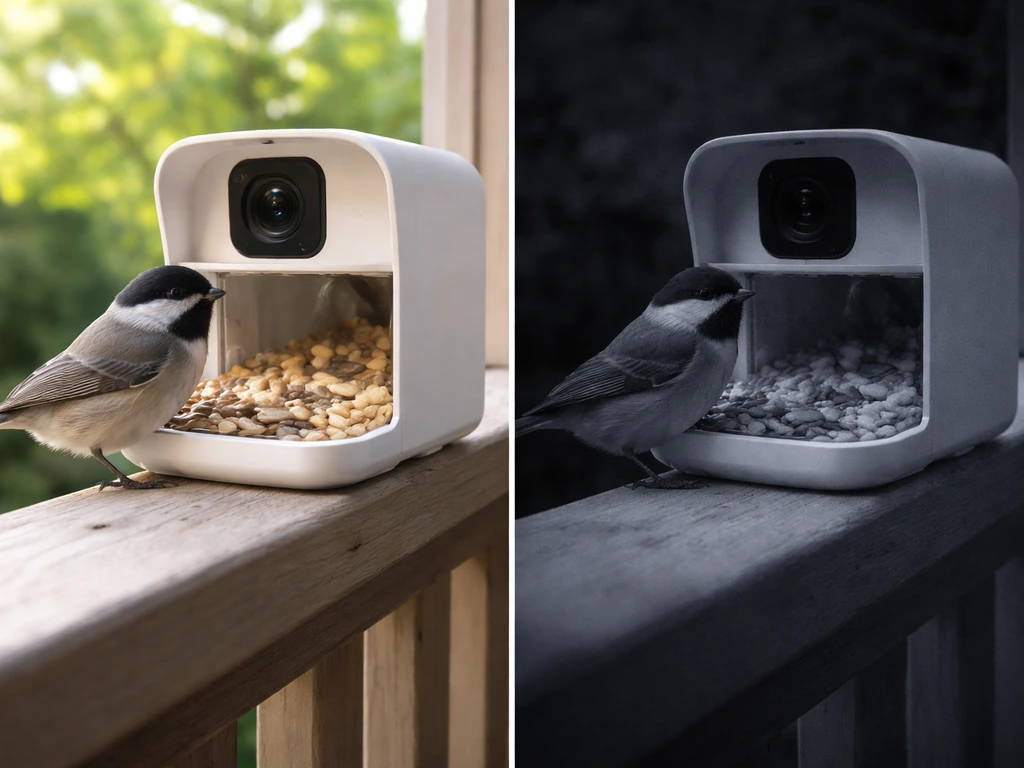
There are two main approaches to night capture, and they behave very differently. Infrared (IR) night vision, like the 940nm "No Glow" LEDs used in the Camouflage EZ BirdFeed, produces black-and-white footage and is invisible to birds and animals, so it won't disturb roosting or feeding behavior. TechRadar's Camouflage EZ BirdFeed review describes its “No Glow” 940NM IR LEDs as enabling day color capture and black-and-white capture at night [940nm “No Glow” LEDs capture black-and-white at night](https://www. techradar.
com/cameras/camouflage-ez-birdfeed-review-a-superb-value-smart-bird-feeder-camera-that-identifies-your-feathered-friends). White-light night vision, which Birdfy offers as a selectable mode, produces full-color footage at night but emits a visible glow. For watching nocturnal visitors like owls or identifying species by color at dusk, white light is genuinely useful. Digital Camera World notes that night vision mode choices, such as white light versus infrared, can significantly affect how usable feeder camera footage is at night [night vision mode choices (e.
g. , white-light vs infrared)](https://www. digitalcameraworld. com/buying-guides/the-best-bird-feeder-camera).
For anyone worried about disturbing birds or attracting attention, stick with infrared.
Motion detection accuracy
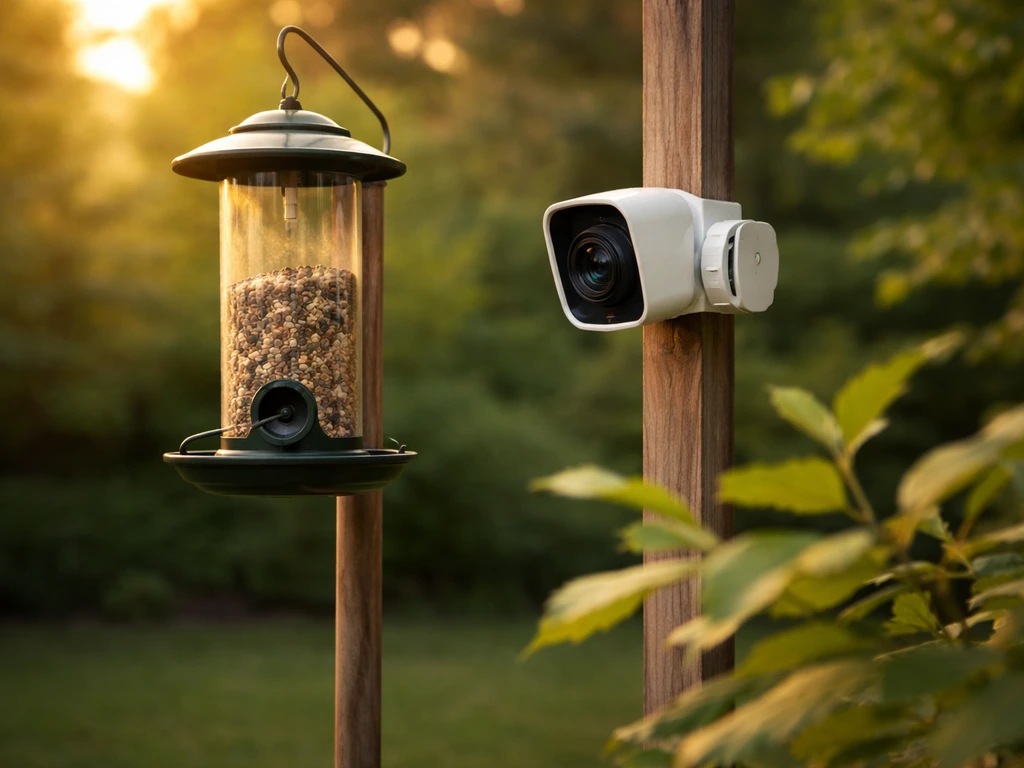
This is the one that frustrates people most. A camera that triggers on every leaf rustle or breeze will fill your phone with useless clips and drain the battery fast. The best setups let you adjust sensitivity in the app, which Perky-Pet and Birdfy both support. The trade-off is real though: dial sensitivity too low and you'll miss quick-visiting birds; dial it too high and squirrels, blowing branches, or even shadows will set it off constantly. Expect to spend a few days tuning this when you first set up.
Field of view
A wide-angle lens captures more of the scene around the feeder, which is great for watching multiple birds interact or tracking the approach of a squirrel. The PerchMe uses a 160° wide-angle lens, which is one of the broadest available on a consumer feeder camera. The downside is distortion at the edges and less zoom-in detail on individual birds. A narrower field of view (around 90-110°) gives you tighter, more flattering close-ups, which is what most people actually want when they replay footage.
Audio, alerts, and app usability
Two-way audio is included on most current models and lets you listen to bird calls in real time, which is genuinely useful for identification. Motion alerts sent to your phone are only as good as how fast they arrive, and there's typically a cooldown period between alerts during which the camera is in standby and won't capture a new event. That cooldown behavior, documented in Birdfy's own support documentation, is worth checking before you buy if you have a very active feeder. App quality varies a lot: some apps are slick and reliable, others are slow and crash on older phones.
Best picks by use case
Best for covering multiple feeders or a wide yard: Birdfy Feeder 2 Duo
The Birdfy Feeder 2 Duo uses two cameras to cover two angles simultaneously, which solves the single biggest frustration with feeder cameras: birds landing on the side you can't see. It's IP66 rated, meaning it handles rain and splashes well, and the Birdfy ecosystem gives you good app controls for sensitivity and recording. The catch is the subscription. Birdfy uses tiered pricing that affects how long your cloud clips are retained and how long each recorded moment lasts. On the base tier, clips top out around 20 seconds; a paid tier bumps that toward 30 seconds. If you're fine storing footage locally on a MicroSD card, the subscription matters less.
Best for close-up 4K detail without a subscription: Kiwibit Beako
The Kiwibit Beako is the pick for anyone who wants the sharpest possible footage and doesn't want to pay monthly fees. It shoots 4K, is solar-powered, carries an IP65 waterproof rating, and TechRadar confirms the 4K footage doesn't require a premium subscription to access. The 4K advantage is most visible in bright daylight, so pair this with a feeder in a well-lit open spot for best results. One thing to watch: like most cameras with short minimum focus distances, birds sitting right at the lens can look soft. Keep that in mind when positioning.
Best wide-angle and solar budget pick: PerchMe Smart Bird Feeder
The PerchMe's 160° lens captures the most scene context of any feeder on this list, making it ideal for watching busy feeders where multiple species show up at once. It runs on solar and stores footage either in the cloud or on a local SD card. Full-color night vision is a genuine perk for dusk and dawn activity. It's not the pick for tight, portrait-style bird close-ups, but for a wide-view installation it's hard to beat at this price range.
Best for harsh weather and temperature extremes: Camouflage EZ BirdFeed
If you're in a climate with brutal winters or scorching summers, the Camouflage EZ BirdFeed's operating temperature range of -5°F to 120°F (-20.5°C to 48.5°C) gives it more headroom than most competitors. The 940nm No Glow IR LEDs won't disturb nighttime wildlife. It's a more traditional trail-camera approach bolted onto a feeder concept, so the app experience isn't as polished as Birdfy, but the hardware is proven tough.
Best for privacy-focused setups (no cloud dependency): local SD card builds
If you don't want any footage going to a cloud server, look for feeders or paired cameras that support MicroSD-only recording. Several models, including Birdfy and PerchMe, support local storage. Pair a reliable feeder type with a dedicated outdoor wildlife camera if you prefer full control over your footage and no ongoing subscription costs.
Feature comparison: resolution, night vision, motion detection, audio, and recording
| Feature | Birdfy Feeder 2 Duo | Kiwibit Beako | PerchMe Smart Feeder | Camouflage EZ BirdFeed |
|---|---|---|---|---|
| Resolution | 2K (dual camera) | 4K | 2K | 1080p |
| Night Vision | IR + white-light (selectable) | IR | Full-color (white light) | 940nm No Glow IR |
| Field of View | Dual-angle coverage | Standard (~100°) | 160° wide-angle | Standard |
| Motion Detection | App-adjustable sensitivity | App-adjustable | App-adjustable | Adjustable |
| Two-Way Audio | Yes | Yes | Yes | No |
| Recording | Cloud + MicroSD | SD card + cloud optional | Cloud + SD card slot | MicroSD |
| Waterproof Rating | IP66 | IP65 | Not confirmed | Operating temp -5°F to 120°F |
| Subscription Required | For extended clips/retention | No (4K without subscription) | Optional | No |
Power and connectivity: what you need to know before you buy
Battery life and solar
Solar is the cleanest solution for a bird feeder camera because you're usually placing the feeder somewhere in the yard away from power outlets. The Kiwibit Beako and PerchMe both use solar charging, which works well for most of the year but can struggle in deep winter when days are short and the panel might be snow-covered. If you're in a northern climate, position solar-powered feeders facing south and clear off snow when you can. Battery-only models are simpler to set up but need recharging every few weeks to months depending on how often motion triggers recording.
Wi-Fi range and connectivity
Most feeder cameras require a 2.4GHz Wi-Fi connection. If your feeder is more than about 50 feet from your router (through walls and around corners), you're going to have dropouts. A Wi-Fi extender placed near a window facing the yard solves this in most cases. If your feeder is at the back of a large property, a mesh network node or a dedicated outdoor access point is worth the investment. Check the app before relying on real-time alerts: some setups buffer notifications by 30 seconds or more, which means the bird has already left by the time you open your phone.
Storage and subscriptions
This is where ongoing costs hide. Birdfy's subscription tiers determine how long footage is retained in the cloud and how long each recorded clip runs. On the free tier, you get shorter clips and less retention history. Buying a MicroSD card (most feeders accept cards up to 128GB or 256GB) gives you local backup that doesn't expire. If you'd rather avoid subscriptions entirely, the Kiwibit Beako is specifically noted for providing 4K footage access without a premium tier requirement, which is unusual in this category. For more budget-conscious options, there are also dedicated pages on finding the best budget bird feeder camera that go deeper on low-cost storage setups.
Setup and placement tips to get great bird footage
Camera angle and distance
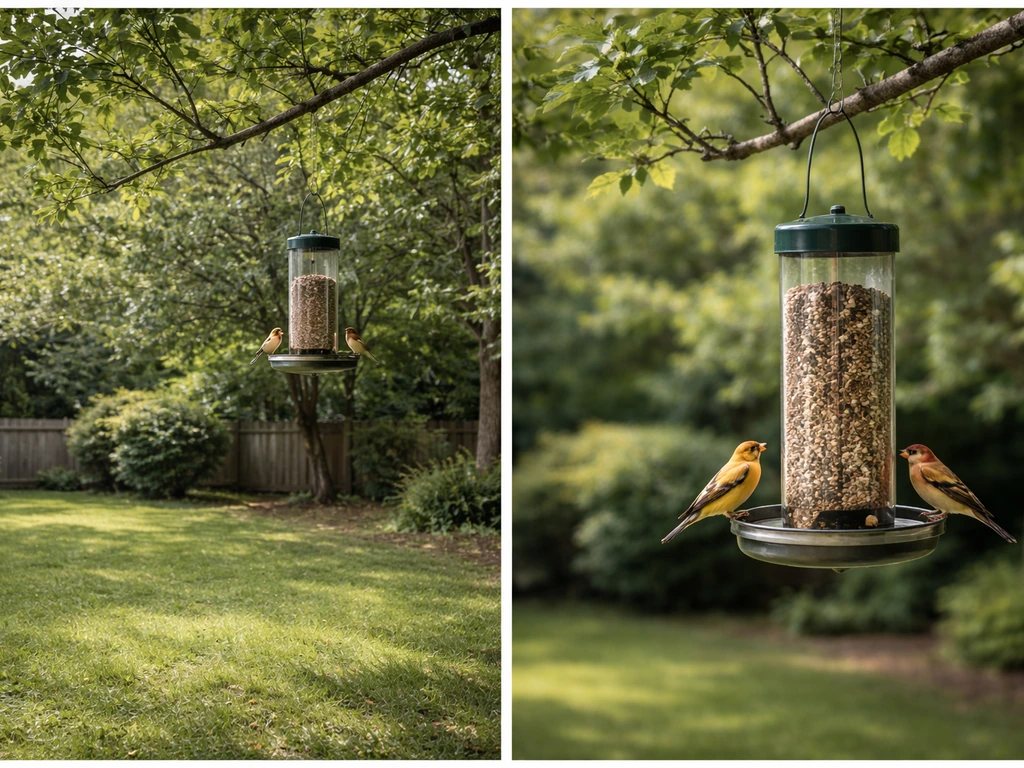
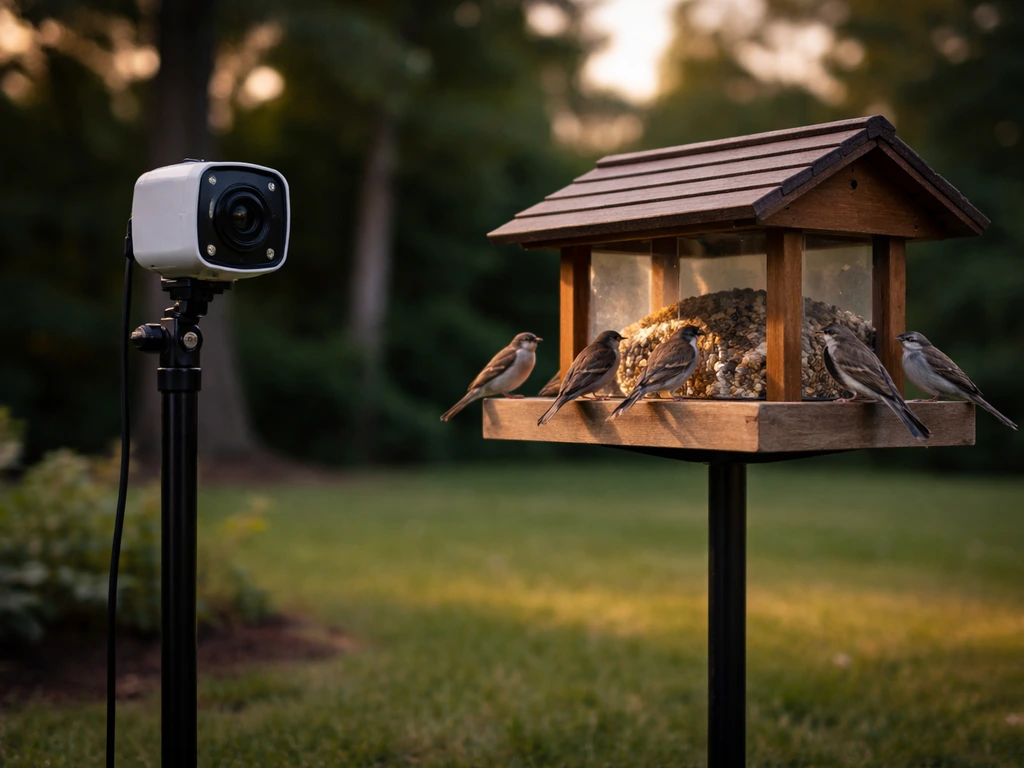
The single most common mistake is mounting the camera too far from the feeder, leaving birds as tiny specks in the frame. For close-up species ID shots, the camera lens should be 1 to 3 feet from the main feeding area. For wide-angle feeders like the PerchMe, you can go slightly further since the 160° lens pulls in more context. Position the camera at or just below the height of the perches, not above looking down, so birds face the lens rather than showing you their backs.
Lighting and sun direction
Place the feeder so the sun is behind the camera, not behind the birds. Backlighting silhouettes birds and washes out the detail you're trying to capture. Morning light from the east is usually softer and better for color than harsh midday sun. In winter, lower sun angles mean you'll get longer periods of good light if the feeder faces roughly southeast.
Avoiding false motion triggers
Blowing branches, swaying feeders, and even shadows from clouds are the enemy of a clean motion-detection setup. Start with medium sensitivity and adjust over a few days. If you're getting constant alerts with no birds, lower the sensitivity one step. If you're missing fast-visiting birds, bump it up. Some feeders like the Birdfy line have a cooldown period after each trigger, so back-to-back visits in quick succession may not all get captured. Keep that in mind when evaluating whether your feeder camera is actually catching everything.
Weatherproofing and seasonal adjustments
IP65 and IP66 rated cameras handle rain and splashing fine, but direct sustained water spray or submersion will exceed both ratings. Give the camera a slight downward tilt so water runs off the lens rather than pooling on it. In winter, condensation inside the lens housing can cloud footage: this is a quality issue to watch in budget models. The Birdfy's operating range down to 14°F and the Camouflage's down to -5°F mean both survive most North American winters, but the Camouflage has the edge in truly extreme cold.
Squirrels and pests
Camera feeders are not inherently squirrel-proof. They document squirrel visits beautifully, but stopping squirrels requires a separate strategy: a baffled pole mount, a weight-sensitive perch, or a cage design around the feeder. Motion detection sensitivity also plays into this: a squirrel-resistance setting on some feeders tries to reduce alerts from larger animals, but this can occasionally mean missing a large bird like a blue jay or dove too. Tune carefully and test with known visitors.
Which birds can you reliably capture?
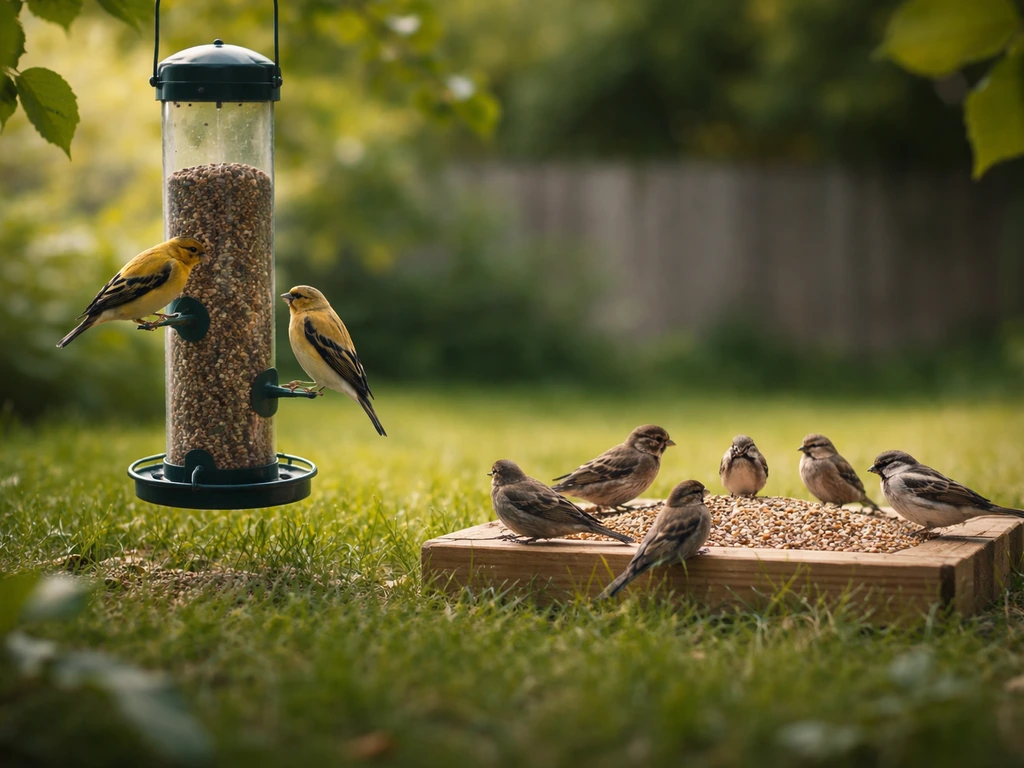
The feeder type matters as much as the camera for determining which species you'll see on video. Different birds have strong preferences, and choosing a feeder that attracts your target species is step one before worrying about camera specs.
- Finches (goldfinch, house finch, purple finch): tube feeders with Nyjer or sunflower seed work best. Their small size makes high resolution important for ID shots, so 2K or 4K is worth it here.
- Cardinals: prefer hopper-style feeders or platform feeders with safflower or black oil sunflower. They're large and relatively bold, so even a medium-res camera captures them well. Morning and late afternoon are peak visit times.
- Woodpeckers (downy, hairy, red-bellied, pileated): suet cages attached to a pole or tree are the target. A camera positioned to the side rather than front-facing captures their signature clinging posture best.
- Chickadees and nuthatches: quick visitors to tube and hopper feeders. Their speed means motion-detection cooldown timing matters: if your camera has a 30-second cooldown between clips, you may miss half their visits.
- Hummingbirds: require a dedicated nectar feeder. Cameras need to be positioned very close (1-2 feet) to capture wing detail. 4K with good shutter speed handling is ideal. Avoid cameras that use visible white-light night vision, as hummingbirds are sensitive to unusual light.
- Jays and doves: platform feeders suit them. These larger birds trigger motion sensors reliably and look great on camera. Their size means even 1080p footage is satisfying.
- Owls and nocturnal visitors: a feeder camera with true IR night vision (940nm No Glow) set up near a suet or platform feeder in a wooded edge yard can capture owls investigating the activity zone without disturbing them.
Window feeders are worth mentioning here too: a camera-equipped window feeder gives you the closest possible footage, almost portrait-quality when set up right, but it limits you to smaller, bolder species willing to visit close to the house. Chickadees, nuthatches, and titmice are the reliable window feeder visitors most willing to perform for the camera.
How to choose today: a quick decision path
Start with three questions: Where is your feeder relative to your router? How important is subscription-free operation? And what species are you trying to capture? If your feeder is within 50 feet of Wi-Fi and you want the most polished app experience with dual-angle coverage, go with the Birdfy Feeder 2 Duo and budget for the subscription if you want longer clips.
If you want the quickest way to narrow it down to the best solar bird feeder camera for your backyard, use the pick that matches your priorities first. If you want 4K footage without monthly fees, the Kiwibit Beako is the cleaner value. If you want solar power and the widest possible view at a lower price point, the PerchMe is the one to pick.
For extreme cold climates or anyone who wants a no-cloud trail-camera-style setup, the Camouflage EZ BirdFeed is still a dependable choice.
If you're still figuring out the right feeder type before adding a camera, it's worth reading up on the best backyard bird camera setups and where to buy bird feeders with cameras already built in, since some retailers bundle everything in one purchase and simplify the setup considerably. If you're wondering where to buy bird feeder with camera setups, check the retailers mentioned with each model so you can compare bundles, pricing, and availability in your region where to buy bird feeders with cameras. And if budget is the main constraint, there's a separate guide specifically focused on the best budget bird feeder camera options that goes deeper on lower-cost alternatives without sacrificing too much on footage quality.
The bottom line: you don't need the most expensive setup to get footage you'll enjoy. A properly placed 2K camera with good motion-detection tuning and a south-facing solar panel will outperform a 4K camera in a bad location every single time. Get the placement right first, then invest in resolution. If you want a quick shortlist, check out our guide to the best budget bird feeder camera options for lower-cost setups that still deliver clear footage.
FAQ
Do I really need 4K for a bird feeder camera, or is 2K enough?
2K is usually enough for species ID at a properly chosen distance, since most missed detail comes from low light, glare, or poor positioning rather than resolution. If you mostly view daytime clips and keep the camera 1 to 3 feet from the feeding area, 4K helps more, especially when birds pause slightly farther from the lens than expected.
What’s the best way to reduce motion alerts from blowing branches without missing birds?
Use the app’s sensitivity controls to start one step lower than you think you need, then test for 2 to 3 different times of day (windy afternoon, calm morning, dusk). Also make sure the feeder and camera are rigidly mounted, since even small sway can trigger patterns your sensitivity settings cannot filter out.
How close should the camera be to the feeder for sharp footage?
For close-up viewing, aim for roughly 1 to 3 feet from the main feeding area, then adjust based on the camera’s minimum focus behavior. If birds commonly perch right under the lens, their feet may be out of focus, but their faces may still be sharp, so validate using actual visits rather than test clips only.
Will infrared night vision spook birds?
940nm infrared is designed to be less noticeable to wildlife, but it is not guaranteed to be harmless for every species or situation. If you notice birds changing behavior at night, switch to IR only modes, reduce IR exposure if your model allows it, and consider placing the camera slightly off-axis so the LED beam does not point directly into the birds’ eyes.
What should I do if my Wi-Fi alerts arrive late or I miss birds that show up briefly?
Treat phone alerts as delayed signals, not live feeds. If your app buffers notifications by 30 seconds or more, rely on motion clip playback instead of real-time alerts, and improve connectivity with a dedicated outdoor access point or mesh node near the feeder line of sight.
Does local MicroSD recording work reliably in cold and hot weather?
Often yes, but extreme temperatures can reduce battery performance and can increase the chance of file corruption if power drops during motion recording. Use the feeder’s supported SD card type and capacity, and consider testing a day with heavy activity in your coldest typical conditions before trusting it for winter monitoring.
How much cloud storage do I actually need for a busy feeder?
Instead of focusing only on retention days, check clip duration and how often the feeder triggers. If your feeder gets frequent visits, short clips plus limited retention can create gaps, so choose tiers that extend both retention and clip length, or plan to download key events while they are still in the cloud.
Are camera feeders squirrel-proof, or will I need extra hardware?
Most are not fully squirrel-proof, they mostly document squirrel activity. To reduce repeat visits, add a baffle or a squirrel-resistant perch/cage design, and tune motion sensitivity with known visitors in mind, since “squirrel-resistant” settings can also reduce bird capture rate.
What’s the best sun and mounting direction to avoid backlighting?
Place the feeder so the sun is behind the camera, not behind the birds, then mount the camera at or slightly below perch height so the lens sees faces, not backs. For best winter light, orient the feeder roughly southeast when possible to get longer periods of usable illumination.
Will rain or condensation ruin the footage?
Rain usually is handled when the camera is rated for the expected exposure, but sustained spray can exceed the rating. Condensation is a bigger risk in cold mornings and can cloud images temporarily, so try a slight downward tilt for runoff and avoid blocking vents or seals during installation.
How do I choose between dual-angle coverage and a narrower field of view?
Dual-angle designs are ideal if birds land on the sides you cannot see, which is common at feeders with perches and wide approach paths. If your goal is tight, portrait-like face shots for identification, prioritize a narrower field of view around 90 to 110 degrees and place the camera for consistent focus on the main perch zone.