The best smart bird feeders you can buy in 2026 without a mandatory subscription are the Kiwibit Beako, the Birdfy Feeder (original, not Bamboo), and the BirdSnap feeder on its free tier. Each of these gives you live video, motion alerts, and some form of bird identification at no ongoing cost after purchase.
Best Smart Bird Feeder Without Subscription: Buyer Guide
Marcus Hendricks
29 Jun 2026
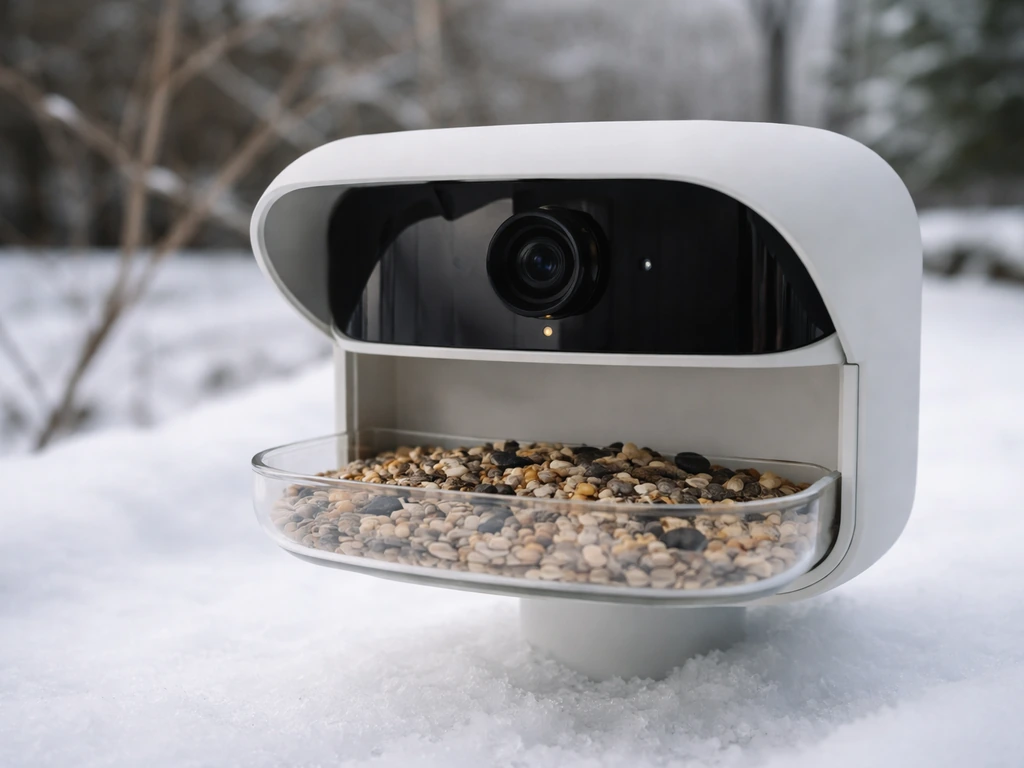
The Kiwibit stands out most clearly: it advertises lifetime AI bird ID with no subscription ever, and pairs that with local microSD storage so you are not dependent on anyone's cloud server staying free. The Birdfy original gives you 30-day rolling cloud storage plus 5GB of permanent space for free, which is genuinely useful. BirdSnap's free plan includes live viewing, camera sharing, and 3-day cloud history.
BirdBuddy works without a subscription too, but its best feature (AI photo ID) is significantly gated behind a paid BirdID membership, so manage your expectations there.
What 'no subscription' actually means for smart feeders
This is the part that trips up most buyers. 'No subscription' can mean very different things depending on the manufacturer and even the specific product model. Smart bird feeders are increasingly popular because they make it easier to monitor visits without manually checking the feeder all day smart feeder world. In the smart feeder world, subscriptions typically gate one or more of the following: cloud video storage, AI bird species identification, extended event clip length, activity-zone alerts, or livestream access. Not all of these are subscription-locked on every product. The key is figuring out which features matter to you before you assume 'free' means everything is included.
Cloud storage is the most common paywall. Birdfy, for example, gives free users 30-day rolling cloud storage and 5GB of permanent space permanently, so basic video review is genuinely free. BirdSnap's free tier stores cloud clips for only 3 days. Kiwibit's free cloud tier is just 1 day, but the feeder supports microSD cards so you can bypass the cloud entirely. BirdBuddy offers postcards and basic connection for free, but AI identification beyond basic recognition and full livestream access can require a premium membership depending on how the app gates features. Soliom's BF08 gives you one free month of AI recognition and cloud service, then expects you to pay or lose those features.
The other wrinkle is free trials. Several feeders ship with a trial period of premium features baked in. When that trial expires, the feeder may still work, but suddenly half the things you got used to disappear. Always check the trial fine print before assuming 'this feeder has great free features' based on early impressions. BirdBuddy's terms of service explicitly acknowledge free trial periods for premium, which is worth reading before you rely on anything that showed up during setup.
Features worth prioritizing (and what to skip)
Camera and video quality
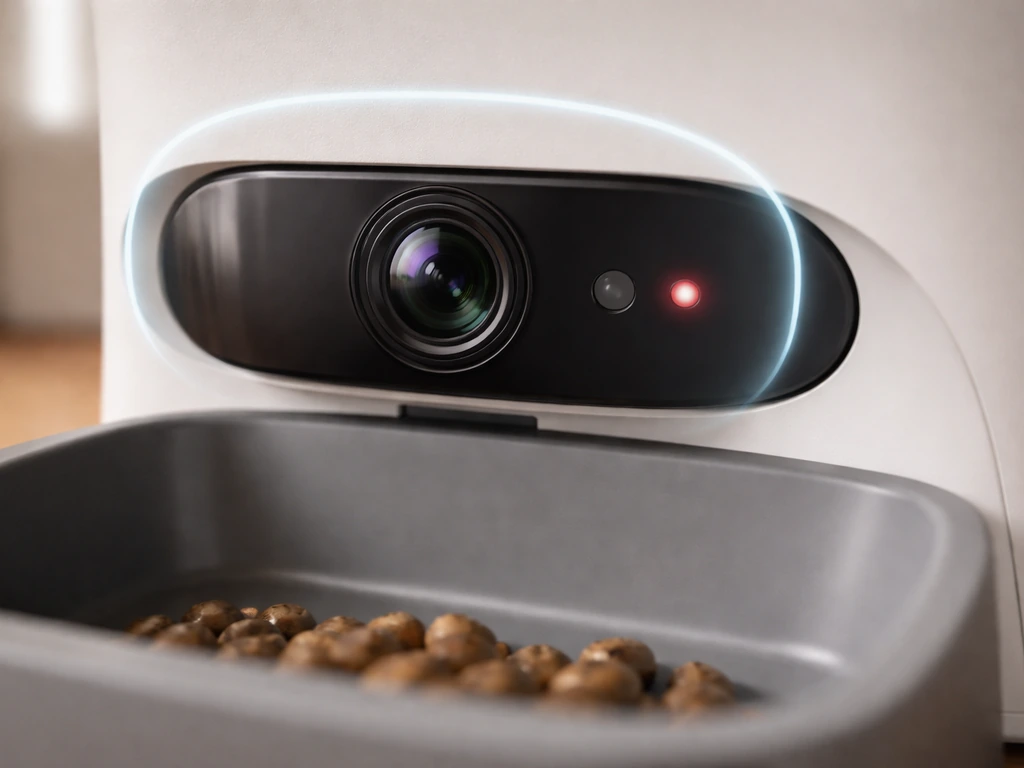
For a smart feeder, the camera is the whole point. Look for at least 1080p resolution, a wide-angle lens (around 120 degrees is ideal for covering the feeder tray), and IR night vision if you want anything useful at dawn or dusk. BirdBuddy's Solar Pro hummingbird model shoots up to 2K video with a 122-degree lens, which is impressive for a bird feeder camera. That said, video quality only matters if you can actually access the footage without paying. Confirm that live view and event clip playback are both available on the free tier.
Storage: local vs cloud
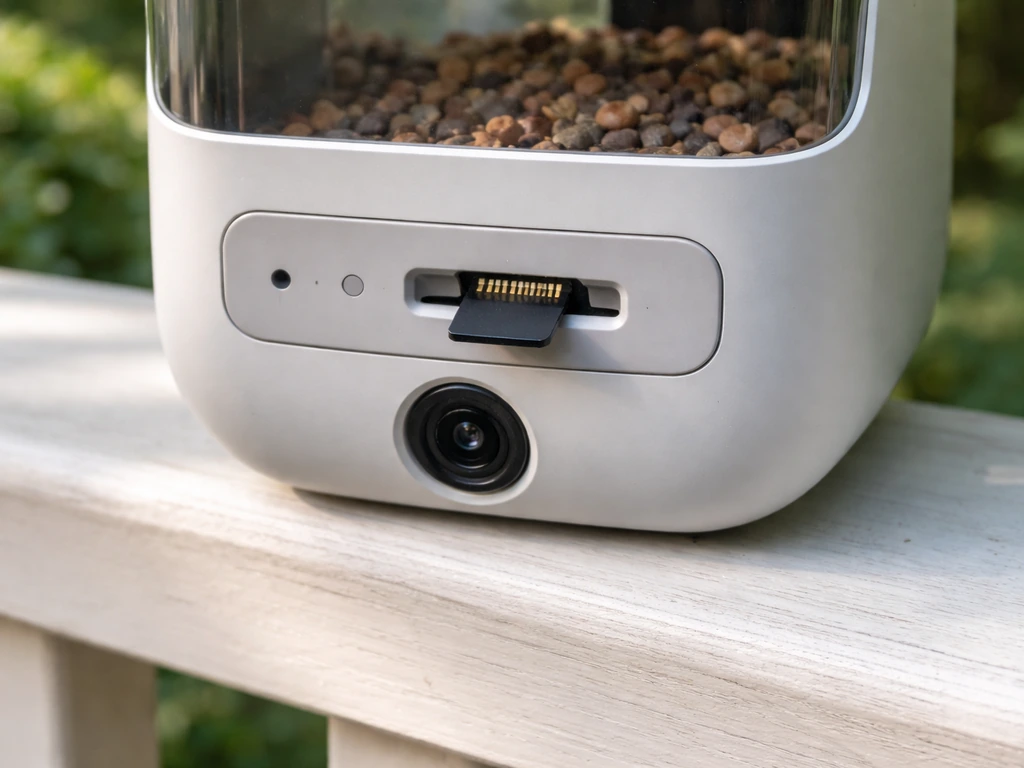
Local microSD storage is your best friend if avoiding subscriptions is the priority. A feeder that writes motion clips directly to a card (up to 128GB on models like the Kiwibit and Birdkiss) means you own your footage, no one can change the retention rules on you, and you do not need a stable cloud account to review what visited your feeder last night. Cloud-only models like the Birdfy Bamboo and the standard Birdfy Feeder rely on the manufacturer keeping the free tier intact, which is a reasonable bet today but not guaranteed forever. If you go cloud-only, know what the free retention window is before you buy.
App, alerts, and AI identification
Motion alerts on arrival are universally free across most feeders. The real question is AI bird ID. Kiwibit specifically markets lifetime AI identification as free, no subscription ever. Birdfy includes AI ID in its free tier. BirdSnap gates AI ID (and activity-zone intelligent alerts) behind a paid plan. BirdBuddy gates photo and sound ID behind its BirdID membership. If AI species identification matters to you, Kiwibit and Birdfy are the clearest free options right now.
Power: solar vs battery vs plug-in
Solar is increasingly common and genuinely reduces maintenance, but not all solar setups are equal. BirdBuddy's Solar Pro uses a solar roof that reduces manual recharging, though battery life still varies by usage mode and conditions. The Camouflage EZ BirdFeed runs on battery plus twin solar panels and includes a microSD card in the box. Plug-in feeders are simpler and more reliable in cloudy climates or under tree cover where solar panels underperform. Battery-only feeders need more attention in winter, when cold temperatures reduce battery capacity.
Weatherproofing and operating temperature
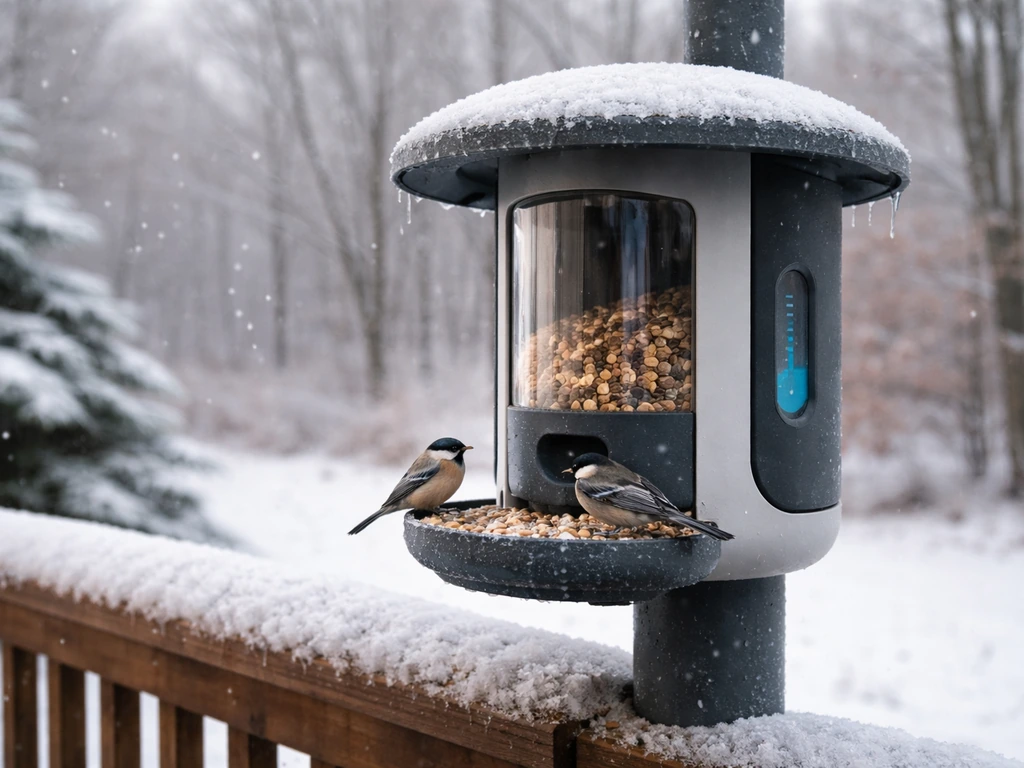
This matters more than most buyers realize. BirdBuddy Solar Pro is rated for operation down to -5°F (-20.5°C), which covers most of North America through winter. When reading any feeder's specs, find the operating temperature range in the manual or FCC documentation. Feeders with listed ranges of around -10°C to -45°C (Birdkiss, for example) are solid cold-weather performers. Plastics can become brittle below their rated range, seals can fail, and batteries drain faster. Do not skip this spec if you plan to run the feeder year-round.
Best picks without a subscription, by use case
| Feeder | Free AI ID | Storage (free) | Best For | Solar Option | MicroSD Support |
|---|---|---|---|---|---|
| Kiwibit Beako | Yes, lifetime | 1-day cloud OR microSD (local) | General backyard use, subscription avoiders | No | Yes |
| Birdfy Feeder (original) | Yes | 30-day cloud + 5GB permanent | Cloud users, no-hassle setup | Some models | No (original model) |
| BirdSnap (free tier) | No (paid only) | 3-day cloud | Budget entry, camera sharing | No | Varies by model |
| BirdBuddy Solar Pro | Limited (basic free, full ID = paid) | Limited free, postcards free | Hummingbirds, solar power, 2K video | Yes | No |
| Camouflage EZ BirdFeed | Varies | MicroSD up to 32GB (included) | Off-grid, no cloud needed | Yes (twin panels) | Yes, included |
Best for most people: Kiwibit Beako
If you want a clear, no-asterisks subscription-free experience, the Kiwibit Beako is the most straightforward choice available right now. The lifetime AI bird ID claim is marketing language, but it appears on Best Buy's official listing and aligns with users' real-world experience. The combination of local microSD storage and free AI ID means you are not at the mercy of cloud policy changes. The 1-day free cloud retention is almost irrelevant once you have a card installed. It supports 2.4GHz Wi-Fi, which is standard across nearly all smart feeders.
Best cloud-based free option: Birdfy Feeder (original)
The original Birdfy Feeder (not the Bamboo, not the Nest) offers blank" rel="noopener noreferrer">30-day rolling cloud storage and 5GB of permanent space, free, permanently. Live video and motion alerts are also free. If you do not want to manage microSD cards, this is a genuinely usable free experience. If you want more real-world opinions and user experiences, the best smart bird feeder Reddit threads are a good place to start before buying. Just know that the original model does not support microSD at all, so you are fully dependent on Netvue's cloud. The paid tiers add extended cloud retention and additional intelligence features, but core functionality holds up without paying.
Best for hummingbirds and solar: BirdBuddy Solar Pro
BirdBuddy makes the most polished hardware in this space, and the Solar Pro hummingbird model is genuinely impressive with its 2K camera and 122-degree lens. But go in clear-eyed: the free tier gives you postcards, basic connectivity, and some identification, while deeper AI ID requires a BirdID membership. If you primarily want great footage of hummingbirds at a nectar feeder and can live without auto-ID on every visit, this feeder earns its price. If AI identification is the main draw, factor in the membership cost or look at Kiwibit instead.
By bird species and feeder style
Smart feeder cameras are attached to specific feeder designs, and the design determines which birds show up. Here is a quick mapping to help you match your target species to the right feeder style with a camera attached:
- Cardinals, blue jays, doves, and mourning doves: hopper or platform feeders with a tray wide enough for large birds. Most Birdfy and Kiwibit models use a platform/tray design that suits these species.
- Finches (goldfinches, house finches, purple finches): tube feeders with small ports or sock feeders. Smart cameras on tube-style feeders work well for these smaller birds.
- Woodpeckers: suet cage or suet-adjacent feeders. Most camera feeders do not have a suet cage built in, but you can pair a standard suet cage nearby and use a wide-angle camera feeder to capture approach behavior.
- Orioles: dedicated nectar or jelly feeders in orange. BirdBuddy's hummingbird/nectar models occasionally attract orioles depending on region.
- Hummingbirds: nectar-specific feeders with a camera. BirdBuddy Solar Pro is the clearest purpose-built option here.
- Bluebirds: platform or tray feeders with mealworms. Most camera feeders can attract bluebirds with the right food, regardless of brand.
How to verify subscription-free pricing before you buy
Do not trust the product listing headline alone. Here is a reliable verification process before you hand over any money:
- Find the official support page for that specific model, not just the product family. Birdfy's Bamboo and original models differ in microSD and cloud behavior even though they share a brand name.
- Search '[feeder name] subscription' on the manufacturer's support site. Most reputable brands have a dedicated article explaining what is free vs paid. If you cannot find one, that is a red flag.
- Check the FCC filing or manual PDF if available. These list storage methods (microSD, cloud), Wi-Fi requirements, and operating temperatures, and they are harder to spin than marketing copy.
- Look for trial language in the app store listing or terms of service. If a feeder ships with a 30-day or 1-month free trial of premium features, clock that and test the free tier before the trial ends.
- Search Reddit for '[feeder name] subscription' or '[feeder name] free tier.' Real users consistently post when free features get quietly downgraded. BirdBuddy users discovered mid-use that automatic AI ID was being gated, which would not have been obvious from the purchase page.
- Download the app before buying if possible. Many feeder apps are available in demo or account mode and show what features are locked behind a paywall before you own the hardware.
Setup tips for reliable photos, video, and alerts
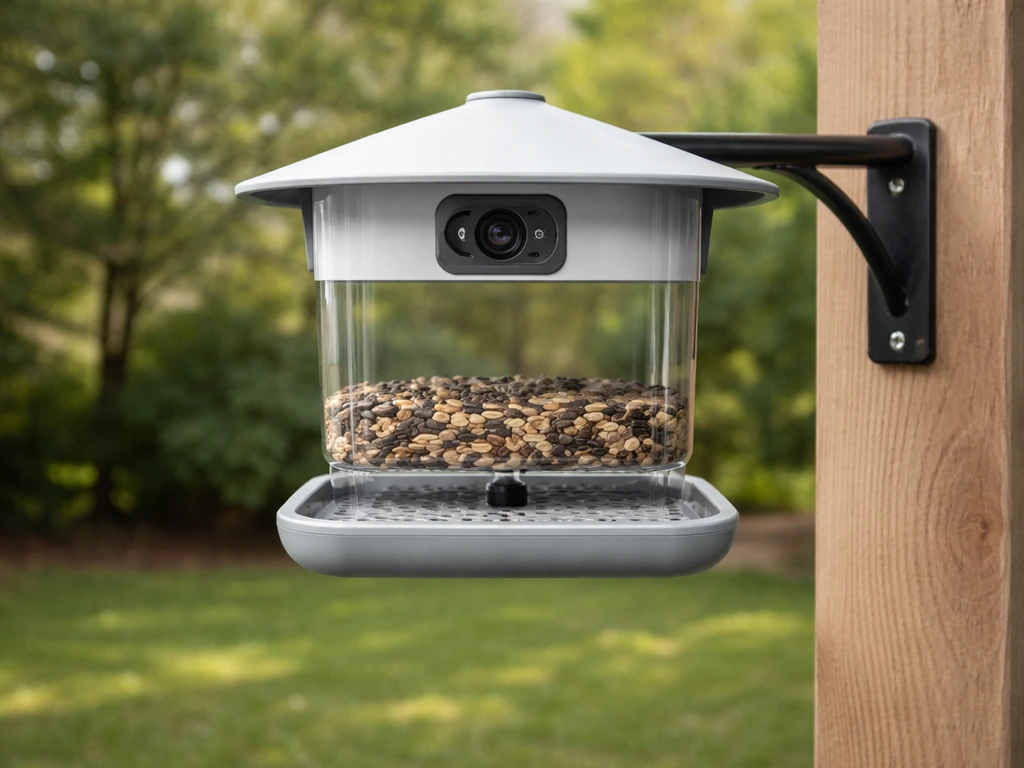
The camera is only as good as its placement. Mount the feeder at eye level or slightly above (roughly 5 to 6 feet high) so the camera angle captures birds face-on rather than just showing their backs. Most smart feeder cameras have a fixed lens with around 120 degrees of field of view, so position the feeder where birds approach from the front rather than the side.
Wi-Fi reliability is the single biggest setup variable. Every smart feeder I have tested requires 2.4GHz Wi-Fi, not 5GHz. If your router broadcasts both on the same network name, the feeder may struggle to connect or drop off repeatedly. Either set up a dedicated 2.4GHz SSID or check your router settings to ensure the feeder band is stable. Place the feeder within 30 to 40 feet of the router or a mesh node for reliable connectivity. Walls and especially metal siding between the feeder and router degrade signal significantly.
Motion sensitivity calibration matters more than most setup guides admit. Set sensitivity too high and you get alerts every time a leaf blows past. Too low and you miss the first few seconds of a bird visit. Start in the middle of the sensitivity range, run it for 48 hours, and adjust based on your false-alert rate. If your feeder supports activity zones (usually a paid feature on BirdSnap and similar), that is worth the upgrade specifically if you are getting constant false triggers from a tree or fence in the background.
For best results with AI bird identification, keep the camera lens clean. A dusty or water-spotted lens produces blurry captures that fail to ID correctly even with good software behind it. Wipe the lens with a soft cloth every time you refill seed, which naturally works out to once a week or so in active feeding season.
Seasonal and species-specific considerations
Winter feeding
Cold weather is where smart feeders earn their keep or fail spectacularly. Battery-powered feeders lose capacity fast below freezing, sometimes cutting usable capacity by 30 to 50 percent. Solar panels under snow cover or dense winter cloud produce little to no charge. If you live in a climate with hard winters, prioritize feeders with a documented low operating temperature, a plug-in power option, or at minimum a removable battery you can swap out and charge indoors. BirdBuddy Solar Pro's rated range down to -5°F covers most of the continental US, but northern states and Canada will want to check their actual winter lows.
For seed selection in winter, black oil sunflower seed is the single best all-around choice and works in platform, hopper, and tube feeders compatible with most smart feeder designs. Suet is critical for woodpeckers and nuthatches in cold months since it provides fat calories. Safflower and nyjer (thistle) round out the options for cardinals and finches respectively. Avoid cheap filler seed mixes with milo or red millet in cold weather. Birds leave it on the tray, it gets wet, molds, and clogs your feeder sensor or blocks the camera view.
Spring and migration
Spring migration (roughly March through May depending on your region) is the best time to get AI identification value out of a smart feeder. You will see unusual visitors: warblers, tanagers, and grosbeaks passing through that you would never identify without a camera. This is exactly when subscription-free AI ID earns its keep on Kiwibit and Birdfy. Make sure your feeder is clean, fully stocked, and online before migration peaks.
Summer and nectar feeders
If hummingbirds are your goal, summer is the season and nectar feeders are the tool. BirdBuddy's hummingbird-specific model is the most camera-capable option here, but you do not need a smart feeder exclusively for hummingbirds. A standard nectar feeder placed near any wide-angle smart camera feeder will attract hummingbirds into frame. Nectar needs to be changed every 2 to 3 days in summer heat to prevent fermentation, so factor in cleaning frequency when deciding whether a camera-integrated nectar feeder makes sense versus a separate feeder within view.
Troubleshooting common problems
Pests triggering the camera constantly
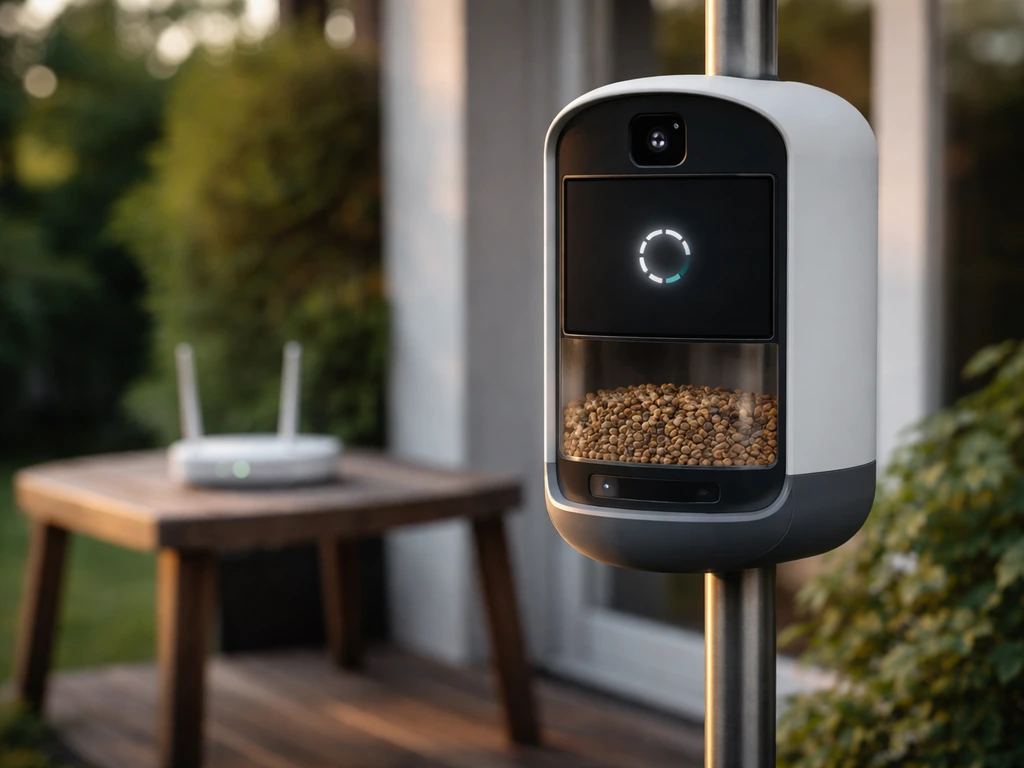
Squirrels and raccoons will find your feeder. A smart feeder camera at least documents the culprits, but it does not stop them. Mount the feeder on a smooth metal pole at least 5 feet high, with a baffle below the feeder. Keep the feeder at least 10 feet from any tree branch or fence that gives squirrels a launching point. If your camera is sending you 40 alerts a night, most of them are probably raccoons or possums. Check the video, then either adjust the motion zone or switch to a schedule-based alert window during daylight hours if your feeder app supports it.
Wi-Fi drops and reconnection issues
If your feeder keeps going offline, the first thing to check is whether your router assigned it a static IP or is using DHCP lease renewal in a way that drops smart home devices. Assign the feeder a reserved IP address in your router settings. Second, check whether a firmware update pushed to the feeder reset its Wi-Fi settings. Several smart feeder owners have experienced silent disconnects after app or firmware updates. If a feeder goes offline after an update, the fix is usually a manual reconnect through the app setup flow.
Motion detection missing birds or firing on wind
Small birds like chickadees and finches move fast and may trigger the camera only after they have already been at the feeder for several seconds, meaning you miss the landing and ID moment. If this is happening, increase motion sensitivity slightly and make sure the camera's detection zone covers the perch or tray where birds land first, not just the seed area. Wind-triggered false alerts usually come from a tree or plant in the background. Trim anything that moves in the camera's field of view, or use the activity zone feature (free on some feeders, paid on others) to exclude that area.
Free tier feeling too limited after setup
If the free tier feels frustratingly limited after you set everything up, the first question to ask is whether you are still in a free trial period and close to expiration. If you want community-tested picks and comparisons, browsing discussions for the best bird feeder Reddit recommendations can help you narrow your choices fast. BirdBuddy users have specifically reported features disappearing mid-use as free trials ended, which feels like a bait-and-switch even when it is technically disclosed.
If you are past the trial and genuinely hitting limits, the most common free-tier gaps are: AI ID not triggering automatically (BirdBuddy), short cloud storage windows (BirdSnap's 3-day limit), and no local storage fallback (Birdfy original). The cleanest fix is to switch to a feeder with local microSD storage and a genuinely free AI tier, which currently points back to Kiwibit Beako as the most transparent option in 2026.
Cleaning and maintenance
Mold and seed debris are the most overlooked camera performance killers. Moldy seed near the camera module fogs the lens with moisture and debris. Clean the feeder tray and seed ports every 1 to 2 weeks with a diluted bleach solution (one part bleach to nine parts water), rinse thoroughly, and let it dry completely before refilling. For camera lenses, a dry microfiber cloth is all you need. Never spray any liquid directly on the camera module. Most smart feeders have IPX weatherproofing ratings for rain but are not designed to handle direct water pressure on the lens or electronics bay.
Quick checklist before you buy
- Confirm free tier includes: live video, motion alerts, and at minimum 3 to 7 days of clip storage
- Check whether AI bird ID is free or paid on that specific model
- Verify whether the feeder supports microSD as a local backup for storage
- Find the official support article explaining free vs paid features (not just the product listing)
- Note the operating temperature range and compare to your local winter lows
- Check that the feeder style (platform, tube, nectar) matches the birds you want to attract
- Confirm the app uses 2.4GHz Wi-Fi and test your router's signal strength at the intended mounting location
- Search Reddit or user reviews for reports of features being gated after purchase or firmware updates
FAQ
What does “no subscription” usually mean for a smart bird feeder, and how can I confirm it before buying?
It typically means livestream and alerts work without paying, but some models still restrict one feature (often AI ID) or limit how long cloud video is saved. Before purchase, look for language about local storage support (microSD) and explicitly check whether both “live view” and “event clips playback” are included on the free tier, not just setup mode or a first-time preview.
If a feeder has local microSD storage, do I still need an account or app login?
Usually you still need the app for setup and viewing, but the important difference is footage retention. With microSD, the feeder can continue recording locally even if cloud features change or your account experiences a temporary issue. Confirm the model can record motion clips to the card, not only save snapshots.
Do free trials on subscription-free feeders mean my AI identification might stop later?
Yes, some products bundle premium AI or extended retention during an initial trial, then reduce functionality after it ends. The safer approach is to verify which features are labeled as “always included” on the subscription page or in-app plan screen, and not rely on what you see immediately after unboxing.
How much video history should I expect on the free tier, and what’s the practical difference between 1 day and 30 days?
It changes what you can realistically review after busy periods. A 1 to 3 day cloud window can be fine if you check the app daily, but it becomes frustrating if you travel or forget. A model with 30-day rolling storage lets you catch “missed” visits without needing local storage, while microSD shifts that burden to you.
Can I replace microSD cards if the feeder fills up, and what size should I get?
Most feeders let you swap cards, but you should check whether they auto-backup or overwrite. For long stretches, get a reputable endurance-grade card and choose capacity that matches your expected clip volume. Also confirm the card format and max size the device supports, since some feeders cap at 128GB.
Do I lose bird identification accuracy if I rely on local storage instead of cloud processing?
Often, yes or no depending on how the manufacturer runs AI. Some devices record clips locally but perform AI ID in the cloud, which means AI may be gated even if video storage is local. If AI species ID matters to you, prioritize feeders that advertise offline or on-device AI, or verify that AI ID works on the free tier while using cloud-free recording.
What Wi-Fi problems are most likely to cause disconnects, even when the feeder supports 2.4GHz?
Common culprits are weak signal near the installation spot, router band steering that makes the device hop networks, and firmware updates that reset Wi-Fi credentials. A reserved (static or DHCP-reserved) 2.4GHz IP and placing the feeder within roughly 30 to 40 feet of the router or mesh node can prevent most repeat-offline cycles.
Is motion sensitivity calibration the same as activity zones, and what should I do first if I get constant false alerts?
They solve different problems. Start with sensitivity because it controls how easily the camera triggers at all. If your app supports activity zones, use them to exclude background motion (trees, fences, hanging feeders) instead of simply lowering sensitivity until birds are missed.
How should I mount the feeder and camera to improve IDs, especially for small fast birds?
Mounting height and angle matter more than resolution. Place the feeder where birds approach toward the camera lens (typically around 5 to 6 feet high), and make sure the detection area includes the landing perch or tray, not just the seed zone. For small birds that linger briefly, slightly increasing sensitivity and adjusting the detection zone often improves capture timing.
What’s the biggest “cold weather” mistake people make with smart feeders?
Assuming solar or battery performance will match the label without checking the operating temperature range and battery behavior. In freezing conditions, batteries can drop usable capacity significantly and clips may fail if the device browns out. If you live where winter lows are common, prioritize documented low-temperature operation and consider a plug-in option or removable battery that you can charge indoors.
Are weatherproof ratings (like IPX) enough for rainy climates?
Rain resistance is not the same as water tolerance for a direct spray. Most feeders tolerate normal precipitation, but you should avoid pressure washing around the lens area. Also clean the lens and tray regularly, because condensation and seed debris can fog the camera and reduce AI accuracy even if the electronics survive wet weather.
If the free tier feels limited after setup, what are the fastest troubleshooting checks before giving up?
First, confirm whether you are still inside a trial or whether the plan changed after onboarding. Second, verify that event clip playback is enabled on the free tier (some plans show livestream but restrict history). Third, check whether your feeder supports microSD recording and that the card is actually capturing clips, then use card-based playback to confirm the device is still functioning even if cloud limits are tight.