Smart bird feeders are worth buying if you want to identify visiting species, get phone alerts when something cool shows up, or just watch your yard birds without sitting outside. The best one for you depends on which birds you're targeting, how much sun your yard gets, how close your Wi-Fi reaches, and whether you're willing to pay a monthly subscription for full AI features. If you skip the subscription question upfront, you'll likely regret it at checkout.
Smart Bird Feeders: How to Choose and Set Up Today
Marcus Hendricks
6 Jun 2026
What makes a bird feeder 'smart' and what you actually get
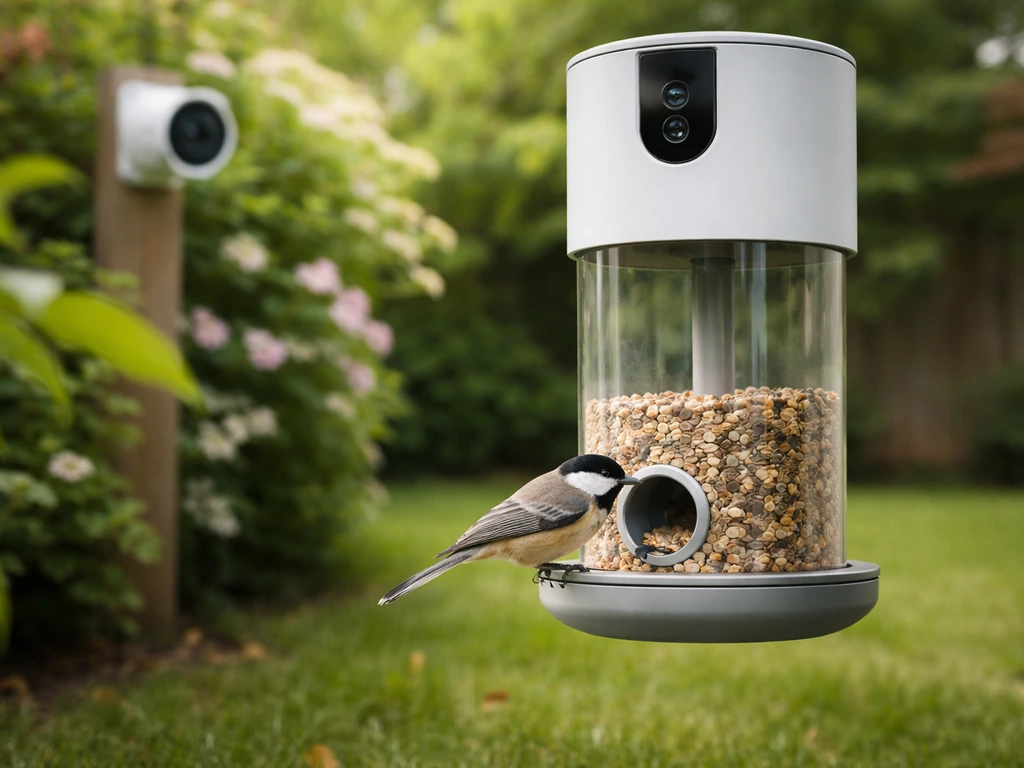
A smart bird feeder is basically a standard feeder with a built-in camera, a Wi-Fi or Bluetooth connection, and an app on your phone. The camera triggers when motion is detected or when something lands on the perch, sends a clip or still image to the app, and (on better models) runs that image through AI software to tell you what species just visited. That's the core loop: bird lands, camera fires, you get a notification, app shows you a photo or short video.
Beyond that baseline, the feature set splits into a few meaningful categories. Some feeders offer live streaming so you can watch in real time. Some add solar panels to extend battery life. Some run AI identification on-device or in the cloud, and the cloud-based ones usually charge a subscription for full access. A handful support local storage via a memory card so your footage doesn't depend on a server. What you're paying for above a basic feeder is mostly the camera hardware and the identification software, so it's worth knowing exactly which of those you actually want before spending $80 to $250.
Match your feeder style and smart features to your target birds
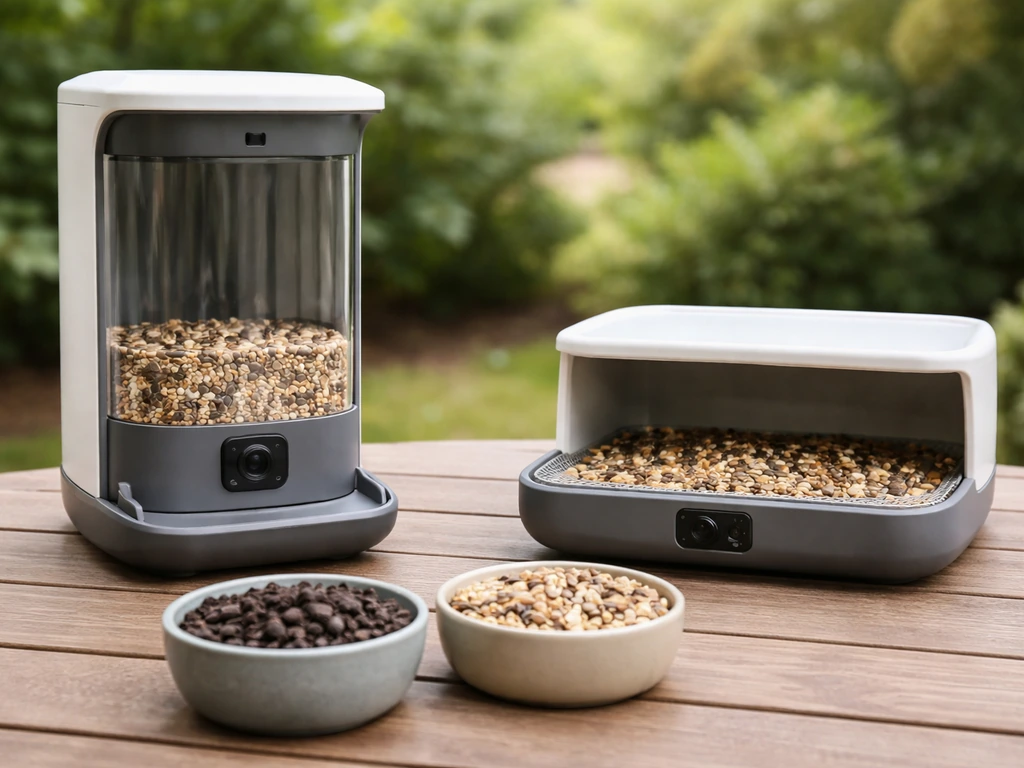
Not every smart feeder works for every bird, and the feeder style matters as much as the tech. Most smart feeders on the market right now are hopper or tray-style seed feeders, which covers a wide range of visitors: cardinals, blue jays, house finches, chickadees, nuthatches, and doves all come to seed. If that's your audience, you're well served by the current lineup.
Woodpeckers prefer suet, and smart suet feeders are rarer. Your best option there is a DIY pairing: mount a standard suet cage next to a dedicated smart camera, which I'll cover in the alternatives section. The same logic applies to hummingbirds and orioles, which need nectar feeders. Smart nectar feeders exist but are limited in selection, and camera placement matters more than the feeder itself since hummingbirds move fast and a poorly angled lens misses most of the action.
| Target Bird | Feed Type | Feeder Style | Smart Feeder Fit |
|---|---|---|---|
| Cardinals, Blue Jays, Doves | Sunflower/mixed seed | Hopper or platform | Excellent — most smart feeders target this |
| House Finches, Goldfinches | Nyjer or sunflower chips | Tube | Good — tube-style smart feeders exist |
| Woodpeckers | Suet | Suet cage | Limited — use a separate smart camera instead |
| Hummingbirds, Orioles | Nectar | Bottle/tube nectar feeder | Limited — smart nectar feeders available but sparse |
| Bluebirds | Mealworms | Platform or enclosed tray | Poor — DIY camera pairing works best |
If you're after a broad mix of backyard songbirds, a smart hopper or platform feeder with a wide-angle camera lens will give you the most coverage. If you have a specific target species like bluebirds or woodpeckers, plan on pairing a purpose-built feeder with a separate camera rather than relying on an all-in-one smart unit.
How to choose the right features for your setup
Camera and AI identification
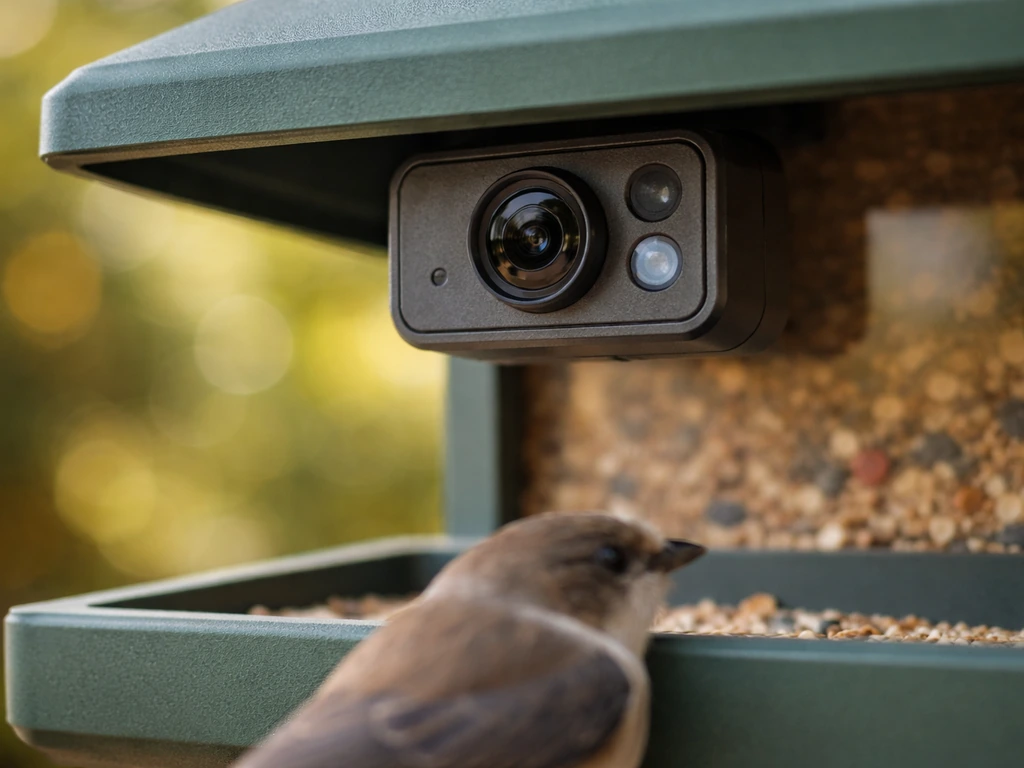
Camera resolution directly affects how useful your footage is. A 1080p camera is the practical minimum for readable identification shots. Models like the Birdfy Feeder Metal 2 step up to 4K, which gives you genuinely sharp close-up stills that are easier to identify and more satisfying to share. AI identification accuracy varies between brands and subscription tiers, most systems are solid on common backyard species (house sparrow, cardinal, chickadee) but less reliable on juvenile birds, partially hidden birds, or less common visitors. Go in with realistic expectations and use the AI as a starting point, not a final answer.
App alerts and notifications
Motion-triggered push notifications are standard across most smart feeders. The difference between brands comes down to how well the app filters out non-bird triggers (wind-blown leaves, squirrels, rain) and how fast the clip appears in your app after the event. A good app shows you the clip within 30 seconds and lets you adjust sensitivity so you're not getting 40 alerts an hour from squirrels.
Power: solar vs. battery vs. wired
Battery life is the single biggest practical issue with smart feeders. Bird buddy's camera module takes about 2 to 4 hours to fully charge via USB-C and lasts 5 to 14 days depending on bird traffic and whether you're using live stream, which drains it significantly faster.
Adding the solar roof extends that substantially during daylight, but solar only works reliably if your feeder gets consistent direct sun for several hours a day. In a shaded yard or during overcast winter weeks, solar underperforms and you'll be charging by cable anyway. If you can route a weatherproof USB cable to your feeder location, a wired or semi-wired setup saves a lot of hassle. Battery-only setups are fine for moderate-traffic feeders in sunny spots.
Weather and rain durability
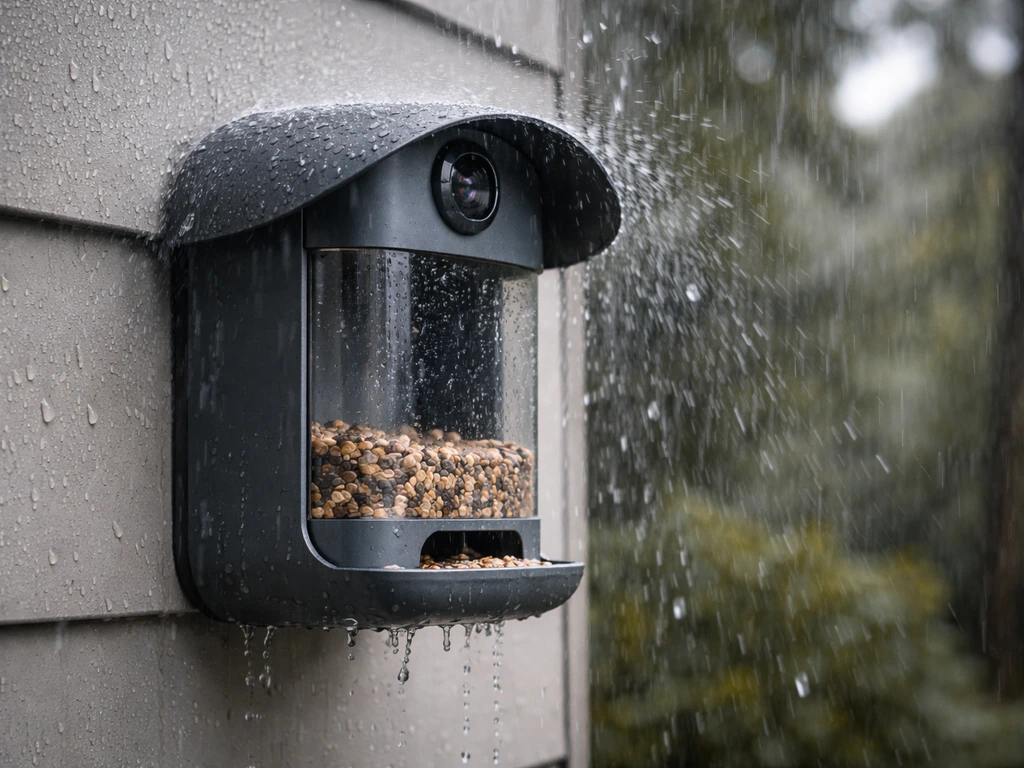
Check the IP rating before buying. The Birdfy Feeder Metal carries an IP66 rating, which means it's protected against powerful water jets and heavy rain, that's a meaningful real-world spec, not just marketing. IP44 or lower ratings are common on cheaper units and mean the camera housing can be damaged by sustained rain or heavy dew. For year-round outdoor use, aim for at least IP65. In cold climates, also look at the operating temperature range: some camera modules are not rated below 14°F (-10°C) and will perform poorly or fail during hard freezes.
Placement and setup for the best camera footage and bird visits
Where you put the feeder matters more than most product descriptions let on. The camera lens on most smart feeders is fixed, so you need the feeder positioned so birds land directly in front of it at close range, ideally 6 to 12 inches from the lens. Too far back and you get blurry thumbnails. Too close and you get extreme close-ups of a beak. Test this by filling the feeder, checking the app's live view, and adjusting before you commit to a mounting point.
Lighting is the second big factor. North-facing positions in the Northern Hemisphere tend to put the feeder in shade while backlighting the birds, which washes out your footage. A southeast or south-facing placement in morning light gives better exposure. Avoid positioning the camera directly into the midday sun. Most built-in cameras don't have the dynamic range to handle strong backlight.
For Wi-Fi connectivity, Bird Buddy recommends 2.4 GHz over 5 GHz for outdoor use because 2.4 GHz travels farther and passes through walls and siding more reliably. Birdfy's Metal feeder also specifies 2.4 GHz only. If your router is 40 or more feet from the feeder with walls in between, run a quick speed test at the feeder location before installing. A Wi-Fi extender placed inside a window facing the yard is often the cheapest fix for a weak signal, and it saves a lot of connection-dropout frustration later.
Height and perch visibility: mount the feeder between 4 and 6 feet off the ground for ground-feeding species like doves and towhees, or 5 to 7 feet for elevated feeders targeting cardinals, finches, and jays. Keep it at least 10 feet from dense shrubs or tree trunks to limit squirrel jump access, and position it where you can see the app's preview on your phone before finalizing the spot.
Keeping pests out and surviving winter
Squirrels, rats, and raccoons are the biggest threats to smart feeders, and the problem is worse with smart feeders because they're more expensive to replace or repair. A baffled pole mount is the most effective deterrent: a smooth metal pole with a squirrel baffle below the feeder defeats most squirrels if the feeder is 10 or more feet from any launchable surface. Caged feeders (a wire cage around the seed area with openings sized for small birds) let finches and chickadees in while blocking larger animals.
Rats are drawn by seed spilled on the ground, not just the feeder itself. Use a seed tray catcher below the feeder to reduce litter, and switch to no-mess seed blends (hulled sunflower, shelled peanuts) that leave less shell debris. Clean up spilled seed regularly. The camera notifications will actually help here, if your feeder is getting hit at night, the motion clips will tell you what's showing up, and you can adjust your strategy accordingly.
For winter, the camera module is the vulnerable part. Most smart feeder cameras are rated to handle freezing temperatures, but wet-freeze cycles where moisture gets into seams are harder on electronics than dry cold. Make sure all USB-C charging ports and lens seals are clear of ice before plugging in. Some users in harsh-winter climates remove the camera module and store it indoors during polar vortex events, which is genuinely worth doing if you're looking at multi-day stretches below 0°F. The feeder body itself (especially metal models) handles winter much better than plastic.
Common problems and how to fix them
Wi-Fi dropouts and connectivity issues
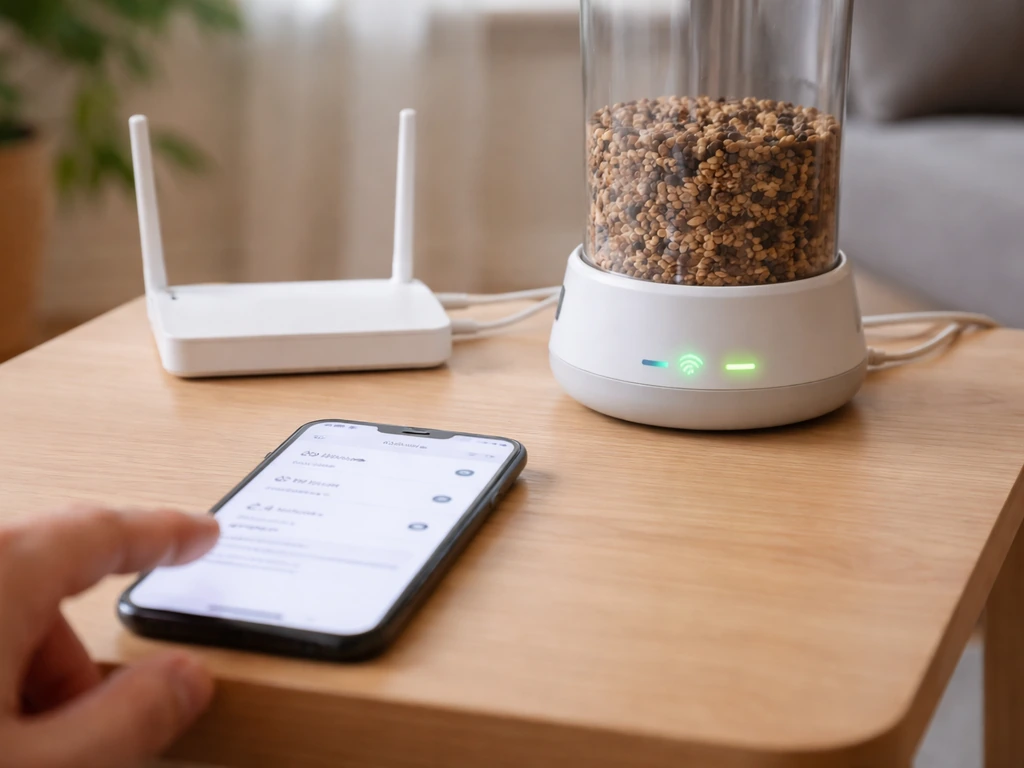
If your feeder keeps going offline, start with the basics: make sure it's connected to 2.4 GHz and not auto-switching to 5 GHz. Most smart feeders don't support 5 GHz at all (Birdfy Metal is 2.4 GHz only), so if your router is broadcasting a combined band, you may need to split them and connect the feeder specifically to the 2.4 GHz SSID. If the signal is weak, a Wi-Fi extender near a window facing the yard usually fixes it. Power-cycle both the feeder and the router before assuming a hardware problem.
Too many false motion alerts
False triggers come from wind-blown branches, blowing seed husks, or rain. Most apps let you adjust motion sensitivity, dial it down one notch at a time and see how bird detection holds up. Positioning the feeder away from plants that move in wind also reduces false positives significantly. If your feeder has a PIR (passive infrared) motion sensor in addition to the camera, it tends to be more accurate than camera-only motion detection.
Blurry or dark camera footage
First, clean the lens. Seed dust, water spots, and spider webs coat the camera glass faster than you'd expect, especially on feeders at eye level with splashing seed. A soft microfiber cloth wiped gently across the lens every 1 to 2 weeks makes a real difference. If footage is dark rather than blurry, it's a lighting placement issue, reposition the feeder so the light source is behind the camera, not behind the bird. If clips are consistently overexposed or washed out, you're getting direct sun hitting the lens; shift the mounting angle slightly.
Cleaning and sanitation without damaging the tech
Clean the feeder body every 2 weeks, or weekly during high-traffic periods. Remove the camera module before washing (most clip or twist off). Wash seed trays and hoppers with a 9:1 water-to-bleach solution, rinse thoroughly, and let dry completely before reassembling the camera. Never spray water directly at the camera housing, even on IP66-rated models, the rating covers rain, not a direct spray into a port or gap. Check the Birdfy manual's maintenance section for model-specific guidance on the camera compartment, since some designs have drainage channels that can clog with husks.
Honest talk about cost, subscriptions, and privacy
Subscription costs are the least-discussed part of the smart feeder buying process and the one most likely to affect long-term satisfaction. Several major brands offer basic motion detection and clips for free but lock AI species identification, unlimited cloud storage, or extended clip history behind a paid tier. Before buying, check the current subscription pricing and what the free tier actually includes. Some readers find the best smart bird feeder without a subscription covers their needs just fine; others discover the free tier is too limited and the subscription adds up. It's a real cost to factor in.
Privacy is a legitimate consideration if your feeder has a view of your yard, neighbors' yards, or windows. Smart feeders store video clips in the cloud by default on most platforms. Check the brand's data policy, look for options to enable local-only storage (SD card), and position the camera angle so it captures the feeder tray rather than a wide-angle view of your property. Most people aren't overly concerned, but it's worth a five-minute review before mounting a camera you'll run 24/7.
When a smart feeder isn't worth it: if your feeder spot has no reliable Wi-Fi, gets heavy shade all day (killing solar performance and making footage dark), is in a high-pest area where squirrels will destroy hardware, or if you primarily want to attract suet or nectar birds with no good all-in-one smart option available, skip the smart version. A good traditional feeder plus a $30 to $50 dedicated wildlife camera aimed at the perch gives you footage and identification ability without the subscription or connectivity headaches. If you want community-tested picks and real-world pros and cons, searching “best smart bird feeder reddit” is a helpful starting point before you buy.
What to spend and when a DIY setup makes more sense
Smart feeder pricing generally falls into three tiers. Entry-level models (around $60 to $90) give you a basic camera, app connectivity, and motion alerts but often have lower camera resolution, shorter battery life, and limited or no AI ID. Mid-range models ($100 to $160) add better cameras (1080p or higher), AI identification (sometimes subscription-gated), solar compatibility, and more durable weatherproofing. Premium models ($180 to $250 or more) offer 4K cameras, metal construction with IP66 or higher ratings, and the most refined app experiences, with the Birdfy Feeder Metal 2 (4K) sitting in this range.
| Tier | Price Range | Best For | Watch Out For |
|---|---|---|---|
| Entry | $60–$90 | Casual watchers, renters, first timers | Lower resolution, shorter battery, limited AI |
| Mid-range | $100–$160 | Regular backyard birders who want species ID | Subscription may be needed for full AI features |
| Premium | $180–$250+ | Serious enthusiasts wanting 4K footage and durable build | Higher upfront cost, still check subscription terms |
The DIY route is genuinely competitive if you already have a quality feeder or if you're targeting species that don't have good smart feeder options (suet birds, nectar feeders, mealworm trays). A dedicated wildlife camera or a small weatherproof security camera (around $30 to $60) mounted on a separate post or bracket 12 to 18 inches from the feeder gives you similar footage at lower cost. You lose the integrated app experience and AI ID, but you gain flexibility, no subscription, and the ability to position the camera exactly where you want it. Several bird watching communities online, including discussions on Reddit, strongly favor this approach for specialty feeders.
If you're ready to buy an all-in-one smart feeder, narrow it down this way: start with your power situation (consistent sun = solar viable, shaded yard = prioritize long battery life or wired option), then check your Wi-Fi reach (confirm 2.4 GHz signal at the mounting spot), then match the feeder style to your target birds (hopper for seed eaters, platform for ground feeders), and finally decide how much AI identification matters to you and whether you're willing to pay a subscription for it. That sequence cuts through most of the noise and gets you to the right pick faster than comparing spec sheets alone.
FAQ
Do smart bird feeders work if I do not have reliable Wi-Fi at the mounting spot?
Many models will still record locally for a short time, but most rely on the app for alerts and species identification. If your yard does not consistently reach a 2.4 GHz signal, plan on either a wired or semi-wired power setup plus a nearby Wi-Fi extender, or use a dedicated wildlife camera with offline recording to avoid repeated connection-dropout frustration.
Is 1080p really enough, or should I pay for 4K?
1080p is usually sufficient to identify common adult backyard species when birds land in the camera’s focal area (about 6 to 12 inches from the lens). Choose 4K when you want clearer stills for trickier cases, like juvenile plumage differences, partially obscured birds, or when you plan to crop images for verification.
How can I reduce false notifications from wind, rain, and squirrels?
Start by lowering motion sensitivity in small steps, then reposition the feeder so the lens is not triggered by moving plants in wind. If your model has both camera detection and a PIR sensor, prefer the mode or configuration that includes PIR. Also use hardware deterrents, like a baffle on the pole, since squirrels cause the highest-volume “real” motion events.
Will smart feeders drain batteries faster in the summer or in the winter?
In general, summer heat shortens battery performance because electronics run warmer, while winter can reduce battery output too, especially when temperatures stay below the device’s operating spec. However, wet-freeze cycles can be more damaging than dry cold because moisture can reach seams. If you get long subfreezing stretches, consider removing and storing the camera module indoors during the coldest multi-day periods.
Can I rely on AI bird identification without a subscription?
It depends on the brand, some provide basic motion clips for free but gate the “what species is it” step behind a paid tier. Before buying, check whether the free tier includes AI identification, and verify whether identification works on-device or only in the cloud. If AI is subscription-gated, budgeting the ongoing cost matters for long-term satisfaction.
How much should I worry about privacy if the feeder points toward my neighbors or their windows?
If the camera view includes neighboring yards or windows, treat it like continuous outdoor surveillance. Look for settings that reduce the capture area, enable local-only storage (such as SD card), or allow disabling cloud video retention. Angle the feeder so it mainly frames the tray and perch rather than the full yard panorama.
What is the best feeder height if I want both ground-feeders and perching songbirds?
Height is usually species-specific. Ground-feeders like doves and towhees are best around 4 to 6 feet, while perching species like cardinals and jays often do better around 5 to 7 feet. If you want both, choose a height based on your priority birds, then use an additional traditional feeder on the ground if your smart feeder cannot cover both behaviors well.
Do smart feeders work for hummingbirds and orioles, or is a dedicated nectar setup better?
A true all-in-one smart nectar feeder exists in limited options, but success depends heavily on camera angle because hummingbirds move quickly. A common approach is pairing a dedicated nectar feeder with a separate camera positioned for fast wing motion and close framing, then using AI as a helper rather than expecting perfect IDs every time.
How often should I clean the lens and feeder, and what is the safest way to do it?
Clean the lens every 1 to 2 weeks, or more often if seed dust, splashes, or spider webs collect on the glass. Clean the feeder body about every 2 weeks (weekly in high-traffic periods). Remove the camera module before washing, never spray water directly into ports or gaps, and let everything dry completely before reassembly even if the device is rated for heavy rain.
What should I do if the feeder keeps going offline even after I set up 2.4 GHz?
Confirm the feeder is connected to a 2.4 GHz SSID and that your router is not auto-switching. Then power-cycle both the feeder and router. If it still drops, test signal strength at the mounting spot and consider a window-facing Wi-Fi extender near the yard rather than moving the feeder or relying on a marginal connection.
Are smart bird feeders worth it in areas with lots of squirrels and raccoons?
Often, yes but only if you plan for physical deterrence, because smart feeders are expensive and squirrels will learn fast. Use a baffled pole mount (ideally with the feeder placed away from launch surfaces) and consider caged or partially enclosed designs to let small birds access the seed while blocking larger animals. If you cannot deter pests reliably, a traditional feeder plus a separate wildlife camera can be a better value.
When is a smart feeder not a good fit, and what alternative gives similar results?
Skip the smart feeder if you cannot get consistent 2.4 GHz coverage, your yard is too shaded for solar and the footage stays dark, or pests will likely damage the hardware. A practical alternative is a standard feeder paired with a weatherproof wildlife camera aimed at the perch, which can provide identification-like footage without subscription costs or connectivity dependencies.