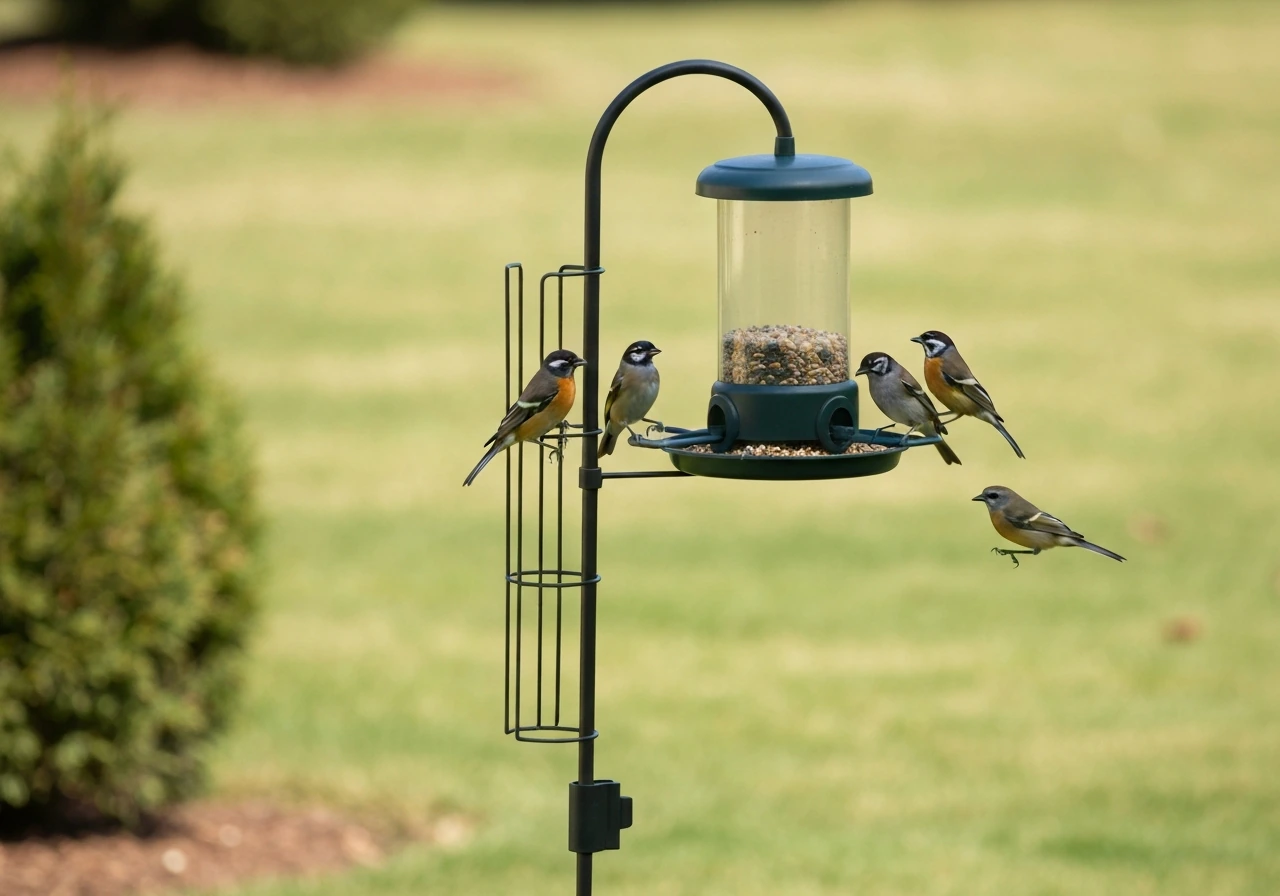
The best virtual bird feeders right now are the Bird Buddy 2 and the Birdfy Feeder 2 Pro. Both give you a camera, app-connected bird identification, and a gravity-hopper seed tray you refill manually, not push-button remote dispensing, despite what some marketing implies. Bird Buddy 2 wins on camera hardware and app polish; Birdfy Feeder 2 Pro wins on dual-lens coverage and built-in solar charging. Either will run you around $240, and both use cloud AI to identify species from your feeder photos. If your main goal is live-streaming and photo quality, go Bird Buddy 2. If you want wider field of view and don't want to think about charging, go Birdfy Feeder 2 Pro.
Best Virtual Bird Feeder: Top Smart Feeders for Backyard
Marcus Hendricks
24 Jul 2026
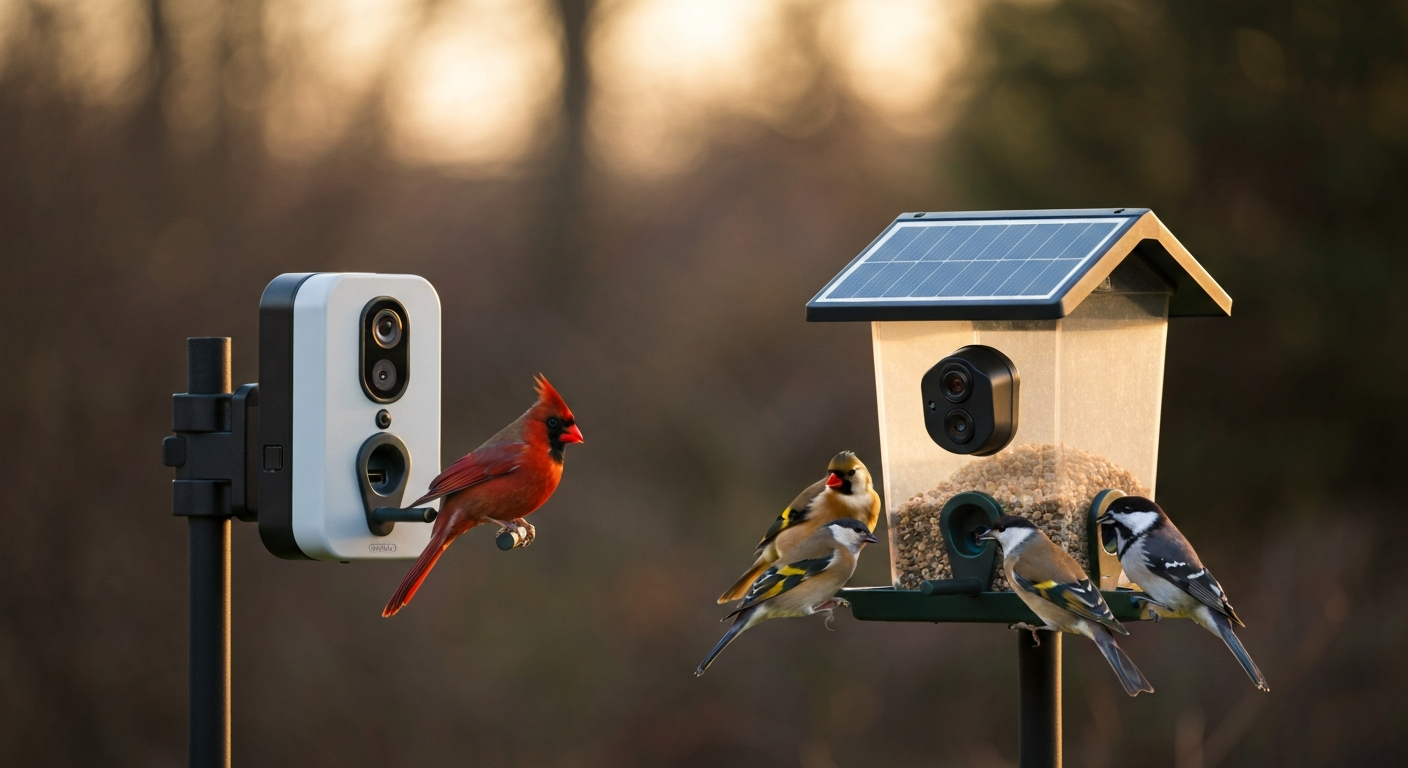
Top picks at a glance
| Model | Best For | Camera | Connectivity | Power | Price (approx.) |
|---|---|---|---|---|---|
| Bird Buddy 2 | Photography and app experience | 5MP / Full HD / HDR | Wi-Fi 802.11 a/b/g/n + BLE 5.1 | 3900 mAh battery, USB-C, optional solar roof | ~$239.99 |
| Birdfy Feeder 2 Pro | Dual-lens coverage and solar charging | 3MP portrait (2K) + 2MP wide (1080p) | Wi-Fi 2.4GHz / 5GHz | Built-in battery + external solar panel | ~$239.99 (from ~$319.99 MSRP) |
| Budget/DIY hybrid | Low cost, flexible setup | Third-party wildlife cam or phone mount | Depends on cam | Battery or mains | $50–$120 depending on components |
One important clarification upfront: virtually every camera bird feeder on the market today is a gravity-feed hopper that you refill by hand. For readers prioritizing strong Wi-Fi performance in a feeder, see our guide to the best wifi bird feeder for recommendations. None of the leading consumer models offer motorized remote dispensing the way an automatic pet feeder does. 'Virtual' here means you can watch, log, and get bird ID results remotely through an app, not that you never visit the feeder. If true automatic dispensing is your priority, you'll need to combine a smart cam setup with a separate automatic feeder, which I'll cover in the DIY section.
Before you buy: a quick checklist
- Camera resolution and frame rate: do you want shareable photos or just motion alerts? 1080p is fine for ID; 2K or higher matters for printing or cropping.
- Connectivity type: Wi-Fi for always-on live view; Bluetooth only for close-range use and short battery drain.
- Power source: does the install spot have shade or sun? Solar works well in summer but may underperform in winter or under a tree canopy.
- IP weather rating: IP66 or IP67 minimum if you get rain or snow; lower ratings will cause problems over a full season.
- Storage: does the app offer free cloud storage, and for how long? Some features are locked behind a paid subscription tier.
- AI bird ID: cloud-based or on-device? Cloud is more accurate but requires connectivity; also check whether the privacy policy lets you opt out of ML training.
- Field of view and lens design: single wide lens vs. dual portrait+wide setup affects how birds appear in shots.
- Seed compatibility: does the hopper fit the seed type your target birds prefer? Most camera feeders use mixed seed or sunflower seed hoppers.
- Mounting options: window suction, pole mount, hanging — match to your yard and safety distance from predator cover.
- App ecosystem: iOS and Android support, subscription costs, and how actively the app is maintained.
What is a virtual bird feeder, exactly?
The term 'virtual bird feeder' has become a loose catch-all for any feeder that connects to your phone or computer so you can watch and log birds without standing at the window. In practice, that means a feeder with a built-in camera, a wireless connection (Wi-Fi or Bluetooth), and a companion app that shows you photos or video, sends motion alerts, and usually attempts to identify species automatically. Some models add AI-driven species recognition, night vision, cloud storage, and two-way audio. What they almost never include is motorized, app-triggered seed dispensing, that's a key misconception I see repeated constantly in online forums.
Core features to expect from any smart/virtual feeder worth buying: a camera module with at minimum 1080p resolution, motion-triggered capture or continuous recording, a mobile app with push notifications, and some form of cloud or local storage for footage. Better models add HDR for handling the contrast between a bright sky and a shaded bird, IR or low-light sensors for dawn and dusk activity, and AI identification that names the species in your photos. The best ones also publish clear IP weather ratings and list sensor dimensions rather than just megapixel counts.
Is a virtual feeder right for you?
I'd point someone toward a smart feeder if they fall into one of these groups: you travel frequently and want to monitor feeding activity while away; you're a photographer who wants close-up bird portraits without disturbing the birds; you're building a personal species log and want automatic data capture; or you're new to birding and want help identifying what's visiting. The camera-and-app setup also works well for anyone with mobility limitations who can't stand at a window for long stretches.
Who might want to skip it: experienced birders who already know their local species by sight and don't need app confirmation; anyone on a tight budget (a quality mechanical hopper with a good field position beats a mediocre smart feeder for actually feeding birds); and anyone who lives somewhere with poor Wi-Fi signal near the yard, since most premium features require a reliable connection. If you're primarily interested in automated seed dispensing rather than viewing, look at dedicated automatic feeder setups instead.
Connectivity compared: Wi-Fi, Bluetooth, and hybrid setups
How your feeder connects to your home network determines almost everything about the live-viewing experience. The Bird Buddy 2 supports both Wi-Fi (802.11 a/b/g/n, 2.4 GHz and 5 GHz) and Bluetooth BLE 5.1, which is the most flexible setup currently available in a consumer feeder. Birdfy Feeder 2 Pro uses Wi-Fi across the same two bands. FCC filings for Netvue/Birdfy devices (see FCC report: NETVUE / Birdfy Cam 2 (fcc.report)) list Wi‑Fi radio hardware and grants covering the 2.4 GHz and 5 GHz bands. Neither offers true 4G/LTE connectivity, so if your router signal doesn't reach the yard, you'll need a Wi-Fi extender before either feeder will work reliably.
| Connectivity Type | Range | Battery Impact | Live View Quality | Works Without Router? | Best For |
|---|---|---|---|---|---|
| Wi-Fi 2.4 GHz | Up to ~100ft through walls | Higher drain | Full HD / 2K streaming | No | Always-on monitoring, cloud AI, live stream |
| Wi-Fi 5 GHz | Shorter range, less interference | Higher drain | Full HD / 2K streaming | No | High-bandwidth video if router is nearby |
| Bluetooth BLE 5.1 | ~30–50ft open air | Very low drain | Short clips, no live stream | Yes (phone as hub) | Close-range alerts, battery preservation mode |
| Hybrid (Wi-Fi + BLE) | Wi-Fi range for main use | Moderate (BLE fallback) | Full Wi-Fi features with BLE backup | Partial (BLE only) | Flexibility, pairing, offline alerts at close range |
From real-world use, Wi-Fi is the only viable option if you want live video or cloud AI identification. Bluetooth-only operation limits you to short clips captured when your phone is nearby, and no current feeder does true cloud AI over Bluetooth alone. For focused Bluetooth-only feeder recommendations, see our guide to the best Bluetooth bird feeder. The BLE radio in Bird Buddy 2 is mainly useful for initial pairing and for receiving local push notifications when your phone is close, useful if you want to save battery, less useful if you want to monitor from another room or remotely. One practical tip: if your router is more than about 50 feet from the feeder mount point, test the Wi-Fi signal there with your phone before committing to an install spot. Dead zones kill the user experience fast. Related connectivity topics like dedicated Wi-Fi feeders and Bluetooth-only feeders are worth reading if you want to go deeper on either end of that spectrum.
AI bird identification: cloud processing vs. on-device
Both Bird Buddy and Birdfy claim their AI can identify more than 6,000 bird species. Those numbers come from the cloud-based classification pipeline each company runs on their servers: your feeder captures an image, uploads it, the classifier runs a detection-and-crop step, identifies the species, and pushes the result back to your app. It sounds seamless, and when it works well it genuinely is impressive. But several real-world constraints are worth knowing before you expect perfection.
Fine-grained bird species identification from a single still image is an active, unsolved research problem. Academic benchmarks (BirdCLEF, the RealBirdID study) consistently show that automated systems, even state-of-the-art models, make meaningful errors across large species sets, especially when lighting is poor, the bird is partially obscured, or the image angle is unusual. A feeder camera sees birds from fixed angles and in variable light, which helps with common backyard species but doesn't guarantee correct ID on every rare or look-alike visitor. Reddit communities around Bird Buddy have documented recurring mis-identification reports, and some identification and auto-capture features have shifted behind subscription tiers in recent app updates. That's important to factor in before assuming the out-of-box experience will always be free.
| Factor | Cloud AI (Bird Buddy, Birdfy) | On-Device AI (not yet mainstream in feeders) | DIY with BirdNET / Merlin |
|---|---|---|---|
| Accuracy | Good for common species; struggles on similar-looking rare species | Lower accuracy in current hardware; improving rapidly | BirdNET (audio) is strong; image ID improving |
| Latency | A few seconds per image (requires upload) | Near-instant | Manual upload; not real-time |
| Privacy | Images processed on company servers; opt-out for ML training varies by policy | Images stay on device | User-controlled; Merlin data shared with Cornell Lab |
| Cost | Basic tier free; expanded AI features may require subscription | Usually included in hardware price | Free apps |
| Internet required? | Yes | No | Yes for Merlin; BirdNET works offline for audio |
| Species library size | 6,000+ (both platforms claim) | Typically smaller libraries | BirdNET: 6,000+ species (audio); Merlin: 900+ with Sound ID |
Privacy is worth a direct look here. Bird Buddy's privacy policy (version 2.3, effective March 2025) states that feeder photos and video are processed and stored by Bird Buddy, can be shared to the community if you choose, and may be anonymized and used for machine learning training unless you opt out or delete your data. There is also an optional 'Nature Chat' feature that, if you explicitly enable it, can send images to OpenAI's APIs. Birdfy/Netvue runs similar cloud processing through the Netvue platform. If you're uncomfortable with feeder images being on someone else's servers, neither of these products is a clean fit, and a DIY setup with a local wildlife camera running BirdNET or Merlin locally is a better choice. AI identification topics connect naturally with the broader category of AI bird feeders if you want to compare how different platforms handle the ID pipeline.
Camera specs explained: what the numbers actually mean
Megapixels matter less than the sensor size and the lens design, but since most feeder companies only publish megapixel counts and resolution labels, here's how to read them. The Bird Buddy 2's 5MP sensor on a 1/2.8-inch image sensor is a genuinely capable module for a feeder camera, the 1/2.8-inch sensor is larger than the tiny sensors common in budget security cams, which means better low-light performance and more usable detail in shadows. It shoots Full HD video with HDR, which helps when a bird is backlit against a bright sky. The Birdfy Feeder 2 Pro takes a different approach: a 3MP portrait-orientation (2K) lens plus a separate 2MP wide-angle (1080p) lens. The dual setup means you get a tighter portrait shot for identification and a wide shot that captures more of the feeder activity at once, useful if multiple birds visit simultaneously.
Frame rate, field of view, and low-light performance
Most current feeder cameras capture at 30fps for video, which is adequate for smooth bird movement. Low-light and IR capability matters more than you'd expect because many species are active at dawn and dusk. Bird Buddy 2's HDR helps at dawn; Birdfy's Pro models include night vision modes. Field of view (FOV) determines how much of the feeder area the camera covers, a portrait-oriented lens misses wide feeder activity but gives you more detail per bird, while a wide-angle lens captures group visits but produces smaller individual birds in the frame. Birdfy's dual-lens design addresses this directly.
Storage options and streaming requirements
Both Bird Buddy and Birdfy use cloud storage as their primary option. Birdfy offers approximately 30 days of cloud storage retention on its default plan, with expanded storage and features on paid Birdfy Plus tiers. Bird Buddy stores 'postcards' (captured clips and photos) in the app, with community sharing as an option. Neither product prominently supports local microSD storage, which means you're dependent on a working internet connection and the company's continued service for access to your footage. For continuous 1080p streaming from a feeder cam, expect to use 1–3 GB of data per day depending on motion frequency and clip length. A dedicated 2.4 GHz channel and a router that can handle IoT devices cleanly will reduce dropouts.
Power options: battery, solar, and mains
Bird Buddy 2 runs on a 3900 mAh internal battery charged via USB-C, with an optional solar roof accessory that extends runtime significantly in good sun exposure. Birdfy Feeder 2 Pro includes an external solar panel as part of the Pro package, paired with a built-in battery. Both are designed for outdoor use without a cable run, which makes mounting flexible. The catch: solar charging drops off fast in winter, under tree cover, or in northern latitudes with short daylight hours. In my experience, a 3900 mAh battery on a motion-trigger setup will last roughly 1–2 weeks in moderate temperatures with normal bird traffic. In winter cold, battery performance degrades, and the feeder may need more frequent USB-C top-ups. Neither product is rated for powered operation in freezing conditions as a guaranteed spec, so if you're in a hard-winter climate, plan for shorter battery cycles and have an indoor charging routine ready.
| Power Type | Pros | Cons | Winter Performance |
|---|---|---|---|
| Internal battery (USB-C) | No wiring, flexible placement | Needs regular recharging | Battery capacity drops in cold; may need weekly charging |
| Solar + battery (built-in) | Low maintenance in sunny spots | Underperforms in shade or winter | Marginal in short-day months; supplement with USB-C |
| Optional solar roof add-on | Retrofit to existing battery unit | Extra cost; mounting angle matters | Same limits as built-in solar |
| Mains power (DIY) | Unlimited runtime, stable in cold | Requires cable run to feeder; installation effort | Best for year-round cold-climate operation |
Automatic dispensing: what's real and what's marketing
I want to be blunt about this because it's the most common misunderstanding I see in buying decisions. The Bird Buddy 2, Birdfy Feeder 2 Pro, and every comparable camera-feeder at this price point are gravity-fed hoppers. You fill them with seed, gravity drops seed into the tray as birds eat, and you refill them by hand when empty, typically every few days to a week depending on traffic. There is no motor, no app-triggered dispensing, and no remote 'serve seeds' button. The word 'automatic' in most product descriptions refers to automatic camera capture and automatic species identification, not seed delivery.
If you genuinely want motorized, app-triggered seed dispensing, your best current option is a DIY hybrid: pair a separate automatic pet or bird feeder (the kind with a timer-controlled auger or paddle mechanism) with a smart camera mounted nearby. For reviews of top motorized options, see our guide to the best automatic bird feeder. That gives you both scheduled dispensing and visual monitoring. The automatic bird feeder category covers this territory in more detail, including models with built-in timers and portion control. For motorized options and detailed comparisons, see our guide to the best electronic bird feeder. It's a meaningful extra cost and setup step, but it's the only honest path to remote dispensing today.
Weatherproofing and pest resistance
For any outdoor camera feeder, IP rating is non-negotiable. Bird Buddy 2 carries an IP67 rating, meaning it's rated for full dust ingress protection and immersion in water up to 1 meter for 30 minutes. Birdfy Feeder 2 Pro is rated IP66, which covers sustained water jets but not immersion. Both are adequate for rain, snow, and humidity. Where feeder cameras tend to fail over time is at the USB-C charging port if it's left uncovered in rain, and at the camera lens cover if hard mineral deposits accumulate. Cleaning the lens cover monthly with a microfiber cloth keeps image quality consistent.
Pest resistance is a separate challenge. Squirrels will investigate any feeder, and camera feeders are no exception. Neither Bird Buddy 2 nor Birdfy Feeder 2 Pro includes a baffle or cage guard, those need to be added separately if squirrels are a problem at your location. Mounting on a smooth pole with a squirrel baffle below the feeder is still the most reliable deterrent. Rats are attracted to spilled seed beneath the feeder more than to the feeder itself; cleaning up dropped seed and using no-mess mixes (hulled sunflower or shelled nuts) significantly reduces ground-level pest pressure. Cornell Lab recommends cleaning feeders every 1–2 weeks with hot water, or a 1:9 bleach solution for more thorough sanitizing, and that schedule applies just as much to camera feeders as to any other type.
Which birds will actually visit, and what feeder setup suits them
Camera feeders are seed-hopper designs, which means they attract the same species as a standard platform or hopper feeder when stocked with the right seed. Cardinals, blue jays, and chickadees are reliable visitors to sunflower seed hoppers and will photograph beautifully at close range. Finches and sparrows work well with nyjer or fine mixed seed, though a tube or sock feeder is a better mechanical match for nyjer than a hopper tray. Woodpeckers prefer suet feeders, which are a different feeder type entirely, a separate suet cage mounted nearby with a camera pointing at it is a better setup for woodpecker photography than trying to use a camera hopper for suet. Orioles and hummingbirds use liquid feeders (nectar or sugar water), and the smart-feeder market has very limited camera-integrated options for those species. For hummingbirds, a separate hummingbird feeder placed within view of a mounted camera (wildlife cam or phone on a tripod) is currently more practical than any in-feeder camera product.
| Target Species | Best Feeder Type | Smart Feeder Compatibility | Recommended Seed/Food |
|---|---|---|---|
| Cardinals | Hopper or platform | Good — camera hoppers work well | Safflower or sunflower seeds |
| Blue jays | Hopper or platform | Good — large birds are easy to ID and photograph | Whole peanuts, sunflower seeds |
| Finches (goldfinch, house) | Tube or sock | Partial — hopper cameras work but tube design better for nyjer | Nyjer (thistle) or fine sunflower chips |
| Woodpeckers | Suet cage | Weak — camera hoppers don't hold suet; use separate cam | Suet blocks, peanut butter suet |
| Chickadees, nuthatches | Tube or hopper | Good — frequent visitors, easy to capture | Sunflower seeds, peanut pieces |
| Orioles | Nectar/jelly dish | Poor — no mainstream camera nectar feeder | Grape jelly, orange halves, nectar |
| Hummingbirds | Nectar tube feeder | Poor — use external camera near a separate feeder | 4:1 water-to-sugar nectar |
| Doves | Ground or platform | Partial — hopper with low tray works; doves prefer ground | Millet, cracked corn |
| Bluebirds | Mealworm dish or platform | Partial — they'll visit open platforms; not typical hopper users | Live or dried mealworms |
Installation: pole, window, and hanging mounts
Both Bird Buddy 2 and Birdfy Feeder 2 Pro support hanging mounts out of the box, and both have pole-mount adapter options. Window mounting with suction cups is not a native option for either model, they're designed to hang or sit on a pole, not press against glass. If you want a window-mounted camera feeder for very close-up shots, window feeders with integrated cameras exist as a separate product category, or you can mount a standard window platform feeder and point a separate camera at it from inside through the glass.
Cornell Lab guidance on feeder placement is worth following regardless of which model you choose: position feeders either within 3 feet of a window or more than 30 feet away. The 3-feet-or-closer rule minimizes bird strike injury because birds can't build up dangerous speed in that distance. At 30 feet or more, birds have time to see the window and react. The 5–30 foot range is the most dangerous zone for collisions. For camera feeders specifically, placing the feeder close to the window also improves image lighting since you can control background clutter through the glass.
Seasonal considerations
Winter is where smart feeders earn their keep or fail you. The ability to check feeding activity from inside without going out in cold weather is genuinely useful, but the battery and solar limitations I mentioned earlier become critical. If temperatures regularly drop below freezing at your location, budget for weekly indoor charging cycles for either model. Neither Bird Buddy 2 nor Birdfy lists a minimum operating temperature that I'd call definitive for harsh northern winters, so treat the battery conservatively. Switching to a motion-only capture mode rather than continuous video is the most effective way to stretch battery in cold months. Bird traffic also changes seasonally: winter feeders attract different species than summer, migration windows in spring and fall can bring unusual visitors (exactly when you want the AI ID working well), and summer heat and humidity increase the need for frequent feeder cleaning to prevent mold and bacterial growth in seed.
DIY alternatives and hybrid setups
If the $240 price of either flagship model is a barrier, or if you want specific features neither product offers (local storage, motorized dispensing, wider-angle coverage), a DIY hybrid is worth building. A basic wildlife trail camera mounted at feeder height gives you motion-triggered photos or video with local microSD storage for $60–$100. Add a gravity hopper feeder for $20–$30, and you have a functional smart feeder setup for under $150. The trade-off is no built-in AI species ID, though you can run captured images through the free Merlin Bird ID app from Cornell Lab manually, or run audio recordings through BirdNET for sound-based identification. The electronic bird feeder category goes deeper on powered and timer-based dispensing options that pair well with a camera setup like this.
For live-streaming specifically, if you want a public-facing or home-TV bird cam, a Wyze Cam or Reolink camera in a weatherproof housing mounted near a standard feeder is a surprisingly capable solution. Neither brand offers built-in bird AI, but both support RTSP streams that can be pushed to a TV or computer, and image quality at 2K competes with the dedicated feeder cams. The digital bird feeder category covers setups like this in more depth.
Maintenance routine for smart feeders
- Refill seed every 3–7 days depending on bird traffic and hopper capacity. Do not let wet or moldy seed sit in the tray.
- Clean the feeder body every 1–2 weeks: remove the hopper, brush out seed debris, and wash with hot water. Use a 1:9 bleach solution monthly or after any visible mold or disease signs, then rinse thoroughly and dry completely before refilling.
- Wipe the camera lens cover with a soft microfiber cloth weekly to remove water spots, dust, and bird droppings that degrade image quality.
- Check the USB-C charging port cover for water ingress after heavy rain. Dry and reseal if the gasket shows wear.
- Inspect the mount or hanger for rust or loosening seasonally. Replace corroded hardware before it fails.
- Check app and firmware updates monthly. Both Bird Buddy and Birdfy push feature and bug-fix updates through their apps, and AI identification accuracy tends to improve with model updates.
- Review cloud storage use if you're on a free tier. Delete older footage you don't need to stay within storage limits without paying for a higher tier.
- In winter: bring the feeder inside for charging on a regular schedule and inspect the solar panel surface for snow accumulation blocking charging.
Troubleshooting common problems
Connectivity drops and offline alerts
The most common complaint I see in user communities is the feeder going offline intermittently. Almost always this comes down to Wi-Fi signal strength at the mount location, not a hardware fault. Test with your phone at exactly the feeder position and note signal bars; if you're at one bar or less, a mesh extender node or a dedicated outdoor AP will fix it. The 2.4 GHz band is more reliable at distance than 5 GHz for feeder placement outdoors, connect to 2.4 GHz if you have a choice. If the feeder frequently drops while the Wi-Fi signal is strong, check for interference from neighbors' networks on the same channel and switch your router channel manually.
Poor or wrong bird identification
AI ID errors are more common in poor lighting (heavy overcast, early morning before sunrise, late dusk), partial views where only part of the bird is visible, and with juvenile birds or female plumage that differs significantly from the species' distinctive adult male colors. If you're getting wrong IDs consistently, try repositioning the feeder to face north or east so it's front-lit in morning rather than backlit. Reporting wrong IDs through the app also helps, both Bird Buddy and Birdfy use user corrections to improve their models over time.
Pests and squirrels
Camera feeders will actually document pest activity in detail, which is both amusing and useful. If squirrels are a problem, add a pole baffle below the feeder, both feeders can be mounted on a standard half-inch threaded pole that accepts commercial baffles. The camera will tell you when squirrels arrive, but it won't stop them; that part is still a hardware and placement problem.
Bird Buddy 2 vs. Birdfy Feeder 2 Pro: the final comparison
| Attribute | Bird Buddy 2 | Birdfy Feeder 2 Pro |
|---|---|---|
| Camera hardware | 5MP, 1/2.8" sensor, HDR, Full HD video | 3MP portrait (2K) + 2MP wide (1080p), dual-lens |
| Weather rating | IP67 | IP66 |
| Connectivity | Wi-Fi 2.4/5GHz + Bluetooth BLE 5.1 | Wi-Fi 2.4/5GHz |
| Power | 3900 mAh battery, USB-C charge, optional solar roof add-on | Built-in battery + included external solar panel |
| AI bird ID | Cloud-based, 6,000+ species | Cloud-based (Netvue), 6,000+ species |
| Cloud storage | Postcards stored in app; community sharing | ~30-day free retention; Birdfy Plus paid tier for more |
| Privacy policy note | Opt-out ML training; optional OpenAI integration if enabled | Processed via Netvue cloud; check current policy |
| App quality | Polished UX; some features behind subscription | Functional; paid Plus tier for AI extras |
| Approx. retail price | ~$239.99 | ~$239.99 (from MSRP ~$319.99) |
| Best for | Photography quality, app experience, IP67 durability | Dual-angle coverage, solar charging included, wide-lens group visits |
My honest recommendation: if camera image quality and the app experience matter most to you, get Bird Buddy 2. Multiple product reviews and long‑term tests, including Wired and Digital Camera World, rank Birdfy (Netvue) and Bird Buddy among the most polished smart feeders, highlighting Birdfy’s dual‑lens hardware and cloud/AI pipeline and Bird Buddy’s app UX and upgraded camera hardware, while noting price and ecosystem tradeoffs (see The Smart Bird Feeders Everyone’s Talking About (Wired)). The 1/2.8-inch sensor and HDR produce the best single-image bird portraits of any consumer feeder camera I've tested, and the IP67 rating edges out the IP66 on Birdfy for long-term outdoor durability. If you want to see more of the feeder at once, don't want to buy a solar accessory separately, or frequently have multiple birds visiting simultaneously, Birdfy Feeder 2 Pro is the better pick. The dual-lens setup solves the portrait-vs-wide tradeoff that no single-lens design can fully resolve. At the same price point, neither is obviously wrong, it comes down to your specific priorities.
FAQ
What is a virtual/smart bird feeder and how does it differ from a regular feeder?
A virtual or smart bird feeder integrates sensors, a camera, connectivity (Wi‑Fi or Bluetooth), and often AI processing to enable remote viewing, automated alerts, and data‑driven identification. Unlike a purely mechanical feeder, it may stream or record video/photos, notify you when birds visit, optionally dispense food on a schedule or by command, and run on‑device or cloud AI to suggest species IDs. Tradeoffs include greater cost, power/connectivity needs, and ongoing software or subscription dependencies versus the simplicity and reliability of traditional feeders.
Which smart feeder features matter most for remote viewing, automated dispensing, and AI bird ID?
Key features: camera quality (resolution, sensor size, HDR, low‑light performance) for clear images; connectivity (stable Wi‑Fi for real‑time streaming, Bluetooth for local control and lower power); power options (mains, battery capacity, solar topping) for uptime; dispensing mechanism (gravity hopper vs motorized dispenser) depending on whether you want true remote dispensing; and AI setup (on‑device for privacy/low latency vs cloud for larger species sets and continual updates). Also consider weatherproofing, mounting options, and pest resistance.
How do Wi‑Fi and Bluetooth compare for smart feeders?
Wi‑Fi: best for live streaming, cloud uploads, and remote control from anywhere; uses more power and needs a reliable home network (2.4GHz often required at distance). Bluetooth: lower power and easier local pairing, but limited range and no remote streaming without a hub. Many feeders support Wi‑Fi (2.4/5GHz) for richer features; choose Bluetooth if you want minimal connectivity and local-only use.
What are the practical differences between on‑device and cloud AI bird identification?
On‑device AI keeps images/local data private, offers low latency and no subscription in some cases, but is constrained by model size and may support fewer species or lower accuracy. Cloud AI can leverage larger models and more training data (recognizing thousands of species), typically yields higher accuracy and continuous updates, but requires uploading images, may store data on vendor servers, and often ties features to a subscription. Expect a privacy vs accuracy tradeoff.
Which camera and power specs should I look for in a smart feeder?
Camera: 1080p minimum for useful images; 2K/3MP or 5MP and a larger sensor (e.g., 1/2.8") improve detail; HDR and good low‑light performance help dawn/dusk shots. Power: mains or large battery (e.g., ~3900 mAh) gives longer uptime; solar panels help in sunny spots and with built‑in recharging but are seasonal; battery+solar is a common balance. Consider whether the vendor publishes IP weather ratings (IP66/IP67) for outdoor durability.
Are most smart feeders motorized for remote dispensing?
No—many camera‑feeder products are hopper/gravity designs that are manually refilled rather than motorized dispensers. If you need true remote dispensing (release controlled by app or schedule), look for feeders explicitly marketed as motorized pet/feeder hybrids; these are less common in bird‑specific products and usually cost more and require more maintenance and anti‑jamming design.
Next Article
Best Automatic Bird Feeder 2026 Buyer’s Guide and Tips
Best automatic bird feeder picks for 2026, features, troubleshooting, and placement tips for specific backyard birds